What is Hyperconvergence?
Most IT teams did not intentionally create complex data center infrastructure. It happened over time. A server was added for one project, a storage array for another, and a virtualization platform somewhere in between across multiple systems. The result is often a collection of disconnected systems that require more time, expertise, and budget, increasing maintenance costs to manage physical servers.
Hyperconvergence was designed to solve that problem. Instead of managing separate compute, storage, and virtualization layers, organizations can run them through a unified software-defined platform that is easier to deploy, scale, and operate.
Think of hyperconvergence like a smartphone. Instead of carrying a separate camera, GPS, music player, and phone, one device combines everything into a single system that is easier to use and manage.
And we see a significant shift as well in hyperconverged infrastructure solutions. The global hyperconverged infrastructure market was worth $11.69 billion in 2023 and is projected to reach $49.75 billion by 2030, representing a 23.5% compound annual growth rate (CAGR). This growth reflects a broader trend as organizations look for simpler ways to modernize infrastructure, support hybrid cloud strategies, and reduce operational complexity.
For IT buyers, the appeal is practical rather than theoretical. Hyperconverged infrastructure can simplify management, reduce infrastructure sprawl, and support workloads such as virtual desktop infrastructure (VDI), backup and disaster recovery, branch offices, and private cloud deployments.
However, this guide explains what hyperconvergence is from the ground up. You will learn what it is, how it works, how it compares with traditional infrastructure and cloud models, the leading HCI vendors and solutions, and what organizations should evaluate before investing.
Key Takeaways
- Hyperconvergence brings core data center resources into one software-defined system
- It helps IT teams replace separate infrastructure silos with simpler operations
- Hyperconvergence supports VDI, disaster recovery, edge, and private cloud use cases
- It gives organizations a cleaner path to scale infrastructure as demand grows
- Buyers should compare platforms based on cost, lock-in, scalability, and workload fit
What is Hyperconvergence?
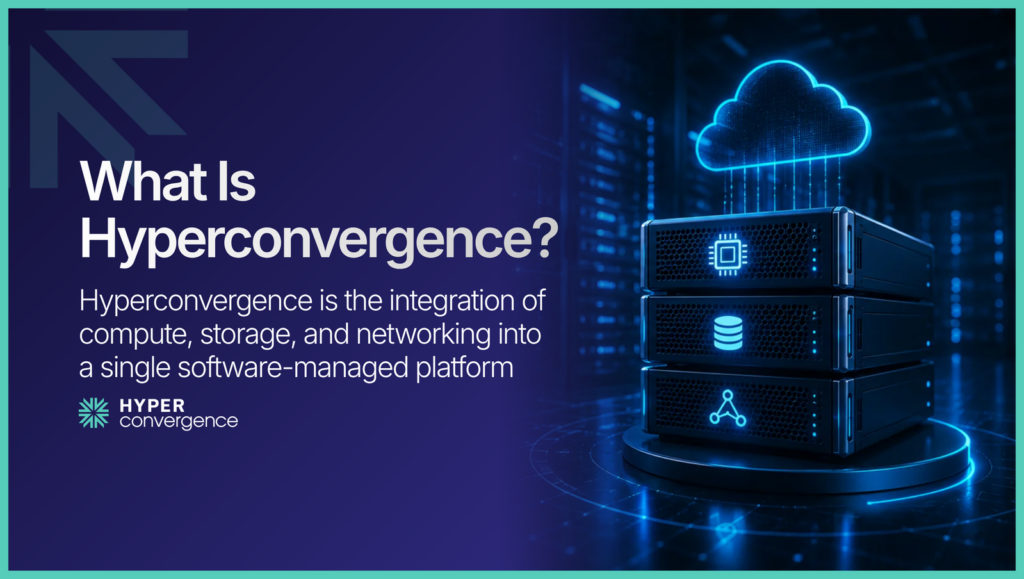
Hyperconvergence is the idea of collapsing separate infrastructure layers into one software-managed system. In older environments, compute, storage, and networking resources are usually planned, bought, and managed separately. In a hyperconverged model, those layers are pooled and controlled together, creating a unified system that reduces operational sprawl and usually makes growth easier to manage.
The term is often used alongside hyperconverged infrastructure, or HCI. In simple terms, hyperconvergence is the concept, and HCI is the infrastructure model businesses actually buy and deploy.
Evolution of Hyperconvergence
Modern data centers did not become hyperconverged overnight. Hyperconvergence is the result of decades of infrastructure technology evolution aimed at reducing complexity, improving scalability, and modernizing IT infrastructure. As enterprise workloads grew and data volumes increased, traditional infrastructure models became more difficult to manage efficiently. This led to a gradual shift toward more integrated infrastructure approaches, with each stage addressing the limitations of the one before it. The three major infrastructural phases are as follows:
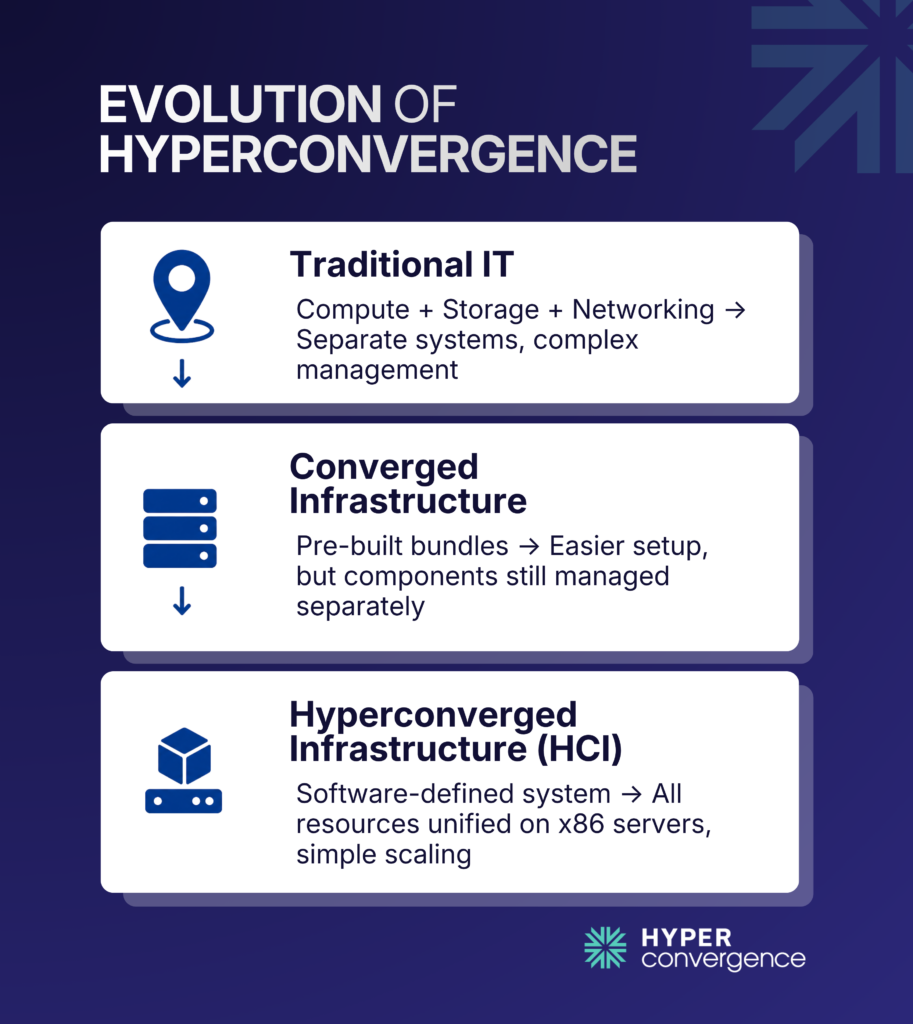
Traditional Three-Tier Infrastructure
For years, enterprise IT relied on separate components across different infrastructure layers:
- Dedicated servers for compute
- SAN or NAS arrays for storage
- Separate networking hardware
- Individual management tools for each component
While this architecture offered flexibility, it also created operational silos. Scaling often meant purchasing additional storage arrays or servers independently, configuring multiple systems, and coordinating between specialized teams. As a result, traditional IT infrastructure often required more administrative effort and left room for inefficient resource utilization.
As organizations expanded their IT environments, these challenges became increasingly difficult to manage. Vendors began looking for ways to simplify infrastructure deployment without completely changing the underlying architecture, leading to the emergence of converged infrastructure.
Converged Infrastructure
Converged infrastructure (CI) was the first major step toward simplifying data center management. Vendors began packaging servers, storage, and networking into validated systems that were easier to deploy and supported by a single provider.
However, these components remained separate technologies underneath. Storage arrays, SAN networks, and servers continued to be managed independently while operating within the same infrastructure. Although CI reduced deployment complexity, organizations still had to manage individual hardware layers and scale them separately.
To overcome these remaining limitations, the next stage of infrastructure evolution shifted the focus from integrating hardware to integrating resources through software.
Hyperconverged Infrastructure
Hyperconvergence took the next logical step by replacing dedicated storage arrays with software.
Instead of purchasing specialized storage hardware, organizations use industry-standard x86 servers where each node contributes CPU, memory, and local storage. Software combines these resources into a single shared infrastructure pool, creating hyperconverged systems that simplify deployment and operations.
This shift dramatically simplifies deployment, scaling, automation, and lifecycle management while improving cost savings and storage efficiency over time.
Today, HCI powers everything from virtual desktop infrastructure (VDI) and branch offices to private cloud and Kubernetes environments.
What is Hyperconverged Infrastructure?
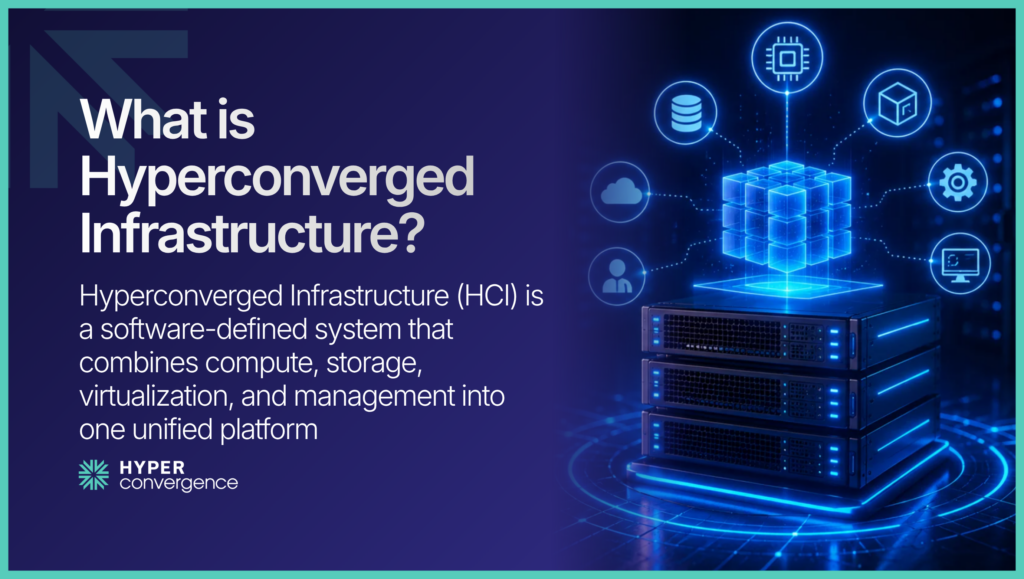
Hyperconverged infrastructure (HCI) is the most common real-world implementation of hyperconvergence. It combines compute, storage, virtualization, and management into a single software-defined platform that runs on industry-standard servers.
Instead of managing separate storage arrays, server hardware, and virtualization tools, IT teams can control the entire environment through a unified management layer.
In a traditional data center, compute, storage, and networking are often deployed and managed as separate systems. Each layer may require different hardware vendors, management tools, and specialized expertise.
Hyperconverged infrastructure simplifies that model by pooling compute and storage resources capacity into a cluster of nodes that can be managed and scaled together, reducing overall data center footprint.
HCI is particularly popular for virtual desktop infrastructure (VDI), backup and disaster recovery, remote and branch office deployments, and private cloud environments.
Grand View Research also identifies VDI as one of the fastest-growing HCI application segments as organizations continue to expand digital workspaces and hybrid work initiatives.
For many organizations, the biggest advantage is operational simplicity. Instead of managing multiple infrastructure silos, administrators can deploy, monitor, scale, and protect workloads from a single platform. That simplicity is one of the main reasons hyperconverged infrastructure has become a preferred architecture for modern data centers.
However, to learn more, you can check this discussion on what hyperconverged infrastructure is.
What Is Hyperconverged Storage?
Hyperconverged storage is the software-defined storage layer that powers hyperconverged infrastructure. Instead of relying on a dedicated storage array such as a SAN (Storage Area Network) or NAS (Network Attached Storage), each HCI node contributes its own local storage resources. HCI software then aggregates that capacity into a single shared storage pool that can be managed across the entire cluster.
To applications and virtual machines, the storage appears as one unified resource even though the data may be distributed across multiple physical nodes. This approach allows organizations to scale storage simply by adding additional nodes rather than purchasing and managing separate storage systems.
The software layer also provides many of the capabilities traditionally associated with enterprise storage arrays, including snapshots, replication, deduplication, compression, data protection, and automated failover. Because these features are managed through software, organizations gain greater flexibility without the complexity of maintaining a separate storage infrastructure.
Here you can learn more about what hyperconvergence storage is.
Hyperconverged Architecture
A typical HCI architecture starts with a cluster made up of multiple nodes. Each node includes a CPU, memory, and local storage. A hypervisor runs virtual machines on those nodes, while a management plane gives administrators one place to manage capacity, performance, snapshots, replication, and growth.
Rather than relying on separate hardware layers for compute, storage, and networking, HCI combines these resources into a software-defined platform. Each component has a specific role, but they work together as a single system that can be managed and scaled more easily than traditional infrastructure.
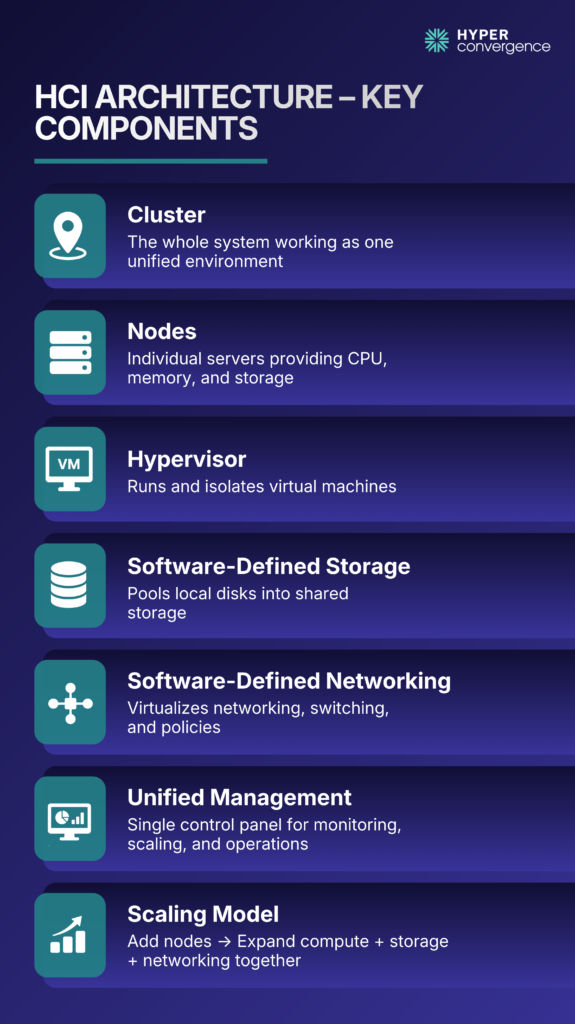
Core Parts of an HCI Environment
- Cluster: the full HCI environment working as one system
- Nodes: the individual servers inside the cluster
- Hypervisor: the virtualization layer that runs workloads
- Management plane: the central interface for operations
- Software-defined storage: the shared storage pool built from local disks
- Software-defined networking: the virtual networking layer inside the platform
That architecture changes how infrastructure scales. In many HCI deployments, growth means adding another node rather than redesigning the separate server and storage layers.
However, the sections below explain how the key software-defined layers work together to support the overall HCI architecture.
Compute Virtualization
Compute virtualization is central to HCI because it allows multiple virtual machines to share physical hardware while staying isolated from each other. This is what lets HCI pool compute resources and assign them where needed without tying each workload to its own server. Hyperconvergence.com points to common hypervisors such as VMware ESXi, Microsoft Hyper-V, and Nutanix AHV.
For buyers, hypervisor choice also affects licensing, migration planning, and long-term platform fit. Nutanix and VMware, for example, now represent very different HCI buying paths.
Software-Defined Storage
Software-defined storage is the engine that makes HCI storage work. It pools local disks across nodes into shared storage and applies data services like snapshots, replication, and resiliency in software. That removes the need for a separate storage array in many environments.
For buyers, that usually means simpler deployment and a cleaner scaling model. It also means storage decisions become more tightly tied to the HCI platform itself.
Software-Defined Networking
Software-defined networking is another core layer of HCI architecture. Although HCI does not remove the physical network, it virtualizes more of the networking behavior that workloads depend on, including switching, segmentation, and policy control.
This is one reason modern HCI decisions overlap with broader private cloud and security decisions, not just server refresh planning.
Unified Management
The management plane brings the entire HCI environment together through a unified management interface. Instead of using separate tools for servers, storage, and virtualization, administrators manage the environment through one interface or one coordinated software stack. That reduces context switching and makes routine tasks easier to standardize.
For smaller teams, this can be one of the strongest reasons to adopt HCI. Simpler day-to-day operations often matter more than raw feature count.
Hyperconvergence vs Traditional Infrastructure
Traditional infrastructure usually separates compute, storage, and networking into different hardware tiers and often different teams. HCI brings those layers together into a cluster-based, software-managed model. The result is usually faster deployment, easier scaling, and fewer daily management handoffs.
|
Traditional Infrastructure |
Hyperconverged Infrastructure |
|
Separate server, storage, and networking layers |
One software-managed platform |
|
Multiple consoles and teams |
Centralized management |
|
Scaling often means redesigning tiers |
Scaling often means adding nodes |
|
More infrastructure sprawl |
Less operational sprawl |
Hyperconvergence vs Converged Infrastructure
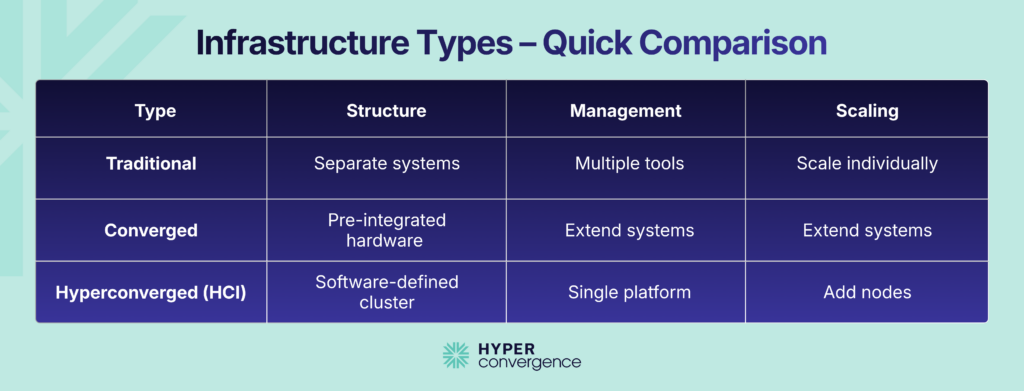
Converged infrastructure and HCI are related, but they are not the same. In a converged system, servers, storage, and networking are pre-integrated, but they still remain separate hardware domains. In HCI, those functions are virtualized and delivered as one software-defined platform across clustered nodes. That difference changes how buyers think about scaling and operations. Converged infrastructure is often better for predictable enterprise designs. HCI is usually better for simpler growth and easier management.
However, here you can see the key differences between converged and hyperconverged infrastructure.
Hyperconvergence vs Cloud and Hybrid Cloud
HCI is not the same as public cloud. Public cloud is a rented infrastructure and managed services delivered on demand. HCI is usually the infrastructure that the business owns or controls. Many organizations use both, which is why hybrid models are now common.
The real comparison is less about “HCI or cloud” and more about where each one fits. HCI often works well for latency-sensitive, compliance-sensitive, or operationally critical workloads, while cloud works well for elasticity and broader service consumption.
Hyperconverged Solutions
Hyperconverged solutions now cover a wide range of buyer needs. Some are full-stack HCI platforms with strong private cloud and hybrid features. Others are simpler, appliance-led systems for edge, ROBO, or mid-market environments. That is why the “best” HCI solution always depends on workload, management needs, and licensing comfort.
Read more about the best HCI Solutions here.
Hyperconvergence Vendors
No single vendor is right for every environment. Nutanix is strong for buyers who want an all-in-one HCI platform and more flexibility beyond a VMware-only future. VMware vSAN remains relevant for organizations already committed to the VMware operating model. HPE SimpliVity, Scale Computing, and StarWind often come up in edge, ROBO, VDI, and mid-market discussions.
Here is a detailed nutanix vs vmware comparison from a broader perspective.
Benefits of Hyperconvergence
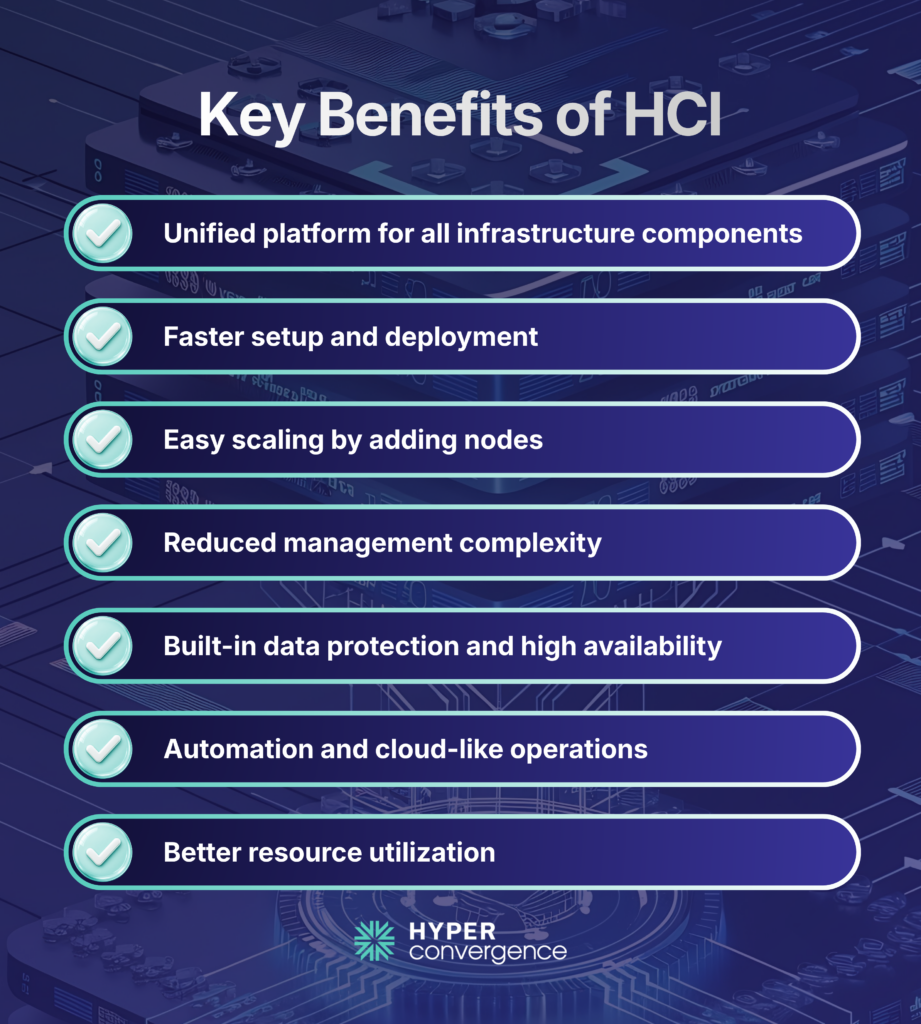
Organizations adopt HCI because it simplifies infrastructure management while improving scalability and operational efficiency.
Some of the biggest advantages include:
Simpler Infrastructure
One of the biggest advantages of HCI is its simplified infrastructure model. Administrators manage servers, storage, virtualization, and networking from one platform instead of multiple management consoles. This reduces the need to switch between different tools and lowers the complexity of day-to-day operations.
For organizations with lean IT teams, centralized management can reduce administrative overhead and make it easier to monitor infrastructure health, provision resources, and perform routine maintenance from a single interface.
Faster Deployment
New HCI clusters can often be deployed in hours rather than weeks because there is no SAN configuration or separate storage provisioning. Most platforms provide validated architectures and automated deployment workflows, allowing organizations to bring new infrastructure online much more quickly.
Faster deployment also enables IT teams to respond more quickly to changing business requirements, whether launching new applications, expanding virtual environments, or opening remote locations.
Linear Scalability
Adding capacity usually involves adding another node to the cluster, allowing compute and storage resources to grow together. This node-based scaling model eliminates many of the planning challenges associated with traditional three-tier infrastructure, where servers and storage often need to be expanded separately.
As business requirements evolve, organizations can increase infrastructure capacity incrementally rather than making large upfront hardware investments. This makes long-term capacity planning more predictable.
Lower Operational Complexity
HCI reduces infrastructure silos and minimizes manual administration by consolidating multiple infrastructure functions into a single software-defined platform. Routine tasks such as provisioning, monitoring, upgrades, and lifecycle management become more consistent across the environment.
According to an IDC Business Value study sponsored by Nutanix, organizations using Nutanix Cloud Platform achieved an average 41% reduction in infrastructure costs, a 391% three-year ROI, and a 7-month payback period, largely due to simplified management and improved operational efficiency. (source)
Built-in Resilience
Most HCI platforms automatically replicate data across multiple nodes, improving availability without requiring dedicated storage appliances. If a node experiences a hardware failure, workloads can often continue running using replicated data stored elsewhere in the cluster.
This built-in resiliency helps reduce downtime and simplifies disaster recovery planning. Many HCI platforms also include snapshots, automated failover, and backup capabilities that strengthen overall infrastructure reliability.
Cloud-Like Operations
Modern HCI platforms support automation, APIs, self-service provisioning, and hybrid cloud integrations that align with private cloud strategies. These capabilities allow organizations to manage infrastructure with many of the same operational practices used in public cloud environments while maintaining control over on-premises resources.
As enterprise IT continues to adopt hybrid cloud operating models, HCI provides a foundation for running virtual machines, containers, and cloud-native workloads through a consistent management experience. IDC also reports that organizations adopting HCI-based cloud platforms experienced significantly improved IT agility and scalability while reducing operational costs.
Challenges of Hyperconvergence
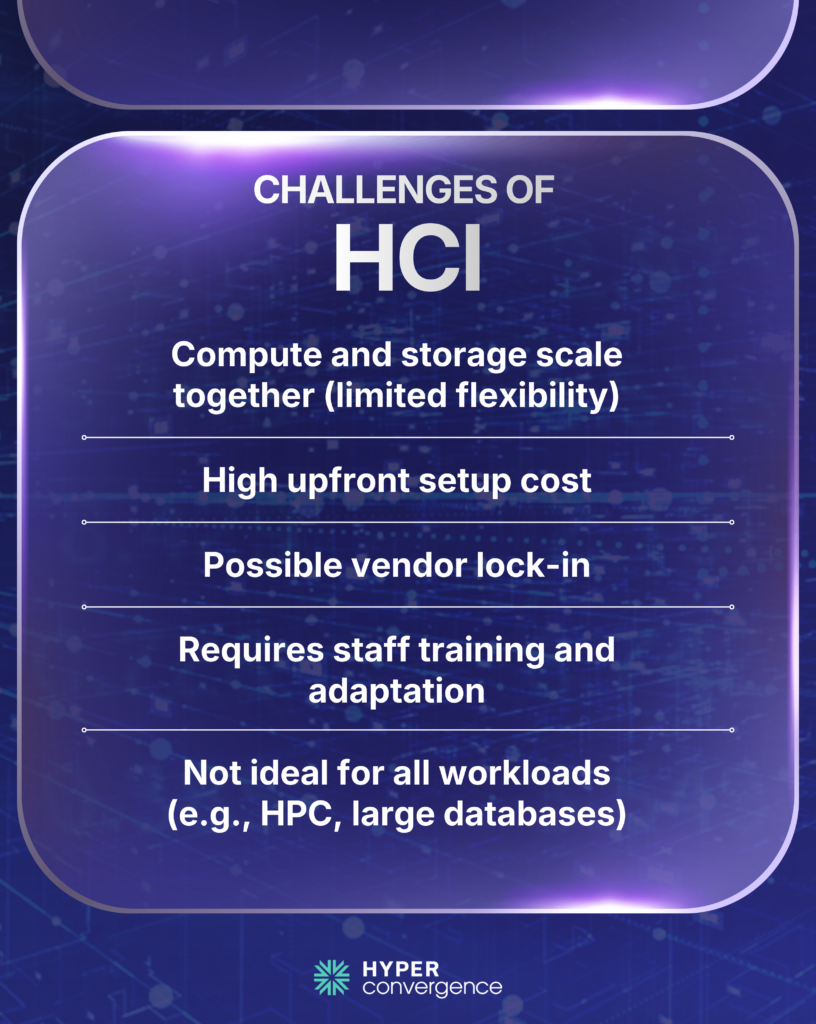
Despite its advantages, HCI is not the right fit for every workload. Here are the limitations you might face while adopting this infrastructure:
Scaling Compute and Storage Together
Some environments require only additional storage or only additional compute. Because many HCI platforms scale these resources together, organizations may purchase capacity they do not immediately need.
This coupled scaling model can increase infrastructure costs in workloads where storage and compute grow at different rates. Although some modern HCI platforms now offer more flexible or disaggregated scaling options, independent scaling is not available across all solutions and often depends on the vendor and platform architecture.
Initial Investment
Although operational savings often offset costs over time, deploying a new HCI cluster requires upfront capital investment. Organizations typically need to purchase multiple nodes, software licenses, and, in some cases, professional implementation services before realizing the long-term operational benefits.
Vendor Lock-In
Many HCI platforms integrate tightly with proprietary software stacks, making future migrations more complex. Features such as storage services, management tools, and automation capabilities are often closely tied to a specific vendor’s ecosystem.
As a result, switching platforms may require workload migration, data movement, application testing, and administrator retraining. Organizations should consider long-term platform strategy and interoperability before committing to an HCI vendor.
Learning Curve
HCI introduces new concepts such as software-defined storage, virtualization management, policy-based automation, and cluster operations that may differ from conventional infrastructure management practices. Therefore, IT teams accustomed to traditional SAN environments may require training to manage software-defined infrastructure effectively.
Although day-to-day administration often becomes simpler after deployment, organizations should plan for training and change management during the transition to help administrators become familiar with the new operating model.IT teams accustomed to traditional SAN environments may require training to manage software-defined infrastructure effectively.
Not Ideal for Every Workload
It’s true that HCI is designed to support a wide range of enterprise applications, virtualized workloads, and private cloud environments. However, massive databases, high-performance computing (HPC), and certain specialized storage applications may still perform better on dedicated infrastructure optimized for those specific workloads.
Organizations with highly specialized performance or latency requirements should evaluate workload characteristics carefully before replacing traditional architectures with HCI. In many enterprises, HCI complements rather than completely replaces existing infrastructure, allowing each platform to support the workloads it handles best.
Hyperconvergence Use Cases
Organizations across industries use HCI to simplify operations while improving resilience. Its flexible, software-defined architecture supports a wide range of workloads, from centralized data centers to distributed edge environments.
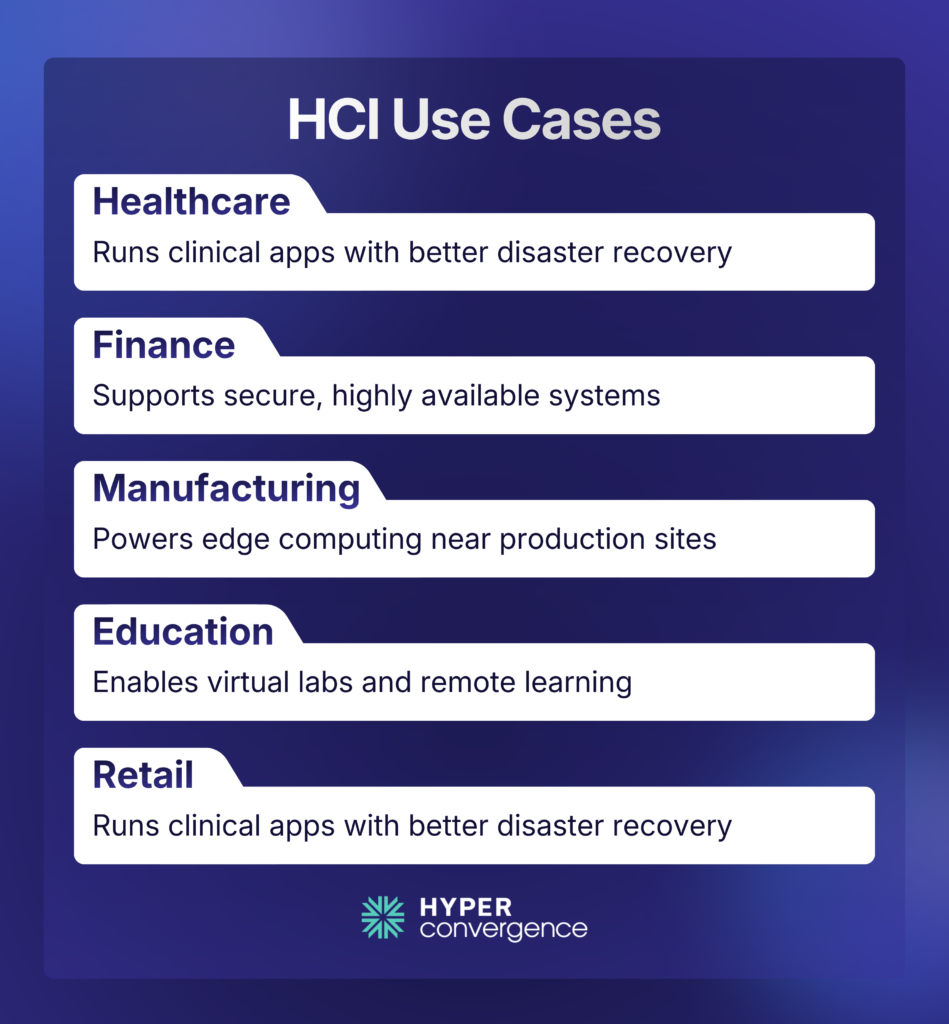
Common examples include the following:
Healthcare
Hospitals consolidate clinical applications while improving disaster recovery. HCI also supports electronic health records (EHR), medical imaging systems, and other critical healthcare applications that require high availability and reliable data protection.
Financial Services
Banks deploy highly available virtualization platforms with simplified management. The centralized architecture also helps financial institutions maintain consistent performance for business-critical applications while supporting business continuity and disaster recovery initiatives.
Manufacturing
Factories use compact HCI clusters to support edge applications closer to production systems. This allows manufacturers to process operational data locally, reducing latency for industrial automation, quality control, and IoT workloads.
Education
Universities simplify IT administration while supporting research, virtual labs, and remote learning. HCI also enables IT teams to scale virtual desktop infrastructure (VDI) and campus services more efficiently as student and faculty requirements change.
Retail
Retailers deploy standardized infrastructure across hundreds of stores with centralized management. This approach simplifies branch deployments while providing consistent performance for point-of-sale systems, inventory management, and other business applications across multiple locations.
Hyperconvergence Security
Security is built into many modern HCI platforms rather than added as separate appliances.
Typical security capabilities include:
- Encryption at rest
- Encryption in transit
- Role-based access control
- Secure snapshots
- Immutable backups (platform-dependent)
- Multi-factor authentication
- Automated patch management
- Integrated ransomware protection
However, HCI does not eliminate the need for broader cybersecurity practices. Organizations should still implement network segmentation, identity management, endpoint protection, and regular backup testing.
According to Flexera’s 2024 State of the Cloud Report, security remains one of the top challenges organizations face in cloud and hybrid environments, making secure infrastructure design increasingly important.
Hyperconvergence Backup and Disaster Recovery
Backup and disaster recovery are major HCI buying drivers. Grand View identifies backup and disaster recovery as a core HCI application area, which matches how many buyers actually use the technology.
For buyers, the practical questions are simple:
- What is the real RPO?
- What is the real RTO?
- How is recovery tested?
- Is failover built into the platform or left to third-party tools?
Those questions matter more than general marketing language about resiliency.
Hyperconvergence Cost, ROI, and TCO
HCI is often sold on total cost of ownership, but buyers should break that claim into smaller parts. A real TCO model should include hardware, hypervisor licensing, HCI software licensing, management overhead, backup and DR tooling, migration effort, support, power, and space.
What to include in a real TCO comparison:
- hardware footprint
- hypervisor cost
- HCI software cost
- backup and DR tooling
- support and services
- migration work
- management time
- future growth costs
Hyperconvergence for Mid-Market Businesses
Mid-sized organizations often lack dedicated storage, virtualization, networking, and server specialists.
HCI helps address this challenge by consolidating management into one platform.
For businesses with lean IT teams, HCI can provide:
- Easier day-to-day administration
- Predictable scaling
- Reduced infrastructure complexity
- Faster disaster recovery
- Simplified remote office deployments
Rather than managing multiple vendor relationships, IT teams work with a unified infrastructure platform.
Small and medium-sized enterprises (SMEs) are expected to experience the fastest CAGR among enterprise segments through 2030 as organizations look for simpler infrastructure that reduces operational complexity. (source)
Mid-market buyers should be treating HCI like a feature contest. The better question is which platform reduces operational burden without creating a licensing or migration trap. For many mid-market teams, the most practical priorities are one clear management plane, predictable licensing, built-in DR, and a platform that can support a few sites well rather than trying to behave like a massive private cloud from day one.
That is why Nutanix often appeals to mid-market refresh projects, while simpler platforms such as Scale and StarWind appeal to leaner teams that value day-to-day ease over broader ecosystem depth.
Here you can find the best HCI solutions for mid-market companies.
Future Trends in Hyperconvergence
The next phase of HCI is not just more virtualization. It is a broader distributed infrastructure. Three trends stand out: hybrid cloud integration, edge growth, and support for newer application models such as containers and AI-ready environments.
This shift is particularly visible in North America, which accounted for 39.3% of the global hyperconverged infrastructure market in 2023. The region’s leadership reflects continued investment in data center modernization, hybrid cloud adoption, and enterprise digital transformation.
In simple terms, HCI is moving from “simpler virtualization” toward “simpler distributed infrastructure.” That is a more useful way to think about its future.
Conclusion
Hyperconvergence is no longer just a virtualization technology. It has become the foundation for many private clouds, hybrid clouds, edge computing, and modern application platforms. As organizations continue consolidating infrastructure and automating IT operations, HCI is evolving from a niche architecture into a mainstream deployment model for enterprise infrastructure.
Hyperconvergence is a practical way to run compute, storage, virtualization, and management as one manageable platform. That is why HCI keeps showing up in core data centers, branch offices, edge locations, private cloud environments, and continuity-led refresh projects. It helps many IT teams reduce infrastructure sprawl, simplify operations, and scale more cleanly.
The main takeaway is simple. Choose HCI when operational simplicity, resiliency, and manageable growth matter more than preserving old infrastructure silos. Favor a platform like Nutanix when you want a more self-contained HCI stack. Favor VMware when you are already committed to the VMware model and want continuity through vSAN and VCF. Look more closely at SimpliVity, Scale, StarWind, and similar options when edge, ROBO, or mid-market simplicity is the priority.
FAQ
Hyperconvergence is a way to run compute, storage, virtualization, and management as one software-defined platform instead of separate infrastructure layers. The goal is to make infrastructure easier to deploy, scale, and manage.
Hyperconvergence is the broader concept. Hyperconverged infrastructure, or HCI, is the most common real-world product model businesses buy and deploy.
Traditional infrastructure usually separates servers, storage, and networking into different hardware tiers. HCI brings those layers together into one cluster-based platform with centralized management.
Hyperconverged storage is the software-defined storage layer inside HCI. It pools local disks across nodes into one shared storage resource that can support snapshots, replication, and failover.
HCI works especially well for VDI, branch offices, edge deployments, backup and disaster recovery, private cloud, and virtualized business applications. VDI is also one of the fastest-growing HCI application segments.
The main benefits are simpler management, easier scaling, less infrastructure sprawl, and better day-to-day operational efficiency. For many teams, the biggest value is managing fewer separate systems.
The main drawbacks are vendor lock-in, licensing complexity, migration effort, and the fact that some platforms scale compute and storage together even when you only need one of them. HCI also is not the best fit for every workload.
No. HCI is usually infrastructure that the business owns or controls, while public cloud is rented infrastructure and managed services. Many organizations use HCI and cloud together in a hybrid model.
Yes. The global HCI market was worth $11.69 billion in 2023 and is projected to reach $49.75 billion by 2030, which shows that businesses are still investing heavily in this model.
Start with hypervisor choice, licensing model, management simplicity, built-in backup and disaster recovery, cloud fit, and long-term support. The right platform is usually the one that reduces operational complexity without creating a future migration problem.