

An NTP server, short for Network Time Protocol server, provides a trusted time source for devices across a network. Despite being one of the oldest internet protocols still in use, NTP remains a core part of modern digital infrastructure.
From cloud platforms and financial systems to mobile networks and industrial environments, accurate time synchronisation allows distributed systems to operate reliably. Millions of devices depend on NTP servers to share a common time reference, which is also reflected in broader web hosting statistics that highlight the importance of uptime and infrastructure reliability.
In 2024, the combined market for Network Time Protocol and Precision Time Protocol hardware was valued at approximately USD 246 million, with projections reaching USD 376 million by 2032.
This guide explains what an NTP server is, how NTP works, why time synchronisation matters, and how to configure a secure NTP server. So, let’s dive right in!
What Is the Network Time Protocol?
Network Time Protocol (NTP), abbreviated as NTP, is a standard for synchronising clocks over a network. Developed in the early 1980s, network time protocol ntp exchanges timestamp messages between devices so they agree on a common time. Its longevity and continued use make it one of the internet’s most reliable services for keeping computer clocks aligned across networks and platforms.
NTP messages travel over UDP port 123 and use a simple algorithm to compute clock offset and network delay. Most modern operating system platforms include built-in support for NTP or its lighter variant, simple network time protocol, allowing systems to synchronise time automatically.
What Is an NTP Server?
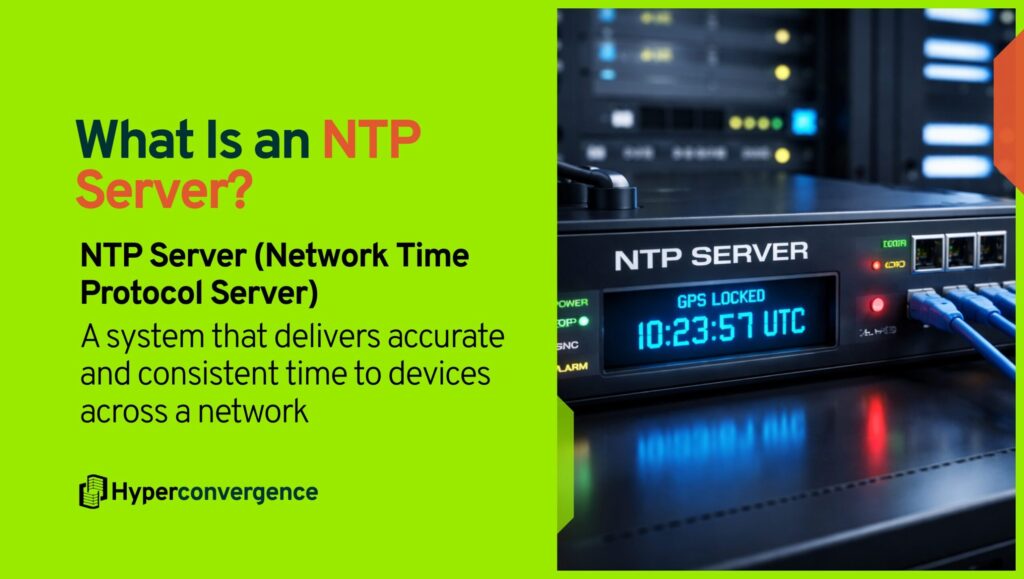
An NTP server provides accurate time to clients on a network. It obtains its time from a reliable reference such as an atomic clock, the Global Positioning System (GPS), or a radio time signal, and distributes that time to ntp clients and other time servers within the network.
A stratum 1 NTP server connects directly to a reference clock, while lower-stratum servers receive time from upstream sources.
In a corporate network, NTP servers distribute time to routers, switches, workstations, and virtual machines. They serve as the authoritative source that keeps logs, transactions, and security protocols consistent, which is essential for data integrity and reliable auditing.
Why Accurate Time Synchronisation Matters: Operational and Regulatory Impact
Precise timekeeping supports coordination, compliance, and troubleshooting. Without synchronised clocks, distributed systems may conflict, and security tokens may expire at the wrong moment due to an incorrectly configured time zone or clock drift.
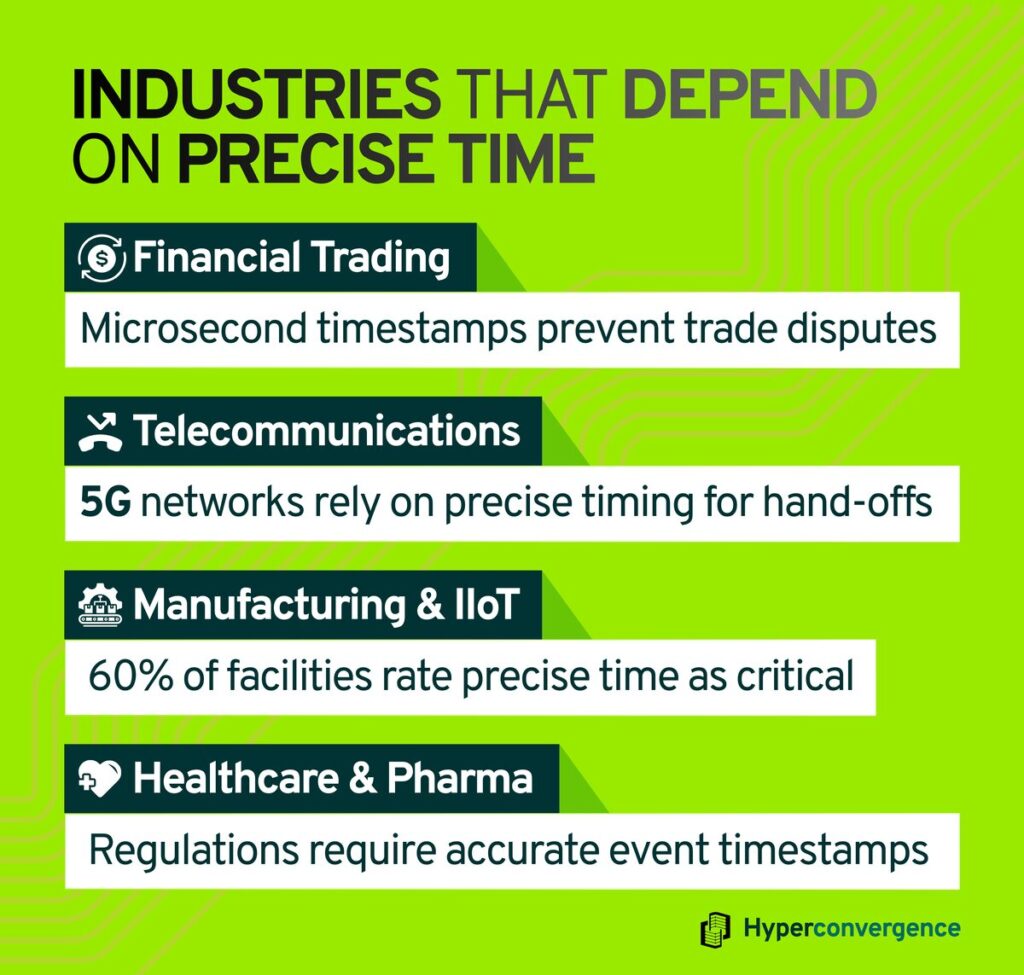
Here are the industries that depend on accurate time:
- Financial Trading: More than 75 %of equity trades are electronic, and microsecond-level time stamps prevent trade disputes.
- Telecommunications: 5 G base stations coordinate beamforming and hand-offs using precise time.
- Manufacturing and Industrial IoT: More than 60 %of facilities rate precise time as critical.
- Healthcare and Pharmaceuticals: Regulations such as FDA 21 CFR Part 11 and FINRA require systems to record events within one second of official time. (source)
Regulatory Drivers
Several laws and industry rules require systems to keep clocks within strict tolerances. Financial institutions must record trades with accurate timestamps to satisfy rules under the Financial Industry Regulatory Authority (FINRA) and the Markets in Financial Instruments Directive (MiFID).
Medical device manufacturers and pharmaceutical companies adhere to FDA 21 CFR Part 11, which demands that electronic records and signatures include accurate times.
Utility operators and telecom providers follow national and international standards that define timing accuracy for power grids and mobile networks. These regulations drive the adoption of reliable time sources.
Without trusted time sources, logs cannot be correlated, distributed systems fall out of sync, and security protocols break down. NTP servers solve these problems because they provide consistent time to every device.
Understanding Universal Time
To distribute the same time across continents, NTP servers refer to Coordinated Universal Time (UTC). UTC combines International Atomic Time (TAI) and Universal Time (UT1).
TAI is based on hundreds of atomic clocks worldwide, while UT1 reflects Earth’s rotation. When the difference between TAI and UT1 approaches 0.9 seconds, a leap second is inserted or removed. UTC acts as a reference; local time zones are offsets from UTC and applied through a configured time zone on each system.
How NTP Works: Client-Server Model and Packets
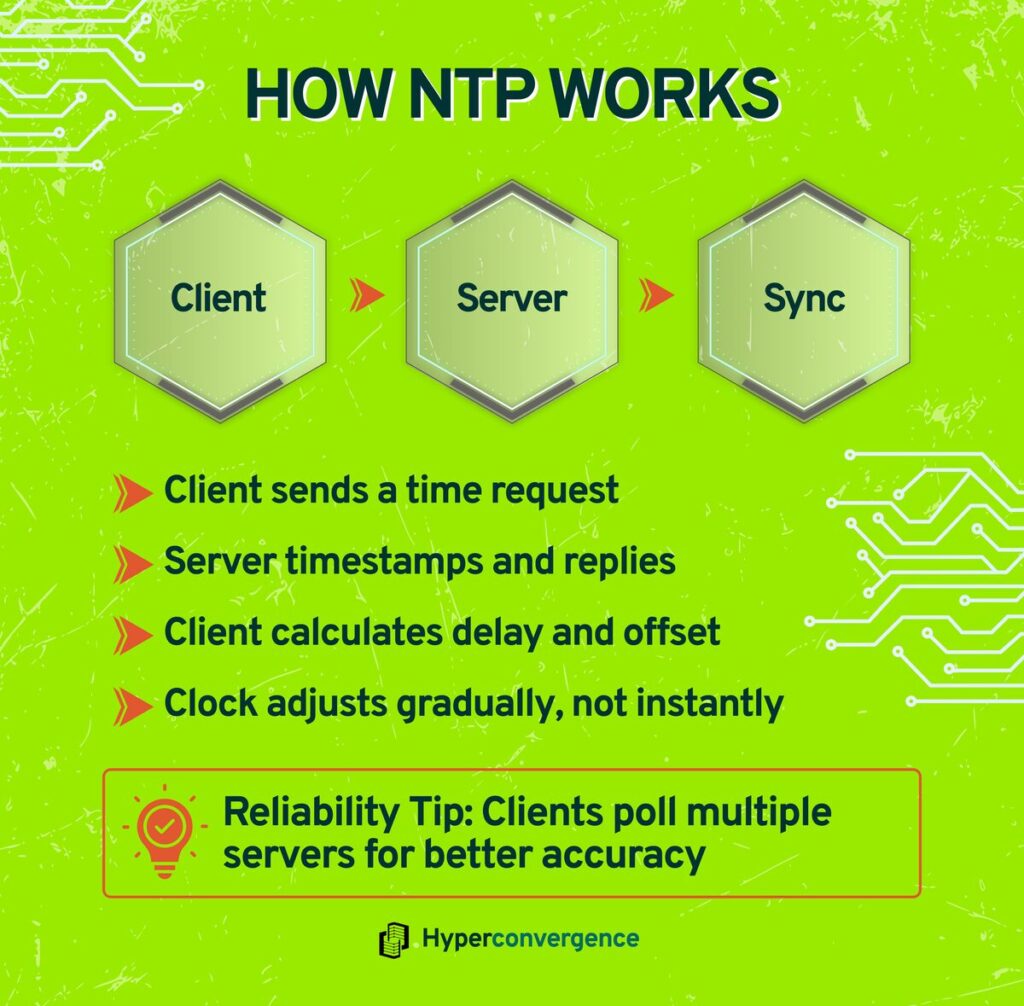
NTP uses a simple client-server model. A client sends an NTP request over UDP port 123, stamping the originate time. The server notes when it receives the packet (receive time), stamps its response with a transmit timestamp, and sends the reply.
When the client receives the response (destination time), it computes the round-trip delay and offset. This process repeats at increasing intervals, allowing clients to adjust their clocks gradually and keep computer clocks closely aligned.
The protocol defines a hierarchy of stratum levels. Each device has a stratum number indicating its distance from the reference clock. A stratum 0 reference can be an atomic clock, GPS signal, or radio time station. A stratum 1 server connects directly to that source and provides time to lower-stratum servers. Clients can poll multiple servers to improve reliability and accuracy.
Stratum Levels Explained
| Stratum | Description | Typical Accuracy |
| 0 | Atomic clocks or GPS/GLONASS signals | Nanosecond‑level precision (source) |
| 1 | Servers directly connected to stratum 0 | Microsecond precision (source) |
| 2 | Clients receiving time from stratum 1 servers | Millisecond precision (source) |
| 3-15 | Lower‑level clients | Accuracy decreases with each level (source) |
NTP Packet Structure
An NTP message contains 48 bytes. The key fields include:
- Version and Mode: Specify the protocol version and whether the sender is a client, server, or peer.
- Stratum: Indicates the server’s distance from a reference clock.
- Poll interval: Advises how often clients request updates.
- Root Delay and Dispersion: Estimate network delay and error.
- Reference Identifier: Identifies the time source (for example, GPS or a server address).
- Timestamps: Four 64‑bit values record the originate, receive, transmit timestamp, and reference times. Clients use these to compute offset and delay.
Types of NTP Servers
NTP servers can be categorised by their source and deployment. Here are the key types:
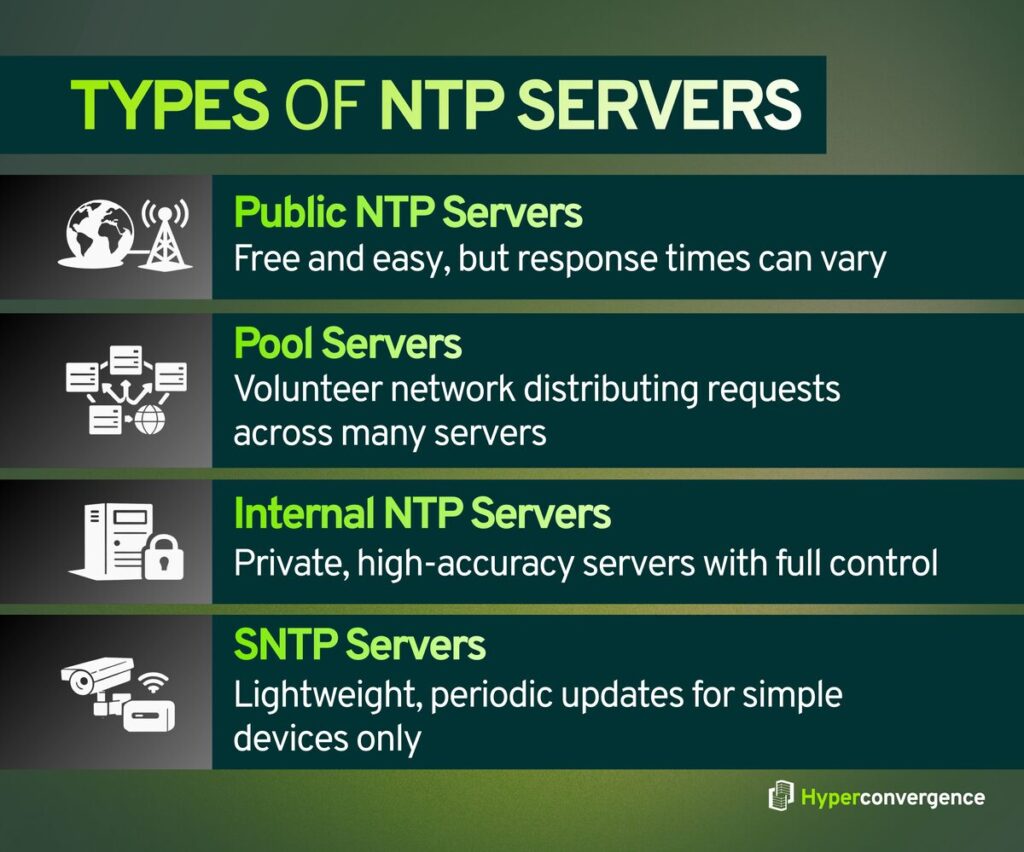
- Public NTP Servers: Free servers available on the internet and reachable over a standard network connection. They are easy to use but may experience unpredictable latency and jitter of a few milliseconds. Overuse of public pools can overload volunteers, and response packet delivery might be spoofed or delayed when the server responds.
- Pool Servers: A volunteer-run service (pool.ntp.org) distributes requests across thousands of servers in a hierarchical system. Pools are convenient for casual use, and most enterprise environments avoid heavy reliance on them, as administrators should respect usage guidelines and avoid excessive polling from client devices.
- Internal NTP Servers: Organisations operate their own stratum-1 appliances behind firewalls, often with a direct connection to a reference clock. These systems handle hundreds of thousands of requests per second and provide the correct time across computer systems and other devices. Internal servers reduce reliance on external networks and enable full control over time synchronization policies in enterprise environments.
- SNTP Servers: Simple Network Time Protocol Servers use a reduced ntp implementation and communicate with one server at a time using the same network protocol. They perform periodic time stepping rather than continuous adjustments and lack authentication features. SNTP is suitable for simple devices like wall clocks, but not for critical systems that depend on precise origin timestamp handling.
Comparing NTP and SNTP
| Feature | NTP | SNTP |
| Adjustment | Continuous time skewing keeps clocks in sync | Periodic time stepping can cause drift |
| Multiple Servers | Uses multiple servers to determine the most accurate time from a remote server set | Typically uses a single server |
| Security | Supports authentication to prevent spoofing | Often lacks authentication |
| Use Cases | Critical systems requiring high precision | Simple devices where occasional drift is acceptable |
SNTP suits simple devices such as wall clocks and small networks. NTP remains the standard choice for critical systems aiming for time synchronization.
Public versus Internal NTP Servers
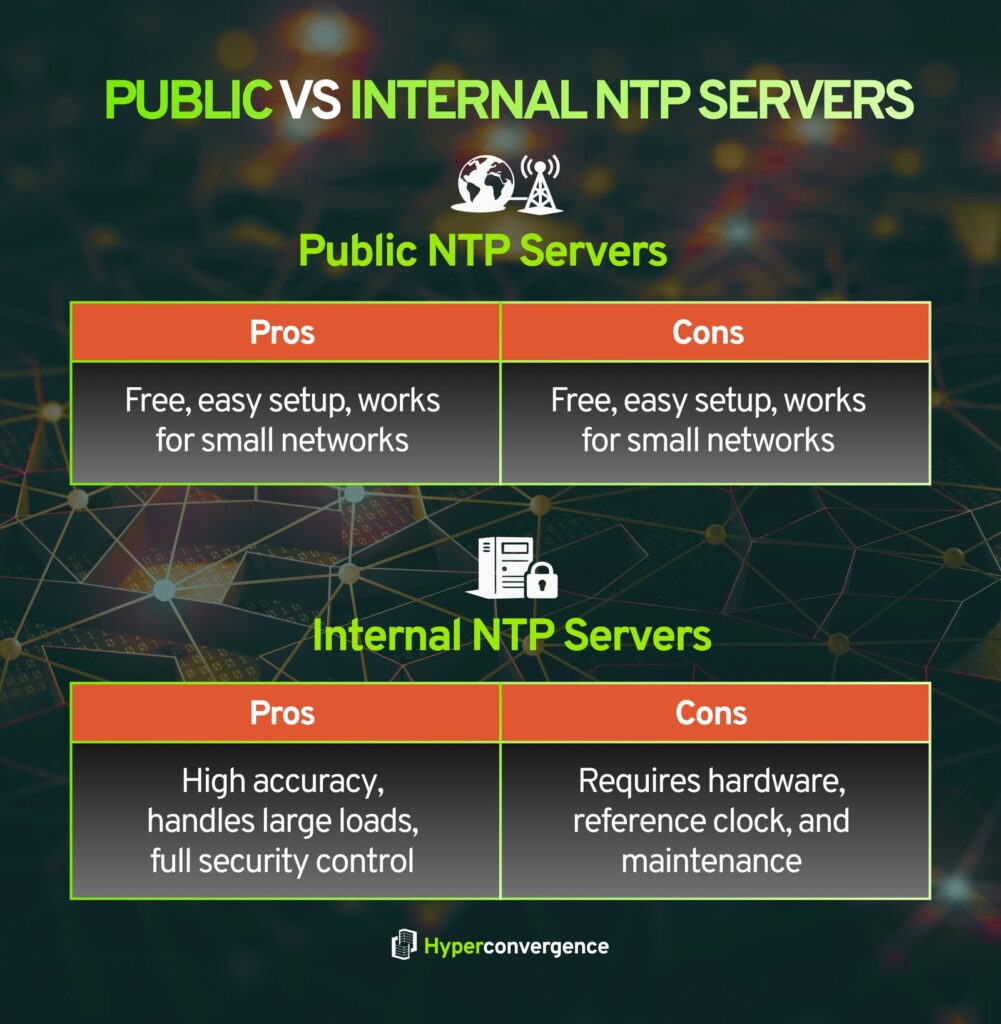
Public NTP Servers:
- Advantages: They are free and easy to set up. Small networks can begin synchronising clocks without special hardware by configuring client settings on endpoints.
- Limitations: Latency and jitter vary across the internet. Public pool servers can be overloaded, causing delays when the server responds. Responses may be spoofed or tampered with, and organisations have little control over maintenance or upstream network connection paths.
Internal NTP Servers:
- Advantages: Modern stratum-1 appliances handle hundreds of thousands of requests per second and provide nanosecond accuracy to client devices. They operate behind firewalls, reducing reliance on external connectivity. Internal servers offer higher precision and consistent, correct time delivery to computer systems across multiple networks.
- Considerations: Installing an internal server requires a reference clock and antenna. Organisations must maintain the hardware, monitor drift, and manage updates to ensure reliable time synchronization.
Common NTP Server Problems and Security Considerations
While NTP is dependable, poorly configured servers can cause issues. Attackers have exploited the monlist command on legacy servers to launch amplification attacks, turning small queries into large floods.
In 2025, more than 45 000 DDoS alerts involved NTP reflection. Other common problems include:
- Misconfigured Clients: Hard-coded server addresses may query the wrong remote server indefinitely. Always use domain names for pool servers and update configuration files when servers change.
- Outdated Software: Legacy NTP versions still expose the monlist command. Upgrading to version 4.2.7 or later disables this vulnerability. (source)
- Single-Source Dependencies: Relying on one server or direct connection creates a single point of failure. Polling multiple diverse servers improves resilience and protects other devices from false time readings.
Security best practices include disabling or restricting mode 6 and mode 7 queries, filtering spoofed traffic using BCP 38, and running internal servers behind firewalls. Administrators should also monitor logs for unusual traffic patterns in response packet flows and apply patches promptly.
Setting Up an NTP Server – Step‑by‑Step Guide
Building a reliable time infrastructure does not have to be complicated. This section outlines the key architecture and design decisions involved, rather than providing vendor-specific commands.
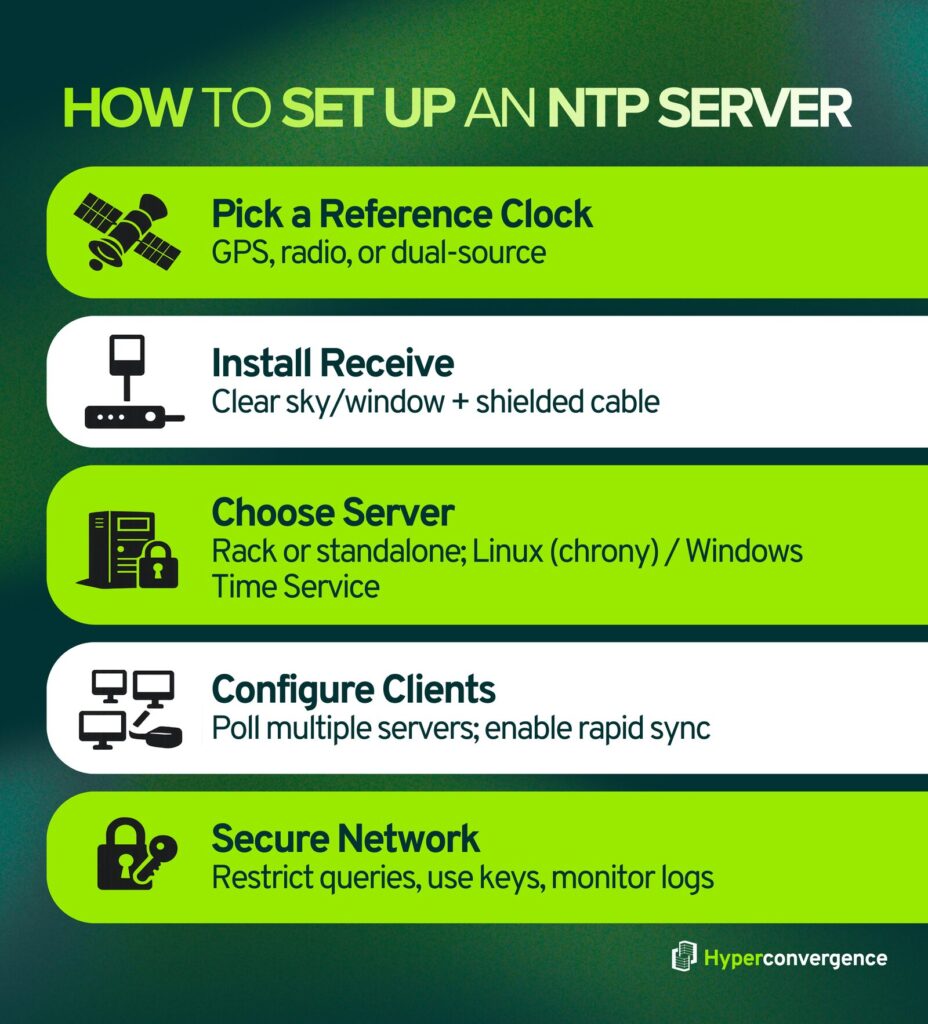
- Select a reference clock – Choose a GPS or radio time source, or a dual-source receiver. GPS satellites carry atomic clocks and provide global coverage, while radio signals are easier to receive indoors.
- Install a time receiver – Place the antenna where it has a clear view of the sky or near a window, and connect it to the server using shielded cabling to maintain a stable network connection timing signals.
- Choose server hardware or software – Options include rack-mount appliances or standalone servers. On Linux, the chrony daemon is a modern alternative to ntpd, while Windows provides a built-in Windows Time Service.
- Configure clients – Each device needs network access and client software. Poll multiple servers so client devices can maintain an accurate offset even if one source fails.
- Secure your network – Restrict who can query your server, use authentication keys to verify identities, and monitor logs for unusual activity across computer systems.
By following these steps, organisations can design an NTP infrastructure that is reliable, scalable, and secure, and delivers correct time consistently without diving into platform-specific command details.
Selecting Reference Clocks and Receivers
Organisations have two primary options for reference clocks: GPS and Radio Time Signals, both acting as a synchronization source for enterprise time servers.
GPS receivers use satellites equipped with atomic clocks and function as a highly reliable source of UTC time. A dedicated gps receiver provides global coverage and high precision, but it requires an unobstructed view of the sky and careful handling of leap seconds.
Radio antennas receive time signals from terrestrial transmitters operated by a national institute. They function indoors and through windows, but they are localised, vulnerable to interference, and less suitable for geographically dispersed environments.
Dual-source servers combine both GPS and radio inputs, automatically selecting the strongest reference and maintaining a stable time offset within the NTP hierarchical structure defined by stratum levels.
Real‑World Example: A financial firm installed a GPS-based NTP server in its data centre to distribute synchronized time across trading platforms. The server aligned the system clock of each operating system, preserving data integrity in databases and ensuring a consistent timestamp format in audit trails. During a network outage, the internal server continued to sync time, preventing transaction errors and maintaining accurate logging events across all connected devices.
Best Practices and Troubleshooting Tips
Keeping an NTP deployment stable requires attention to detail as follows:
- Poll Multiple Sources: Configure at least four upstream servers to reduce dependency on a single synchronization source and improve resilience in most enterprise environments.
- Keep Software Current: Upgrade to recent NTP releases so the ntp protocol can apply modern mitigation algorithms and avoid known vulnerabilities.
- Apply Filters: Use BCP 38 to block forged traffic and enforce authentication mechanisms that validate each request packet and associated receive timestamp.
- Monitor Drift and Traffic: Regularly measure drift using the destination timestamp to confirm clock accuracy and detect abnormal time offset patterns.
- Run one NTP Daemon per Host: Operating multiple NTP services on the same machine can degrade accuracy, interrupting efficient operation. (source)
- Place Servers Behind Firewalls: Limit inbound and outbound NTP traffic, disable broadcast mode, and restrict access to trusted networks only.
Industry Applications and Use Cases
Accurate time synchronisation is critical across many sectors:
- Financial Services: Microsecond precision ensures transaction ordering and regulatory compliance through a consistent timestamp format.
- Telecommunications: Cellular networks rely on tightly synchronised time servers to coordinate hand-offs and spectrum use.
- Industrial Automation: Cellular networks rely on tightly synchronised time servers to coordinate hand-offs and spectrum use. Controllers, robots, and sensors depend on deterministic timing; about 60 % of manufacturing facilities cite precise time as critical.
- Healthcare: Medical systems depend on accurate logging events to meet compliance and patient safety requirements. Electronic health records and audit trails must include accurate timestamps to satisfy regulatory rules.
- Cloud and Virtualisation: Virtual machines synchronise with hypervisors and external servers; paravirtualised clocks help reduce drift but do not replace NTP clients.
Future Trends in Time Synchronization
The demand for accurate time is growing as networks become more complex. Precision Time Protocol (PTP) delivers sub‑microsecond accuracy and complements NTP in 5 G and industrial deployments.
Researchers are developing chip‑scale atomic clocks and optical clocks that promise picosecond‑level precision. Meanwhile, Network Time Security (NTS), a new standard, adds cryptographic protection to NTP packets.
Below is the projected market‑growth chart for NTP/PTP servers. It visualizes how demand is expected to rise from 2024 to 2032, underscoring why these advances matter:

Conclusion: Key Takeaways and Next Steps
NTP servers deliver a consistent and trusted time source by synchronising systems with reliable reference clocks. A clear understanding of how NTP works, how stratum levels affect accuracy, and how NTP differs from SNTP helps organisations design stable and compliant time services.
Accurate time underpins system reliability, security, and regulatory compliance. Without synchronised clocks, logs cannot be correlated, security mechanisms fail, and audits become unreliable.
Effective NTP deployments focus on the following practices:
- Use multiple upstream time sources to avoid single points of failure
- Keep NTP software updated and disable legacy features
- Apply access controls and monitor traffic for anomalies
As emerging technologies demand ever finer accuracy, investing in reliable time synchronisation will remain essential.
FAQs
NTP servers are used to synchronise time across servers, computers, network devices, and applications. Accurate time is essential for logging, security, troubleshooting, and regulatory compliance
Network Time Protocol (NTP) is a standard protocol designed to synchronise clocks over packet-switched networks. It has been in continuous use since the early 1980s.
An NTP server synchronises with trusted reference sources such as atomic clocks, GPS satellites, or radio time signals, then distributes that time to client devices.
An NTP server address is the hostname or IP address used by clients to reach a time server, such as pool.ntp.org, time.google.com, or an internal enterprise server.
An NTP server IP is the numerical network address of a time server. Hostnames are preferred over fixed IPs because NTP providers may change server IPs without notice.
NTP uses UDP port 123 for communication between clients and servers.
Stratum indicates how far an NTP server is from the original reference clock. Lower stratum numbers mean closer proximity and typically higher accuracy.
NTP continuously corrects clock drift and supports multiple time sources and authentication. SNTP is a simplified version that performs basic time updates and is suitable only for non-critical devices.
No. NTP synchronises system time. DNS, on the other hand, resolves domain names to IP addresses. They are separate protocols with different purposes.
You can identify your network’s NTP server by checking system time settings, DHCP configuration, or network documentation. In enterprise environments, this is often an internal server.
Windows systems store NTP configuration in the Windows Time Service. Administrators can view the configured time source to determine whether the system uses an internal server, domain controller, or external provider.
Public NTP servers are suitable for basic use but not recommended for critical systems due to variable latency, limited control, and potential security risks. Enterprises usually deploy internal NTP servers.
Yes. Incorrect time synchronisation can cause authentication failures, invalid certificates, inconsistent logs, database replication issues, and regulatory compliance violations.

Tamzid is a distinguished SEO writer with over six years of experience specializing in IT, technology, data centers, and cybersecurity. His expertise extends to hyperconverged infrastructure, where he delivers well-researched, high-ranking content that bridges technical accuracy with reader clarity. With a deep understanding of both search optimization strategies and advanced IT concepts, Tamzid produces authoritative material that engages industry professionals and decision-makers alike.