
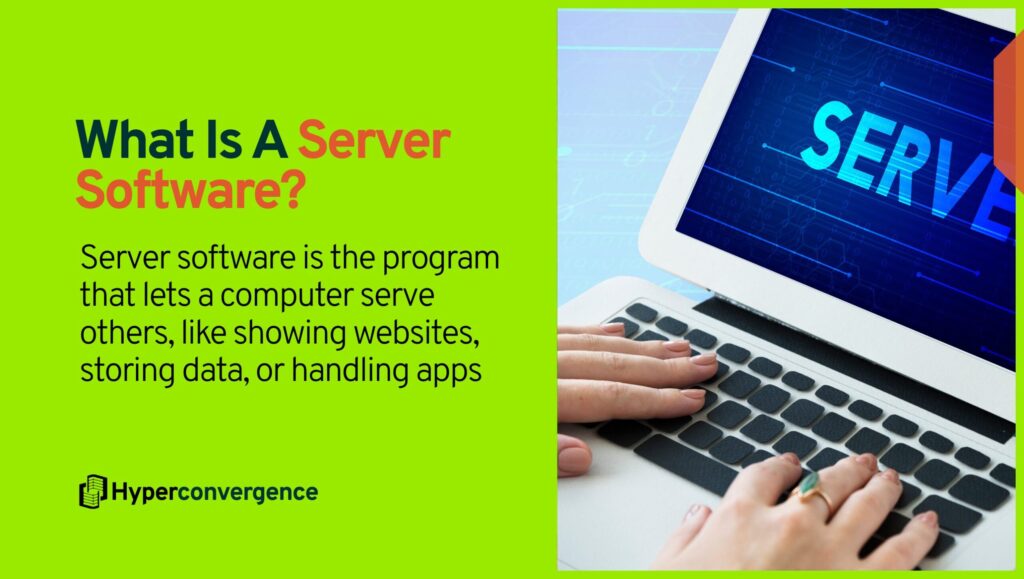
What is a server software? Well, it’s the set of programs that provide shared services to other systems over a network in a client–server model, where servers exist to process and respond to client requests at scale.
In practice, it includes the server operating system, network-facing service daemons such as web servers, database servers, mail servers, directory services, name servers, and file server components. It also often includes the control plane and management tooling used to deploy, secure, and observe those services across environments, whether those workloads run on on-prem infrastructure or on top cloud servers.
Modern deployments may run a single physical host as a dedicated server, or partition it into multiple virtual servers to improve utilization and isolation.
A core reason it matters is not only technical but also financial.
- 54% of operators said their most recent significant outage cost more than $100,000
- 16% reported outage costs over $1 million (source)
This is why choosing, operating, and maintaining server software is not just an IT decision; it’s a business decision as well.
What Is Server Software? (Simple Definition)
Server software is the set of programs that:
- respond to network client requests
- host applications, data, and services
- manage system resources such as CPU, memory, storage, and identity
- support secure, continuous, multi-user operations
In practice, it includes:
- server operating system
- network-facing service daemons (web server software, DNS, email or mail server software, database server software, directory services)
- control plane and management tools
- orchestration and monitoring components
And it may run on:
- physical servers
- virtual machines
- containers
- cloud instances
So while hardware provides the horsepower, server software provides the service.
Server Software vs Server Hardware vs “A Server”
A “server” can refer to hardware or software in common usage, but a clean separation is useful for architecture and procurement:
- Server Hardware: the physical machine and components, often deployed as a dedicated server in on-prem or hosting environments.
- Server Software: the programs that expose services and manage resources.
- Server (as a role): a system that serves client requests within the client–server model.
A server can be “software only” in the sense that the server role is performed by processes running on a host, virtual machine, or container, even when multiple virtual servers share the same physical infrastructure.
Types of Server Software and Their Roles
The sections below describe the main types of servers you see in enterprise and cloud environments, along with the operational role each type plays.
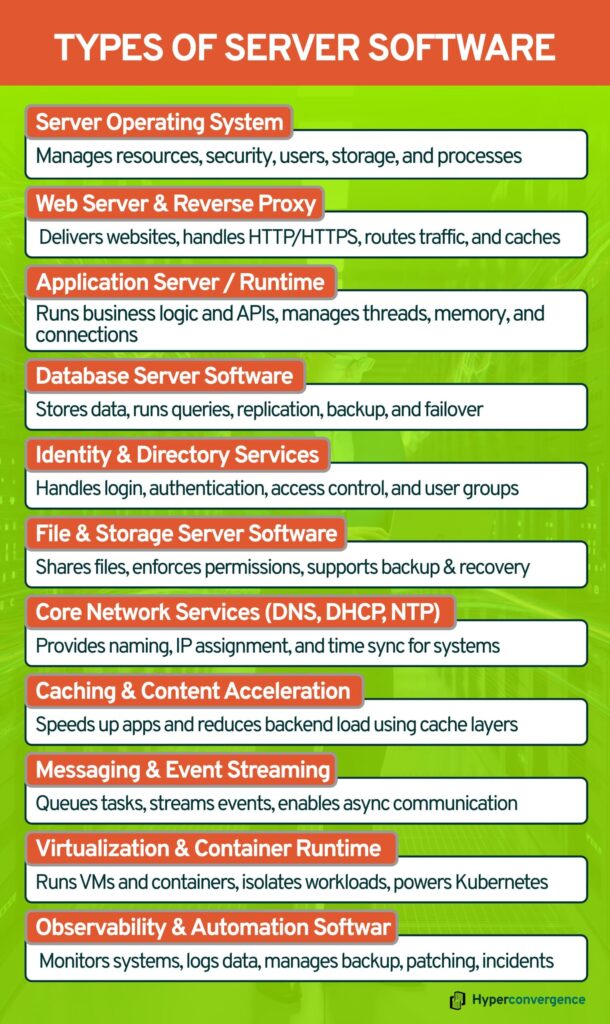
Server Operating System
Role: Resource management, process isolation, identity primitives, networking and storage stacks, service supervision, and baseline security controls.
On the public web, OS usage skews heavily toward Linux: Linux is used by 59.9% of websites where the OS is known, while Windows is used by 9.5%.
Where it matters for IT leaders:
- Hardening controls and auditability live here (logging, identity integration, kernel-level policy controls).
- Patch cadence and end-of-life risk are OS decisions before they are application decisions.
Web Server and Reverse Proxy Software
Role: Terminate HTTP or HTTPS, serve static content, route requests to application backends, enforce basic controls (rate limits, headers, TLS policy), and often provide caching.
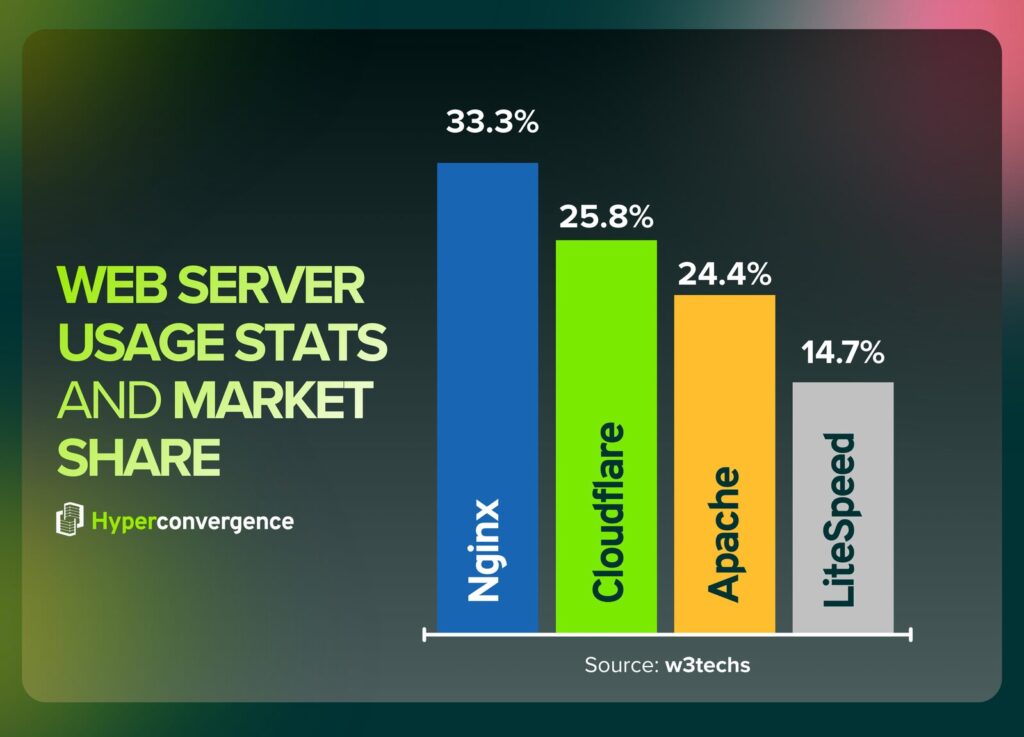
At Internet scale, web server usage concentrates around a few dominant platforms, including Nginx, Apache web server, and managed edge services:
- Nginx 33.3%
- Cloudflare 25.8%
- Apache 24.4%
- LiteSpeed 14.7% (source)
Common roles in reference architectures:
- Edge proxy for TLS termination and request normalization
- Internal ingress for service routing
- Static content tier for performance and cost control
Application Server Software and Runtimes
Role: Host business logic, manage runtime concerns (threads, memory, dependency loading), expose APIs, and integrate with data and messaging tiers.
The web server vs application server boundary can blur, but the conceptual split is still practical: web servers focus on HTTP request handling and static delivery, while application servers expose business logic components and broader protocol interactions.
Where it matters:
- Runtime behavior drives capacity planning and incident patterns (GC stalls, thread pool exhaustion, warmup time, connection pool limits).
- Upgrade paths can be dominated by runtime and framework dependencies, not the OS.
Database Server Software
Role: Persist data, enforce data integrity and concurrency, provide query execution and indexing, and support replication, backup, and failover patterns.
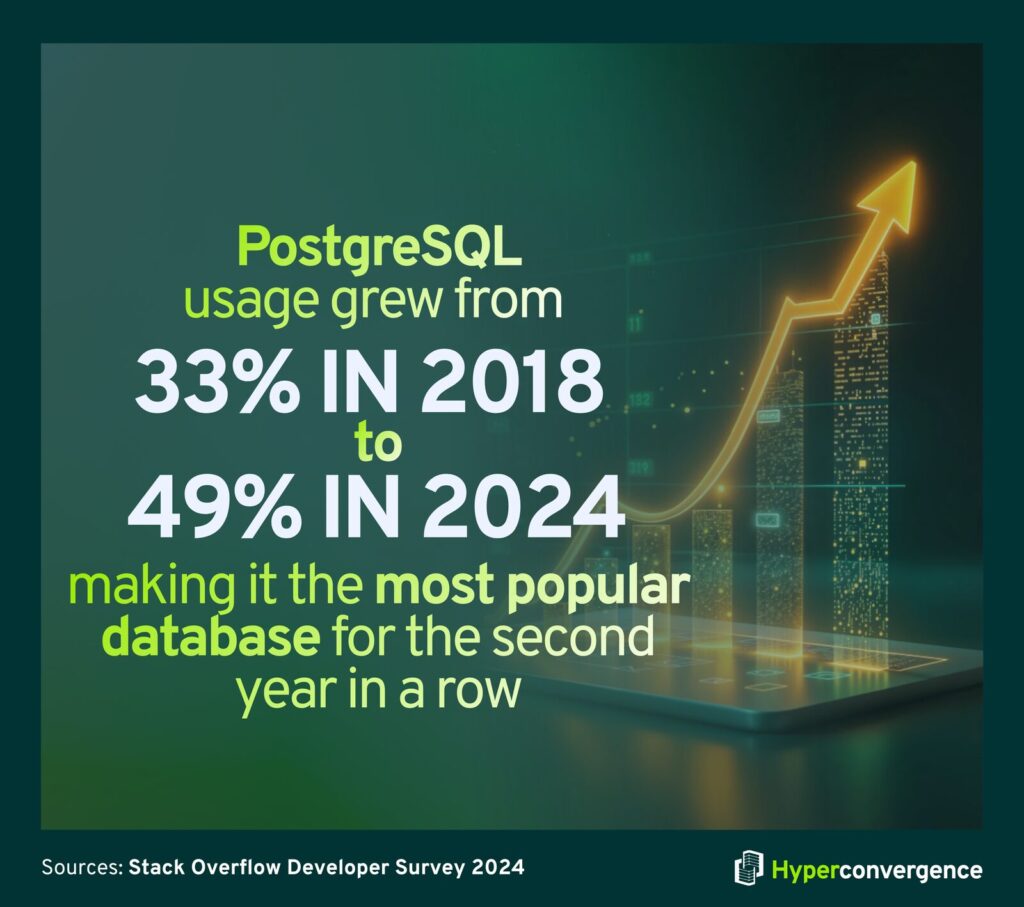
A useful adoption signal comes from developer tooling surveys: 49% of respondents reported using PostgreSQL, making it the most popular database for the second year in a row.
Where it matters
- The database tier tends to anchor RPO and RTO commitments.
- Most severe incident reviews trace back to restore procedures, replication design, schema change processes, or capacity shortfalls.
Directory, Identity, and Access Services
Role: Centralized authentication, authorization, group membership, policy enforcement, and service identity for systems and users.
Typical components:
- Active Directory or LDAP directory services
- Kerberos-based authentication in Windows environments
- RADIUS or TACACS+ for network and device access
Where it matters:
- Identity outages can become “everything is down” events because dependencies are broad.
- Audit and compliance requirements usually land here first.
File and Storage Serving Software
Role: Shared file access, permission enforcement, distributed file semantics, and integration with backup and recovery workflows.
Typical services:
- SMB or CIFS file servers for Windows-heavy environments
- NFS servers for Linux-heavy environments
- Object storage gateways, when bridging legacy file access to cloud storage
Core Network Infrastructure Services: DNS, DHCP, NTP
Role: Naming, address assignment, and time synchronization.
Time is a security control as much as an operations control. Certificate validation, Kerberos, log correlation, incident timelines, and authentication all depend on the correct time.
Caching and Content Acceleration Software
Role: Reduce latency and backend load by caching responses and objects, controlling TTLs, and protecting databases and application tiers.
Typical components:
- Reverse proxy caches
- Dedicated to memory cache tiers
Messaging and Event Streaming Software
Role: Decouple services, buffer load, provide durable event logs, and support async workflows.
Typical components:
- Message queues for task distribution
- Event streaming platforms for high-throughput event pipelines
Virtualization and Container Runtime Software
Role: Isolate workloads, schedule resources, standardize packaging and deployment, and simplify environment consistency.
Kubernetes adoption has moved well into mainstream enterprise usage. In the CNCF Annual Survey 2024, the sample size was 689, and 80% running Kubernetes in production in its 2024 survey announcement.
Where it matters:
- Workload isolation, multitenancy boundaries, and operational ownership models are tied to this layer.
- The control plane becomes a critical dependency for deployment, scaling, and recovery.
Observability, Management, and Automation Software
Role: Monitoring, logging, tracing, configuration control, patch orchestration, backup coordination, and incident response workflows.
This type of server software rarely gets budgeted as “core,” but outage economics force it into priority. In the Uptime Institute 2024 resiliency survey executive summary, 16% said their most recent outage cost more than $1 million.
How Server Software Works (Client–Server Model)
At its core, server software operates using a client–server model:
- A client, such as a browser, mobile app, or API consumer, sends a request over a network.
- The server software running on a web server, database server, mail server, or file server receives and processes that request.
- The server responds with data, a webpage, a message, or a status code.
This interaction happens continuously and concurrently across many clients. Well-designed server software is built to handle thousands to millions of simultaneous client requests while maintaining security, efficiency, and uptime.
Quick Comparison
Here’s a quick look at how different types of server software stack up:
| Type | Primary Role | Example Tool |
| Server OS | Manages resources, security | Linux, Windows |
| Web Server | Handles web traffic | Nginx, Apache |
| App Server | Executes business logic | Node.js, Java EE |
| Database | Stores and queries data | PostgreSQL, MySQL |
| Indentity Services | Authentication/authorization | LDAP, Active Directory |
Common Real-World Use Cases
Server software powers nearly all modern digital experiences across data centers, edge locations, and cloud servers, including:
- Websites and web pages
- Web and mobile application backends
- Enterprise data services (CRM, ERP)
- Cloud microservices running across multiple servers
- Content delivery platforms
- Messaging and streaming applications
- Authentication and access control systems
These workloads typically run on computer servers built from reliable server hardware, ranging from high-density rack servers in on-prem data centers to elastic virtualized infrastructure in the cloud.
For example, a typical e-commerce site might use:
- A Linux server operating system as the base operating system
- Nginx or Microsoft Internet Information Services to handle HTTP requests for dynamic web pages
- PostgreSQL for transactional data storage and database management
- LDAP or Active Directory for identity and access control
- Kubernetes coordinates containers across virtual servers and cloud servers
Each of these layers represents server software installed on underlying software servers, working together to serve multiple client requests from multiple clients with consistent performance.
The Server Software Stack as a Reference Model
Most production environments, whether on-prem or cloud-based, can be mapped to the following stack:
- Server operating system running on physical or virtualized server hardware
- Network services (DNS, time, identity dependencies)
- Service daemons providing web, file sharing, email, and database management
- Application runtime and application servers hosting business logic
- Packaging and deployment layer (VMs, containers, orchestration across multiple servers)
- Control plane (cluster managers, service discovery, ingress)
- Security tooling (policy enforcement, secrets, access controls, certificate automation)
- Observability and management (metrics, logs, traces, patching, backup)
A practical application of this model is to define ownership, failure domains, and minimum telemetry requirements for each layer, particularly when services span physical hosts and virtual servers.
Server Software on the Internet and at a Market Scale
The public web runs on a small set of server stacks
The public web runs on a relatively small number of dominant server stacks deployed across global data centers.
Web server usage shows strong concentration:
- 33.3% Nginx
- 25.8% Cloudflare Server
- 24.4% Apache
Operating system usage also concentrates heavily:
- 59.9% Linux
- 9.5% Windows (W3Techs, January 11, 2026).
These platforms must handle massive volumes of multiple client requests, often arriving simultaneously from millions of clients distributed worldwide.
Modern protocol adoption is measurable at the edge scale
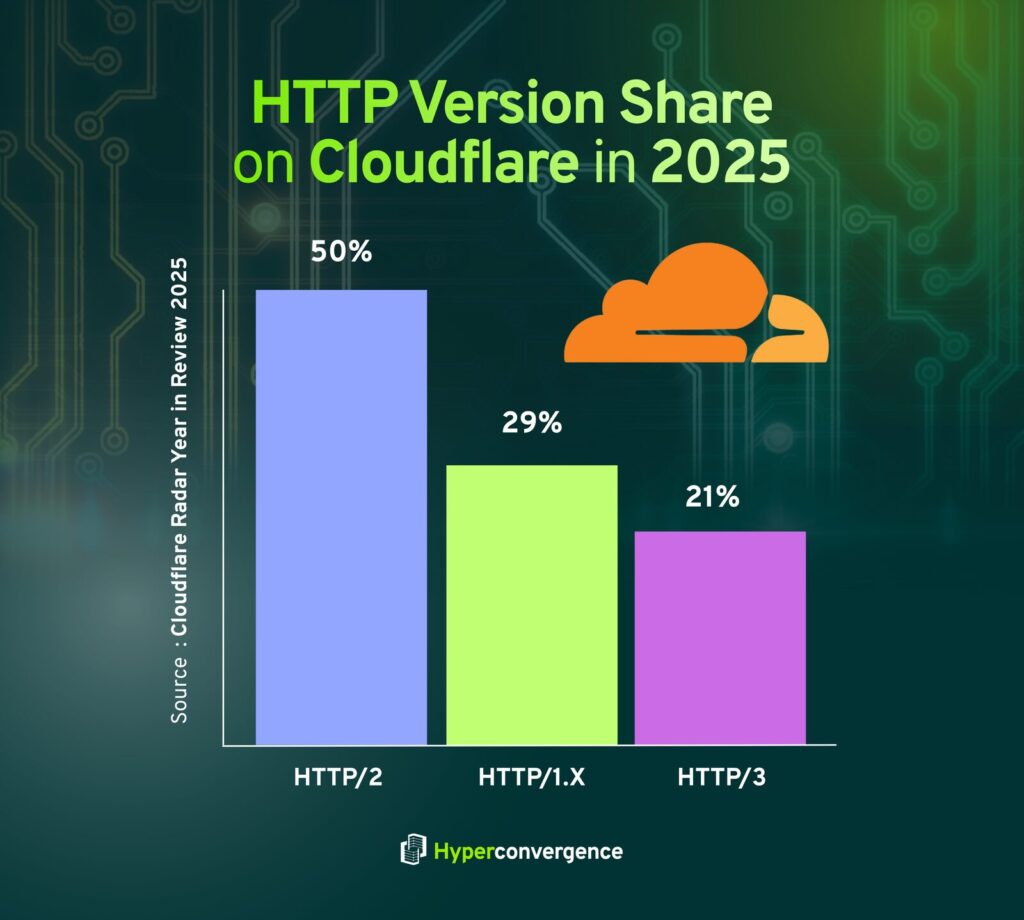
Modern protocol adoption is visible at the edge scale. On Cloudflare’s network in 2025, 50% of requests used HTTP/2, 29% used HTTP/1.x, and 21% used HTTP/3. (source)
This matters for server software selection because HTTP/3 support, QUIC behavior, TLS posture, and edge-to-origin routing vary across software servers, web platforms, and CDNs.
Server demand is being pulled upward by AI and accelerated infrastructure
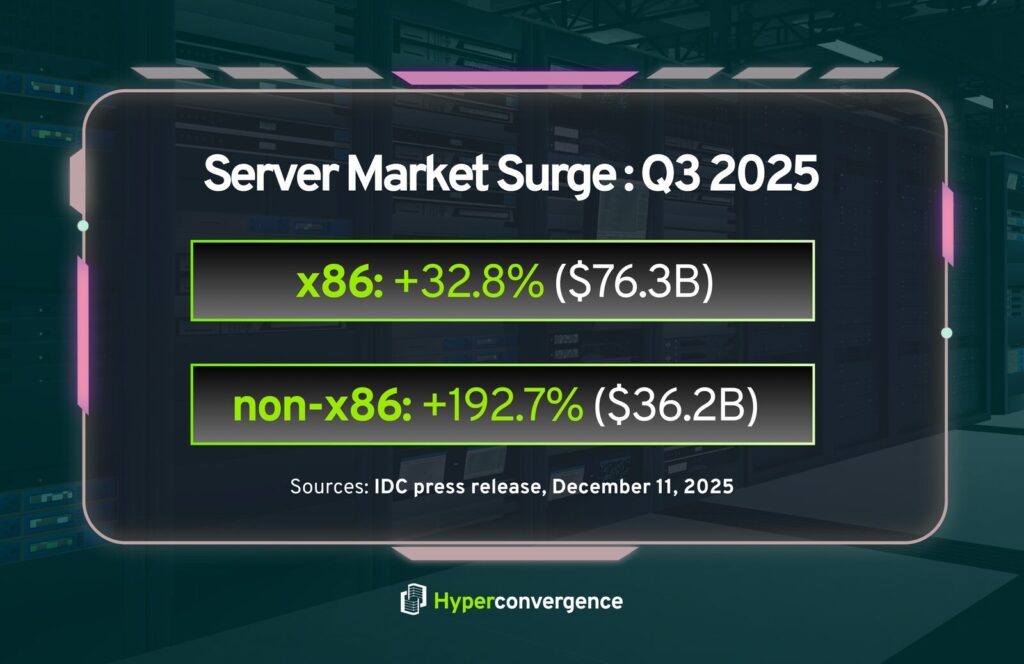
Server demand continues to rise as AI workloads and accelerated computing push infrastructure limits.
IDC reported that revenue from x86 servers increased 32.8% year over year in 2025 Q3 to $76.3 billion, while non-x86 servers grew 192.7% year over year to $36.2 billion.
This shift directly impacts server software decisions. GPU scheduling, storage throughput, kernel drivers, memory management, and random access memory utilization become critical factors, especially when application servers scale across multiple servers.
How to Choose Server Software That Holds Up Under Review
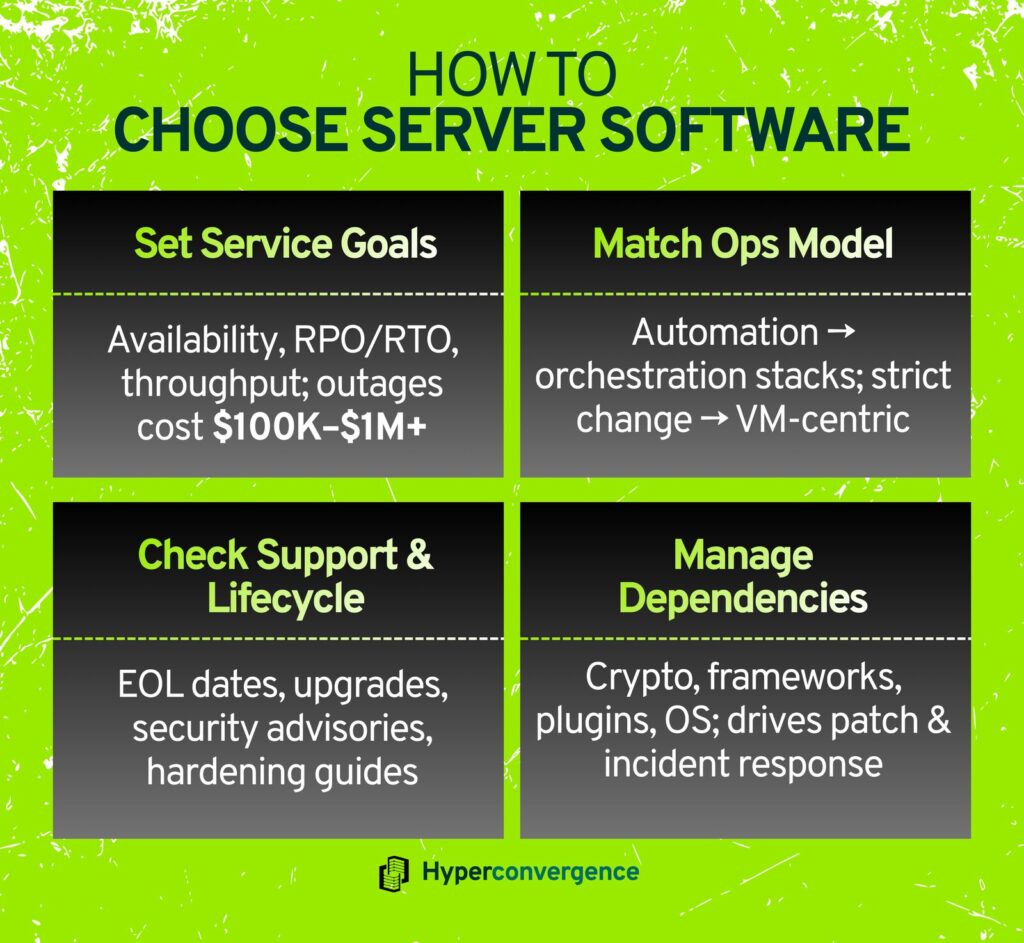
1. Start with service objectives, not products
Define targets for:
- Availability and error budgets
- RPO and RTO
- Peak throughput and latency under multiple client requests
- Maintenance window constraints
Outage costs remain significant: 54% exceed $100,000, and 16% exceed $1 million for the most recent outage, as reported in Uptime Institute survey materials.
2. Match software to the operational model
- Teams with strong automation often favor orchestration-centric designs spanning virtual servers and cloud servers.
- Teams with strict change control may reduce risk by consolidating workloads on fewer computer servers with predictable behavior.
3. Validate lifecycle and support posture
Minimum checks include:
- Published support windows and end-of-life timelines
- Upgrade and rollback paths
- Security advisory cadence
- Availability of hardening guides and reference configurations
4. Treat dependencies as first-class risks
Server software typically depends on:
- Crypto libraries
- Protocol parsers
- Web frameworks
- Plugins and modules
- Operating system packages
This dependency chain often determines real-world reliability more than the choice of server brand or platform.
Operational Guardrails That Reduce Incident Frequency
Baseline Access and Administration
- Require MFA for administrative entry points where supported.
- Restrict management planes to private networks and hardened jump hosts.
- Centralize audit logging for privileged actions.
Patch and Vulnerability Management
- Maintain an accurate inventory of server software installed and exposed services.
- Define patch SLAs for Internet-facing and internal systems.
- Test patches against representative traffic and datasets.
Backups and Recovery
- Run routine restore tests for databases and critical file sharing services.
- Confirm backups include configuration data, secrets, and identity dependencies.
Observability and Capacity
- Define SLOs tied to user-visible behavior.
- Alert on saturation, queue depth, and memory pressure, not just CPU utilization.
Common Failure Modes Tied to Server Software
Common failure patterns emerge when server components are misconfigured or stressed beyond available server resources, including CPU, memory, and storage.
- Default configuration exposure of admin endpoints, increasing the risk of unauthorized network access
- Certificate renewal failures and broken trust chains
- Log growth that consumes disk and crashes services on a server computer
- DNS server misconfiguration that breaks service discovery and internal network connectivity
- Identity dependency loops and directory outages
- Mismatched time sources that break authentication and audit timelines
- Orchestration misconfiguration that causes cascading restarts across a physical server fleet
These issues often surface when hardware servers are repurposed without adequate isolation or when capacity planning underestimates central processing unit and I/O contention.
Key Notes for Decision Makers
- Server software is the operational layer that transforms computer servers and underlying server hardware into reliable service platforms that respond to client programs through defined protocols and remote access mechanisms.
- The highest-impact categories include server OS, web and proxy tiers, databases, identity services, orchestration, observability, data backups, and access controls.
- Adoption data shows strong real-world concentration, with Nginx accounting for 33.3% of known web servers and Linux for 59.9% of known web operating systems.
- Outage cost distribution supports continued investment in hardening, testing, telemetry, and recovery workflows, particularly for systems that support identity, storage, and externally exposed services.
Whether you are responsible for infrastructure, applications, or platform strategy, understanding server software is essential for reliability, scale, and long-term operational control.
FAQs
Server software can include the OS, but it also includes the services and management tooling running on top of it. A server OS is designed for multi-user operation, coordinated network management, and continuous service hosting within a client server architecture (Webopedia definition of server OS). Examples include Linux and Windows servers, which are tuned differently from a desktop personal computer operating system.
Common examples include web servers such as Apache HTTP Server and Microsoft IIS. In enterprise environments, Microsoft Internet Information Services is frequently deployed where Windows-based infrastructure dominates, and tight integration with directory services is required.
A web server is the layer where the web server runs, processes client requests, and delivers web pages or static assets. An application server goes further by hosting business logic and APIs, allowing teams to host web apps that respond dynamically to client programs and backend services.
Yes. It is server software that provides a control plane for scheduling and managing workloads across nodes, including virtualized servers and bare-metal systems. It enables services to host multiple websites and applications across a distributed infrastructure. The CNCF Annual Survey 2024 reported that 80%of respondents were running Kubernetes in production.
Because availability depends on how the stack behaves under load, failure, and change. Misconfigured access controls, weak openness and security parameters, or gaps in preventing unauthorized network access can magnify outages. Uptime Institute data shows 54% of operators reported their most recent significant outage cost more than $100,000.
On websites where the web server is known, Nginx is used by 33.3%, Cloudflare Server by 25.8%, and Apache by 24.4%. These platforms are commonly used for hosting websites, where they host web pages and route traffic from browsers and other client software.
In most environments, yes. DNS, NTP, and email services, such as those using simple mail transfer protocol, are foundational dependencies. They support service discovery, authentication, alerting, and notifications, and should be treated as production services with redundancy and monitoring.

Tamzid is a distinguished SEO writer with over six years of experience specializing in IT, technology, data centers, and cybersecurity. His expertise extends to hyperconverged infrastructure, where he delivers well-researched, high-ranking content that bridges technical accuracy with reader clarity. With a deep understanding of both search optimization strategies and advanced IT concepts, Tamzid produces authoritative material that engages industry professionals and decision-makers alike.