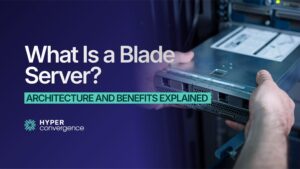
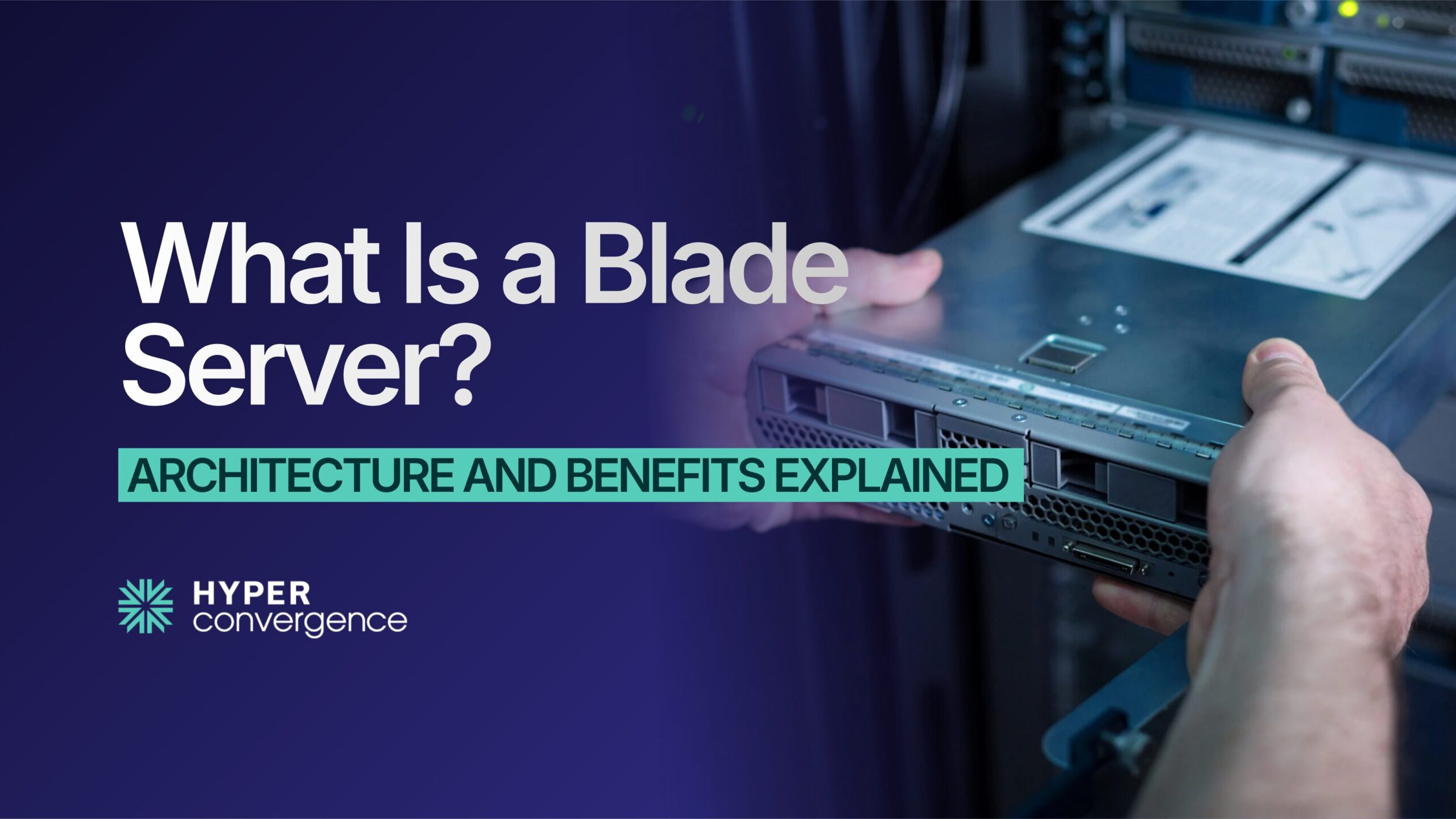
What is a blade server? Popularly known as a high-density server, a blade server is a slim, high-capacity, and energy-efficient computing system that packs powerful processing into a compact chassis, helping organizations run more work with less space and complexity.
As businesses demand faster performance and scalable infrastructure, blade servers remain essential in many data centers.
The global blade server market is projected to grow from about $19.26 billion in 2024 to nearly $31.94 billion by 2030, driven by cloud, virtualization, and AI-ready workloads.
Unlike a traditional rack server, multiple blades share power, cooling, and networking inside a single chassis, making them ideal for dense environments that host large numbers of applications and services. In many enterprise setups, blade infrastructure can also support platforms such as an IMAP server, which manages email retrieval and synchronization across devices.
They also complement other modern infrastructure components, such as edge servers, helping power distributed systems with speed and efficiency.
In this guide, you’ll learn:
- What a blade server is
- How blade architecture works
- Why it is called a high-density server
- Where it is used
- Its advantages and limitations
- How to choose the right blade server
- Should you use it or not
Let’s begin with the fundamentals.
What Is a Blade Server?
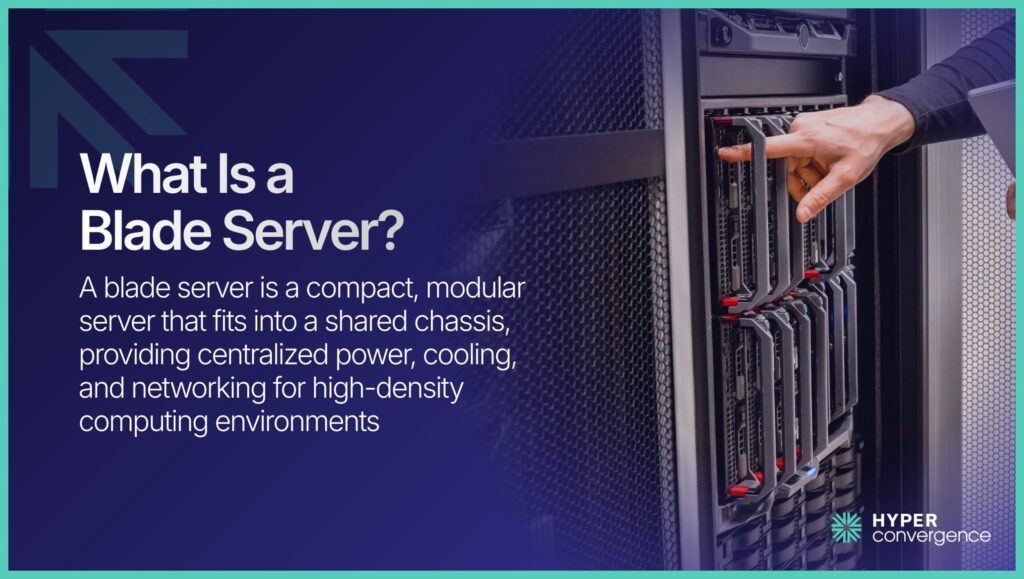
A blade server is a slim, modular server that fits into a larger enclosure called a chassis. Instead of each server having its own power supply, cooling fans, and network switches, multiple blade servers share these components within a single chassis.
In simple terms, imagine a bookshelf. The chassis is the shelf. Each blade is a thin book. You slide the book into place, and it connects automatically.
Each blade contains:
- Processor
- Memory
- Storage
- Network connections
However, it does not include separate power units or cooling fans. Those are shared at the chassis level.
Blade servers are typically used in:
- Large enterprise data centers
- Private cloud environments
Virtual desktop systems - Telecom networks
To summarize, a blade server is all about the following:
- Modular design
- High server density
- Shared infrastructure
- Centralized management
Now that the definition is clear, let us understand why blade servers were created in the first place.
Why Are Blade Servers Called “High-Density” Servers?
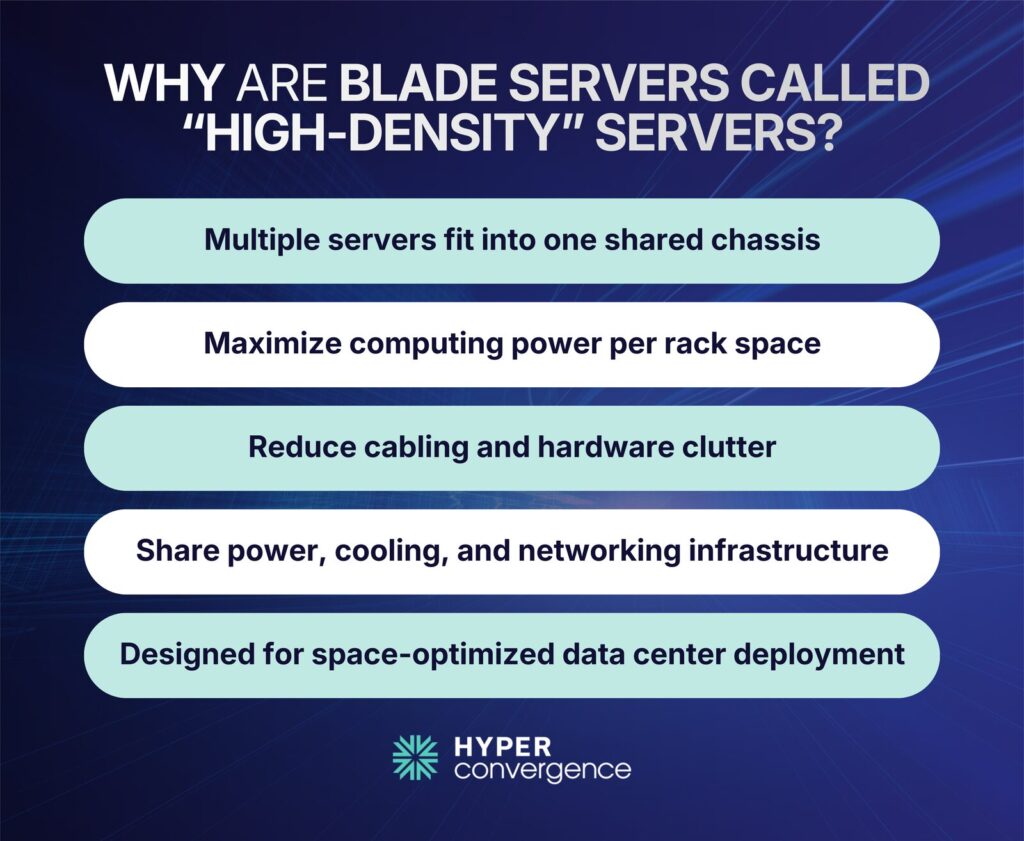
The term “high-density” refers to how much computing power fits into a small physical footprint.
Blade servers increase density in three important ways:
1. Servers Per Rack Unit
Traditional rack servers each occupy their own rack space. Blade systems allow multiple server modules inside a single chassis. Depending on configuration, one chassis may hold 8 to 16 blades, significantly increasing the number of servers per rack.
2. Power Per Square Foot
Because blades share power supplies, fewer redundant power units are required. This allows more computing capacity within the same electrical footprint.
3. Compute Per Enclosure
A single blade enclosure can host multiple compute nodes, each capable of running virtual machines or enterprise workloads. This means more processing capacity inside one consolidated system.
As global data volumes grow, density becomes critical. According to IDC, global data volume is expected to reach 175 zettabytes by 2025, increasing demand for compact, efficient infrastructure.
This design approach is not only about reducing physical footprint. It focuses on delivering greater compute capacity within controlled electrical and thermal constraints.
The Evolution of Blade Servers
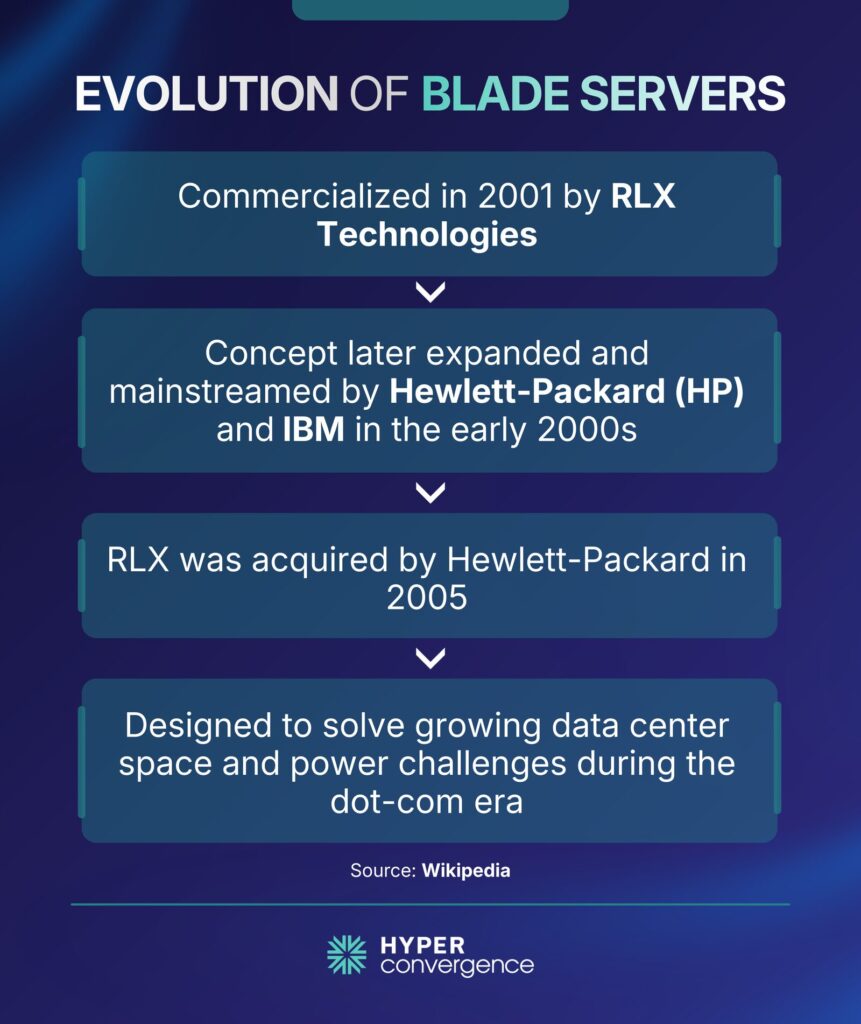
Blade servers were first commercialized in 2001 by RLX Technologies, a Houston-based startup that pioneered the modular server concept. Shortly afterward, major vendors such as Hewlett-Packard (later Hewlett Packard Enterprise) refined and scaled the architecture for enterprise data centers, helping standardize blade server adoption across the industry.
In the early 2000s, businesses began expanding their IT infrastructure rapidly. Rack servers were common. Each server operated independently. While this worked at a small scale, problems appeared as data centers grew.
First, cable clutter became difficult to manage. Each rack server required:
- Power cables
- Network cables
- Storage connections
Second, energy use increased. According to the U.S. Department of Energy, U.S. data centers consumed about 70 billion kWh of electricity in 2014, representing roughly 1.8% of total U.S. electricity use.
Cooling systems also struggled to keep up.
As a result, vendors such as IBM and Hewlett-Packard Enterprise introduced blade architectures commercially. The goal was simple:
- Increase server density
- Reduce cables
- Share power and cooling
- Simplify management
Today, blade servers still serve high-density enterprise environments. However, they now compete with hyperconverged systems and public cloud platforms.
And understanding this context helps explain their design.
Blade Server Architecture and Core Components Explained
To understand blade servers properly, we need to look at their structure. Although the concept sounds complex, the architecture is straightforward once broken down.
What Is a Blade Chassis?
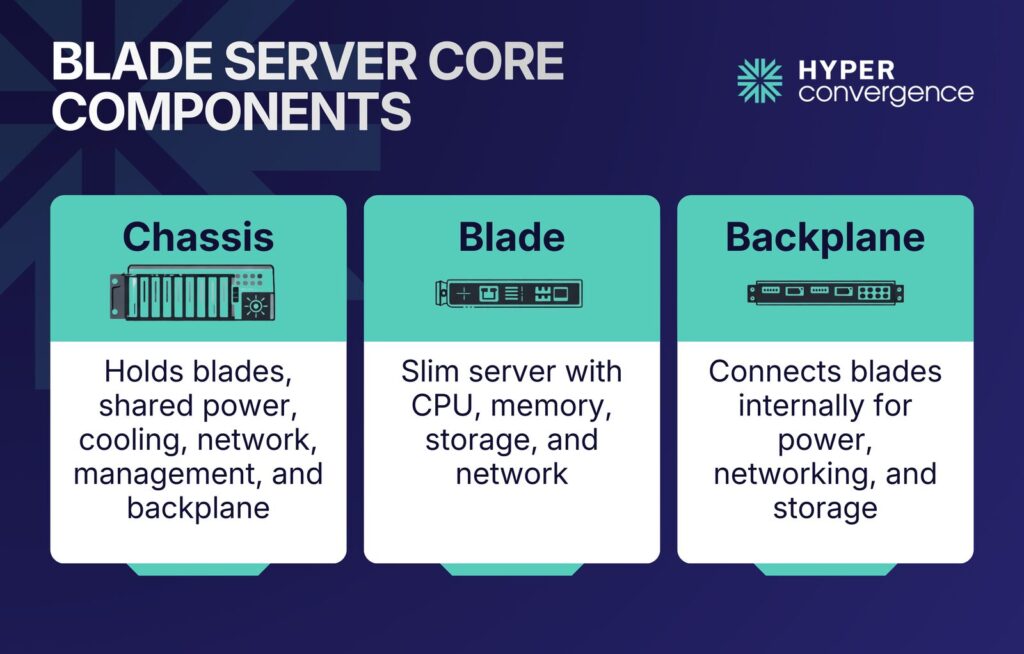
The chassis is the main enclosure that holds multiple blade servers. Think of it as the backbone of the system.
It typically contains:
- Shared power supplies
- Cooling fans
- Network switches
- Management modules
- A backplane for internal connections
Instead of installing 10 separate servers with 10 power supplies, the chassis uses fewer, larger power modules. This reduces hardware duplication.
Most chassis units fit into standard 19-inch racks. Depending on the model, one chassis can hold between 8 and 16 blades.
By centralizing infrastructure functions at the chassis level, unnecessary component redundancy is minimized.
What Is a Blade?
A blade is the individual server module inserted into the chassis. Despite its slim profile, it performs all the core computing functions of a traditional server.
Each blade typically includes:
- Multi-core processors
- High-capacity memory
- Local storage options
- Network interface controllers
Blades rely on the chassis for power, cooling, and network switching. This separation reduces hardware duplication and allows more compute nodes to fit within limited rack space.
Blade platforms are often optimized for:
- Virtualization clusters
- Database workloads
- Application hosting
- High-performance enterprise environments
The Backplane and Interconnect Layer
The backplane is the internal connection system inside the chassis. It connects each blade to:
- Power
- Networking
- Storage
- Management modules
Instead of connecting dozens of cables externally, blades connect internally through this shared fabric.
This design reduces cable clutter significantly. Cleaner cable management improves airflow and reduces maintenance complexity.
Networking options may include:
- 10 Gigabit Ethernet
- 25 Gigabit Ethernet
- Fibre Channel
According to Cisco’s Annual Internet Report, global IP traffic reached 396 exabytes per month in 2022.
Such traffic growth increases demand for faster internal networking, which blade architectures support.
How Resource Sharing Works
Centralized infrastructure is the core principle of blade systems. Instead of equipping each server with its own full hardware stack, essential services are pooled within the enclosure. Here’s how the system works:
- Power pooling reduces redundancy
- Centralized cooling manages thermal output
- Network aggregation streamlines connectivity
This approach reduces redundant components. It also improves energy efficiency, which remains a key design goal for modern data centers, especially as computing demand grows globally. This pooled design reduces excess hardware and strengthens operational oversight.
How Blade Servers Work
Now, let‘s look at how blade servers operate in practice.
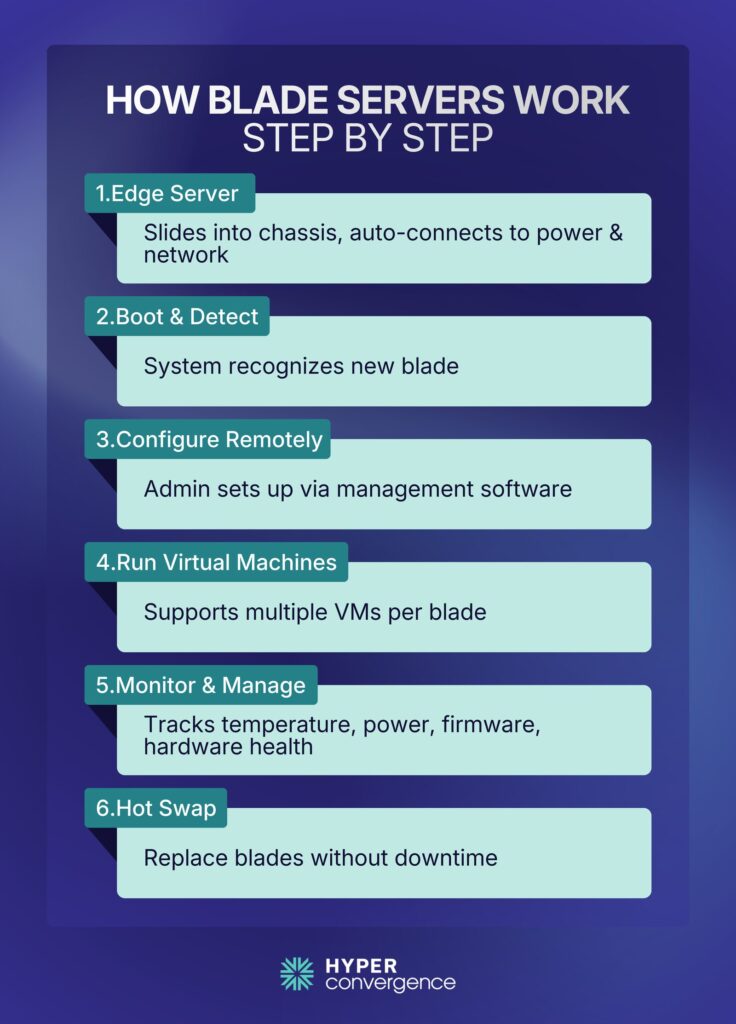
First, a technician slides a blade into the chassis. The blade connects automatically to power and network systems.
Next, the system boots. Management software detects the new blade. Administrators assign configurations remotely.
Here, virtualization often plays a key role. Platforms like VMware vSphere or Microsoft Hyper-V allow multiple virtual machines to run on a single blade.
Virtualization frequently runs on blade systems. Research shows that traditional enterprise servers often run at low utilization levels, with average utilization in non‑virtualized environments hovering between roughly 12% and 18%.
However, virtualization increases hardware utilization and reduces the need for excess physical servers.
If a blade fails, it can often be replaced without shutting down the entire chassis. This feature is known as hot swapping.
Centralized management tools monitor:
- Temperature
- Power usage
- Firmware updates
- Hardware health
In short, blade servers combine modular hardware with centralized control.
Types of Blade Servers
Blade servers come in different configurations to suit diverse business and computing needs. Choosing the right type depends on the workload, performance requirements, and infrastructure design.
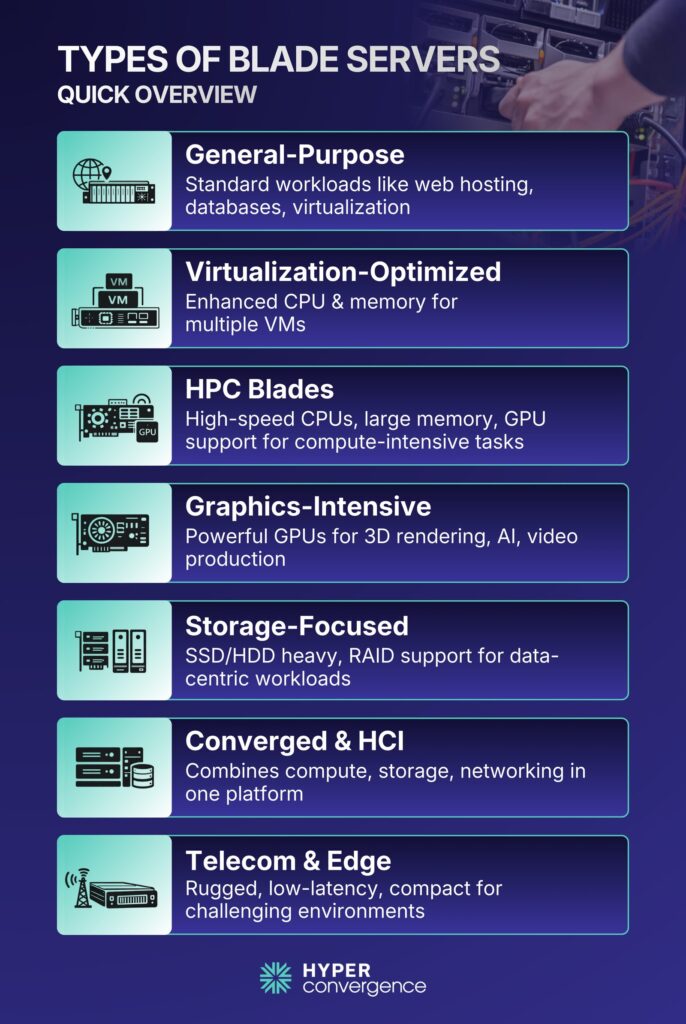
1. General-Purpose Blade Servers
These are versatile blades for common workloads like web hosting, databases, and virtualization. They balance CPU, memory, and storage, making them suitable for standard enterprise applications.
2. Virtualization-Optimized Blade Servers
Designed specifically for virtual environments such as VMware or Microsoft Hyper-V. These blades include enhanced CPU and memory resources to run multiple virtual machines efficiently. Hardware-assisted virtualization features often improve performance.
3. High-Performance Computing (HPC) Blade Servers
HPC blades handle compute-intensive tasks like scientific simulations or engineering analysis. They include multiple high-speed CPUs, large memory pools, and often support GPUs for parallel processing.
4. Graphics-Intensive Blade Servers
Optimized for applications requiring heavy graphical computation, such as 3D rendering, video production, and AI model visualization. These blades feature powerful GPUs and high memory bandwidth.
5. Storage-Focused Blade Servers
Storage blades prioritize large-scale data handling. They come with multiple SSDs or HDDs, RAID support, and high-speed storage connectivity. Ideal for storage clusters or data-heavy applications.
6. Converged and Hyperconverged Infrastructure (HCI) Blades
These integrate compute, storage, and networking into one platform. Converged blades simplify hardware management, while HCI blades combine this with virtualization and software-defined storage capabilities.
7. Specialized Blades for Telecom and Edge Computing
Ruggedized blades built for challenging environments, such as telecom facilities or edge locations. They are designed for high reliability, low latency, and compact deployments.
In summary, understanding these blade server types helps organizations select the right solution for workloads ranging from general computing to high-performance AI or storage-centric tasks.
Blade Server vs Other Server Types
Choosing the right server depends on business needs. Here we compare blade servers with other prominent server types:
- Blade Servers vs Rack Servers
Rack servers operate independently. Each one has its own power supply and cooling fans. But blade servers share these resources.
In short, rack servers offer flexibility. Blade servers offer density.
- Blade Servers vs Tower Servers
Tower servers resemble desktop computers. They suit small offices. Blade servers suit enterprise data centers.
- Blade vs Hyperconverged Infrastructure
Hyperconverged systems combine compute and storage in one integrated appliance. Vendors such as Nutanix focus on software-defined infrastructure.
Hyperconverged infrastructure simplifies deployment. Blade systems provide modular control at the hardware level.
In 2023, the HCI software-only segment grew by about 14.9%, reaching roughly $2.13 billion in revenue, showing strong adoption.
Each model has its own place across industries.
Blade Server vs Rack Server vs Tower Server: Key Differences
| Feature | Blade Server | Rack Server | Tower Server |
| Form Factor | Modular inside chassis | Individual rack unit | Standalone box |
| Density | Very high | Medium | Low |
| Power System | Shared | Dedicated per unit | Dedicated per unit |
| Best For | Enterprise data centers | General IT workloads | Small offices |
Rack servers are flexible and cost-effective for smaller deployments. Tower servers suit small businesses with limited needs. Blade servers fit large data centers that require high density and centralized management.
Alternatives to Blade Servers
Organizations today have several choices if they turn their backs on blade servers.
Here are a few alternatives:
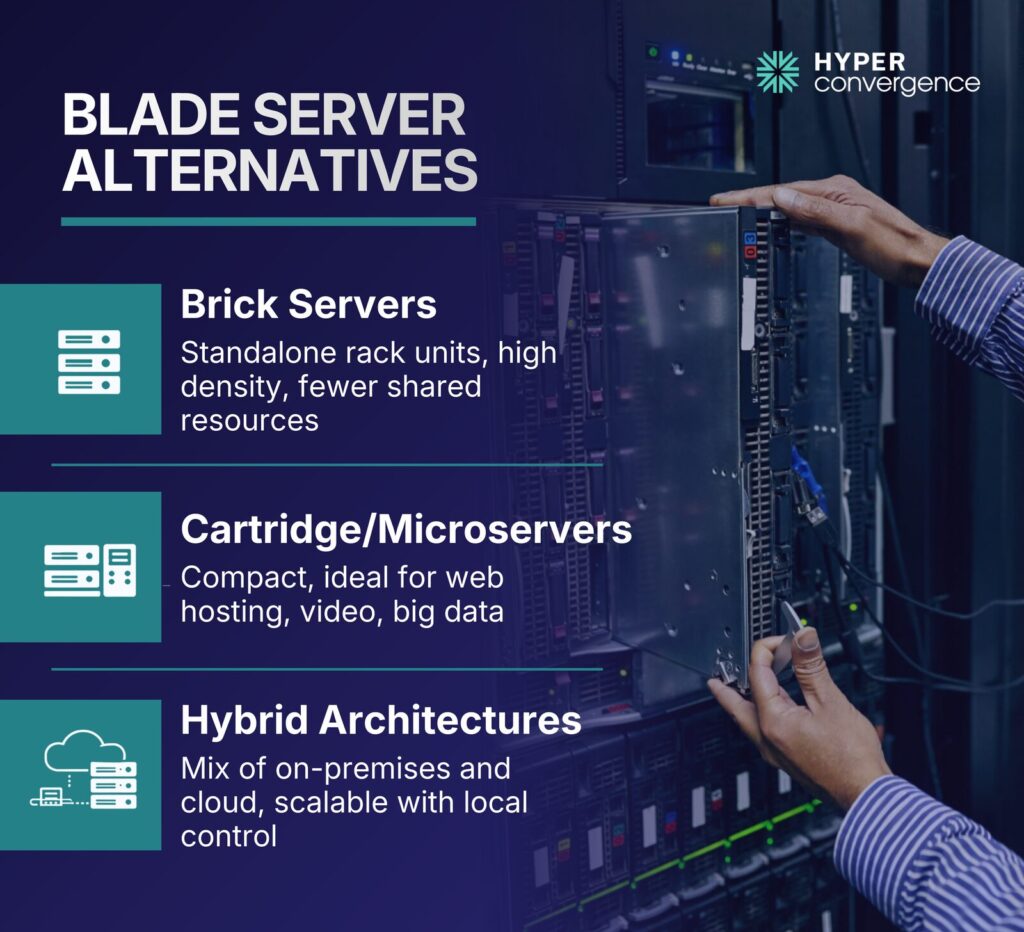
- Brick Servers: Self-contained units stacked on standard racks, offering high compute density without requiring a blade chassis. Less efficient at sharing resources than blade servers.
- Cartridge Servers (Microservers): Extremely compact modules ideal for specialized workloads like web hosting, video transcoding, and big data analytics.
- Hybrid Server Architectures: Combine on-premises and cloud resources, allowing scalable workloads in the cloud while retaining local control over critical systems.
These options suit specialized compute needs, cloud flexibility, or high-density environments where blade servers may not be the best fit.
Benefits of Blade Servers
Blade servers deliver advantages that matter to both beginners and decision-makers. Here are the key advantages of using blade servers:
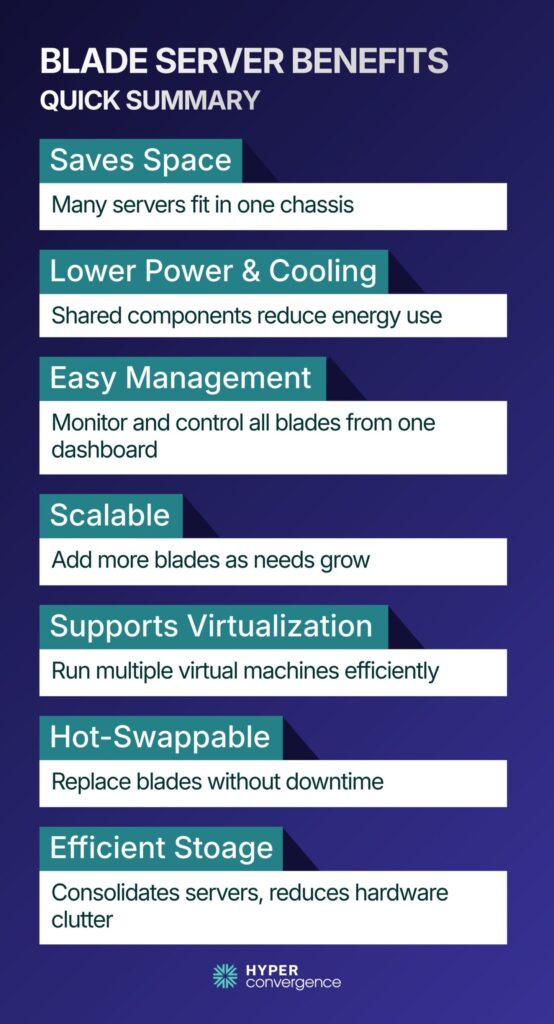
- High Density Saves Space
Blade servers pack many individual blades into a single blade enclosure. Instead of many standalone rack mounted servers spread across racks, you can stack blades tightly. This improves space utilization. In fact, blade systems can support densities where up to 180 servers may fit in a single blade infrastructure, far more than traditional rack setups.
- Lower Power & Cooling Costs
Cooling remains a major operational expense over the years. Research indicates cooling systems can account for approximately 30% to 40% of total data center energy consumption, depending on facility design
As blades share critical components inside the chassis, overall consumption drops. Shared resources mean fewer wasted watts compared to individual rack servers, especially when measured over time.
- Simplified Management
Blade enclosures include central management tools. These let administrators manage blade servers, monitor, configure, update, and troubleshoot all the blades from a single dashboard. This saves time and reduces routine work while enabling remote monitoring of the system.
- Better Scalability
When workloads grow, you simply add more blades to the chassis. You don’t need to install new redundant power supply units or network controllers for each one. This modularity makes scaling straightforward, without massive infrastructure changes.
- Ideal for Virtualization
Blade servers offer high processing power and support operating system environments that run multiple virtual machines. They work well with cloud services, providing uniform compute and shared I/O for efficient resource usage.
- Hot-Swappable Components
Blades can be replaced without stopping the entire chassis. If one blade fails, admins can remove it and insert a new one while other blades continue running. These hot swappable modules improve uptime and reduce operational interruptions.
- High Efficiency & Storage
Blade servers optimize storage capacity and storage systems, including storage area network (SAN) integration. By consolidating multiple servers, they reduce hardware sprawl while maximizing space efficiency and maintaining a compact form factor.
Overall, blade servers let data centers do more in less physical space with lower operating costs. These points are why many enterprises adopt them.
Limitations of Blade Servers
No technology is perfect. Blade servers also explain real challenges and limitations you should understand before choosing them.
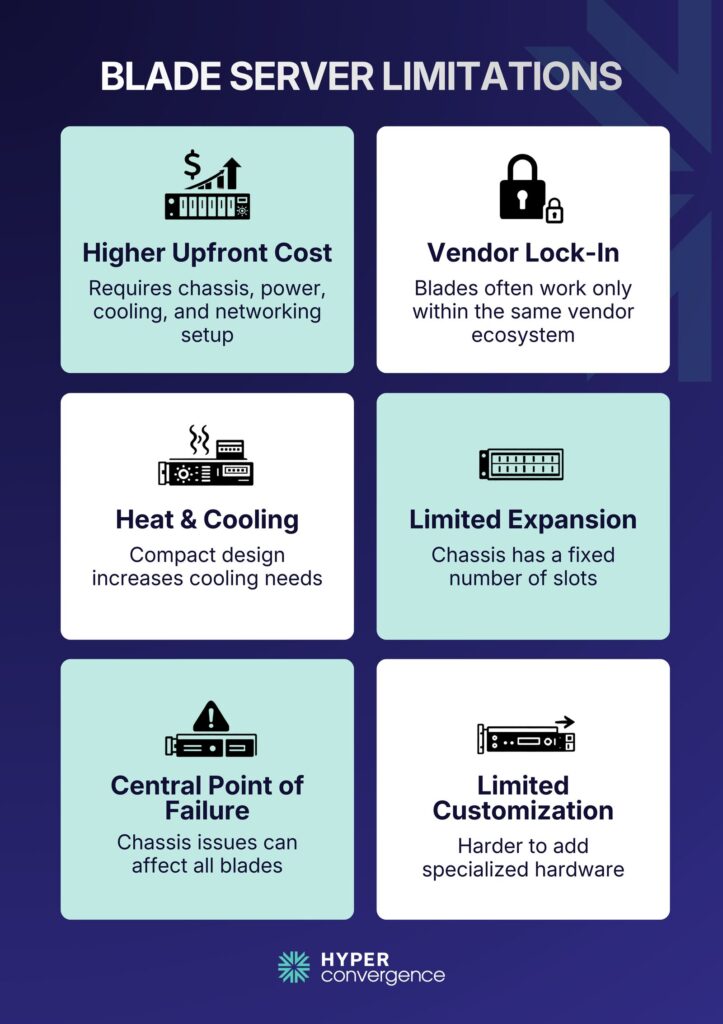
- Higher Upfront Costs
Blade servers require an enclosure (chassis), power distribution modules, cooling infrastructure, and networking components before even one blade can run. This initial setup is more costly per unit than buying a single rack server.
- Vendor Lock-In
Many blade systems use proprietary designs. Blades and chassis from one vendor often only work within that vendor’s ecosystem. This limits flexibility and can increase costs if you try to mix parts.
- Heat & Cooling Challenges
Packing many powerful servers into a small space increases heat. This requires advanced cooling systems. If cooling fails or is inadequate, performance can drop.
- Limited Expansion Within a Chassis
The blade chassis only has a finite number of slots. Once filled, growth may require additional enclosures, which adds complexity and cost.
- Central Points of Failure
The chassis itself is central to power, cooling, and networking. If a core chassis component fails, it can affect all blades inside. Proper redundancy planning is essential.
- Limited Customization
Blade servers are ideal for general compute and virtualization. But if you need customized hardware (like many PCIe cards or large storage arrays), a traditional server may be easier to configure.
These limitations, however, don’t rule out blade servers. But they matter when choosing infrastructure for specific workloads or budgets.
What Is a Blade Server Used for? Common Use Cases
Understanding where blade servers are most effective helps you know when they make sense. Here is a list of several common use cases of this high-density server:
- Enterprise Data Centers
Enterprises running large computing environments use blade servers to consolidate large numbers of servers into a tighter physical space. Centralized management also makes it easier to operate at scale.
- Virtualization & Cloud Hosting
Blade servers are ideal hosts for virtual machines. They provide uniform compute and shared I/O that virtualization platforms like VMware and Hyper-V leverage to improve utilization.
- Server Consolidation
Many organizations once ran separate servers for email, file storage, web services, and databases. Blade servers let them combine these workloads into fewer chassis, reducing hardware sprawl and improving efficiency.
- High-Density Edge and Remote Sites
Blade systems are increasingly used where space is limited, such as remote offices, edge computing locations, and retail data closets. These installations benefit from blade density and shared infrastructure.
- Clustered Workloads
Blades work well for clustering software (like database clusters or virtual desktop infrastructure) because many nodes live in one shared chassis and communicate efficiently.
- Analytics and Big Data
When processing large datasets or real-time analytics, blade servers can provide many compute nodes in a compact setup, helping organizations scale processing capacity as needed.
These use cases reflect real deployments where blade servers add measurable value.
How to Choose the Right Blade Server
Choosing a blade server isn’t just about price or brand. The right choice starts with understanding what your systems need today and what they might need in the next few years. A structured approach helps prevent overspending and capacity problems later.
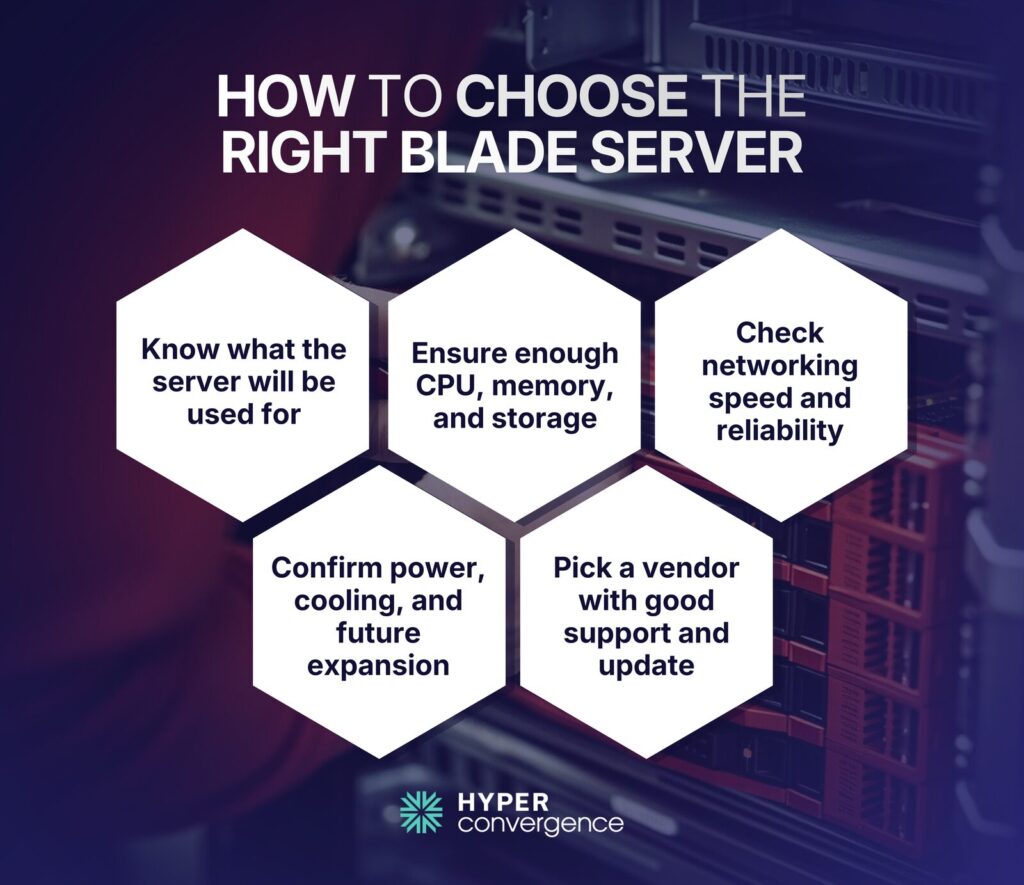
Define Your Workload Type
Begin with a simple question: What will the server be used for?
Ask yourself whether the workload involves:
- Virtual machines
- Private cloud environments
- Databases
- AI or machine learning tasks
- Virtual desktop users
Workloads like virtualization and cloud services need more memory and consistent performance. Many data centers struggle with low server use because traditional servers sit idle.
Understanding workload patterns helps prevent underutilized hardware and wasted capacity by steering your CPU, memory, and storage decisions.
CPU and Memory Requirements
Compute power and memory size directly affect performance.
Think about:
- How many CPU cores are needed
- How much RAM will applications need
- Peak usage times
- Growth in the next three years
Memory-heavy workloads like databases or virtualization clusters demand more RAM per blade. Planning ahead can avoid premature upgrades.
Storage Architecture Considerations
Storage is just as important as CPU and memory. Poor planning here creates bottlenecks even when computing power is high.
Key questions:
- Will you connect to shared SAN storage?
- Do you need local high-speed NVMe storage?
- What redundancy or failover do you require?
Fast storage improves performance for virtual machines and databases, so identify your storage needs early.
Networking and Fabric Requirements
Blade servers rely on fast networking to communicate with storage and users. Before buying, check whether your environment needs:
- 10 Gigabit Ethernet or faster
- Fibre Channel for SAN connections
- Redundant uplinks for reliability
Modern traffic demands high throughput. Data centers globally move massive volumes of data every month. Cisco estimates global IP traffic in hundreds of exabytes per month, reflecting rapid growth in bandwidth use.
Power and Cooling Planning
Blade servers pack a lot of computing in a small space. That makes power and cooling planning essential. Some reports show that servers and IT equipment account for a large share of data center energy use, while cooling alone can take up to 30%–40% of total facility power.
Verify that your racks and electrical systems can handle the load. Poor cooling leads to throttling or hardware failure.
Chassis Scalability
Each blade chassis has limits. Before buying, check:
- Maximum number of blade slots
- How much RAM and storage each blade can support
- Available expansion slots for network modules
Plan for future growth. If your environment may double in size in a few years, confirm the chassis can support that without needing an entirely new system.
Vendor Ecosystem and Support
Blade systems often lock you into a vendor’s ecosystem. Major providers include:
- Hewlett-Packard Enterprise
- Dell Technologies
- Cisco
Evaluate support options, firmware update policies, compatibility lists, and warranty coverage. Good support matters more over time than the initial purchase price.
Blade Server Management and Monitoring
Blade servers are designed to simplify hardware control. Instead of managing separate physical machines, administrators monitor multiple server blades from one central interface within the chassis. This unified management reduces manual work and helps prevent configuration mistakes.
Modern blade systems allow IT teams to track processing power, temperature, firmware, and network interfaces in real time. And that visibility matters.
Understanding blade servers helps optimize resource usage and load balancing for demanding workloads.
Modern blade systems allow IT teams to track power usage, temperature, processor health, and network activity in real time. According to the Uptime Institute Annual Outage Analysis 2023, 25% of data center outages in the past three years cost over $1 million. (source)
As blades are modular, a failed unit can often be replaced without shutting down the entire system.
In practical terms, blade server management focuses on central control, quick fault detection, and reduced downtime. For organisations where uptime is critical, this structured approach offers real operational value.
Blade Servers and Modern Infrastructure
Modern IT infrastructure prioritizes scalability, efficiency, high processing power, and space optimization. Blade servers support these goals by placing multiple blade modules inside a single server chassis that shares power, cooling, and networking resources.
Energy use is a growing concern for data centers worldwide. According to the International Energy Agency (IEA), data centres account for around 1–1.5% of global electricity consumption worldwide, highlighting the growing energy impact of digital infrastructure.
By sharing infrastructure components, blade servers can reduce redundant hardware compared to standalone systems. This can improve energy efficiency and physical space usage in large deployments.
At the same time, as workloads expand due to cloud computing and data growth, dense server configurations become more important.
Blade servers perform well in demanding computational tasks, big data analytics, and cloud computing, delivering more processing power while optimizing physical space in data center environments.
Blade Server Market Trends and Future Outlook
Blade servers continue to serve structured enterprise environments where standardized hardware profiles, chassis-level management, and compute density are priorities. While they are not replacing cloud platforms, they remain relevant in large data centers that require controlled infrastructure.
Meanwhile, current market projections indicate steady growth rather than explosive expansion.
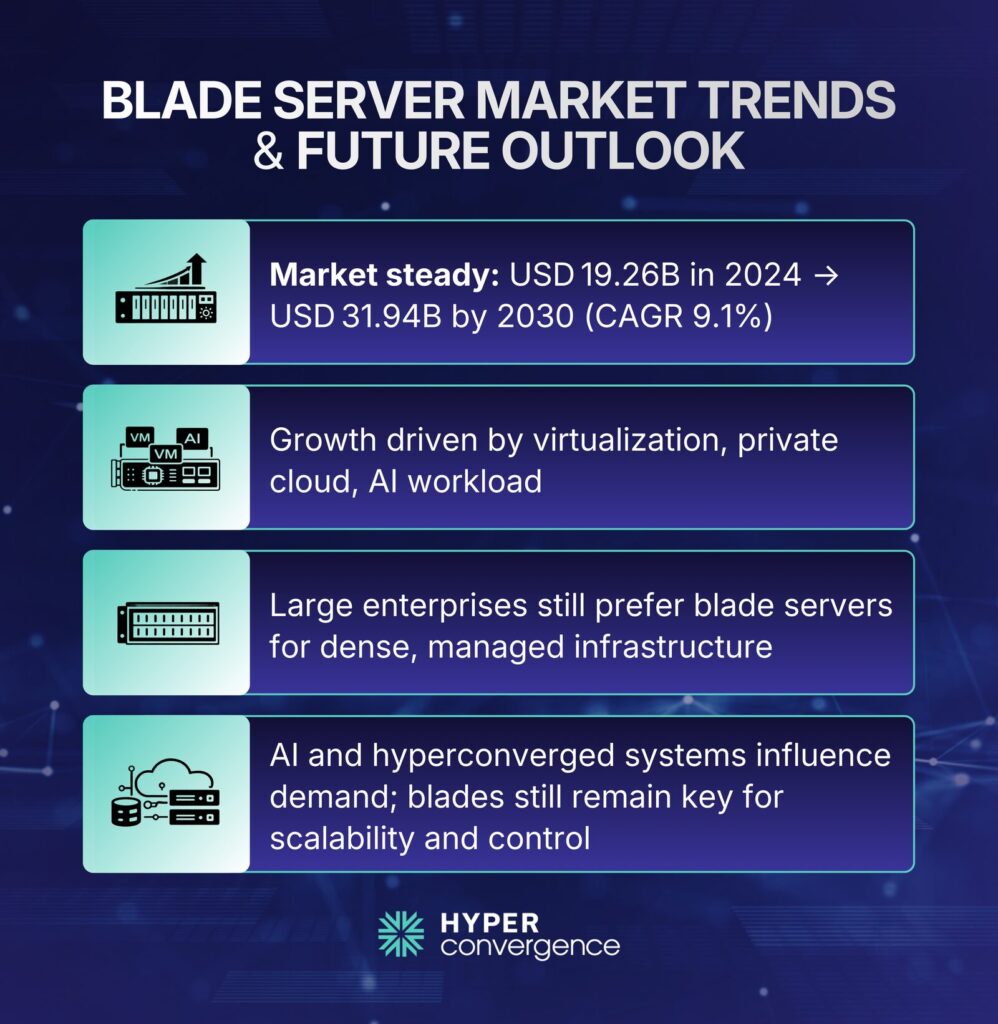
- The global blade server market is valued at USD 19.26 billion in 2024 and is projected to reach USD 31.94 billion by 2030, growing at a compound annual growth rate (CAGR) of 9.1%. This growth is primarily linked to enterprise virtualization, private cloud deployments, and AI-related workloads that demand compact, high-performance infrastructure.
- A separate analysis from The Business Research Company estimates the market at USD 19.75 billion in 2025, rising to USD 29.28 billion by 2030, reflecting a CAGR of 7.9%. The difference in projections suggests moderate but sustained demand rather than short-term spikes.
- Beyond blade-specific data, broader server market trends provide additional context. According to IDC’s quarterly server tracker, global server revenue reached $112.4 billion in Q3 2025, marking a 61% year-over-year increase, with systems containing embedded GPUs accounting for more than half of total revenue. (source)
- On the wider server side, IDC notes that the server market is in an AI-led expansion cycle, with spending up 97.3% year over year in Q2 2025 and unit growth at 15.9%, a mix that typically favors dense, power-aware platforms in large facilities.
This surge is largely driven by investment in AI infrastructure. While not all AI deployments rely on blade systems, dense, power-aware platforms are increasingly favored in large-scale facilities.
Taken together, these figures suggest that blade servers are not declining technologies. Instead, they are evolving alongside enterprise infrastructure needs, particularly where hardware consolidation, predictable scaling, and centralized control remain essential.
While hyperconverged systems are gaining attention, blade servers continue to serve large enterprises, financial institutions, and government facilities where structured, scalable environments are essential.
Conclusion: Should You Use Blade Servers Today?
Blade servers are best suited for organisations that need high computing density, centralized management, and long-term scalability. They reduce physical clutter and simplify monitoring within large environments.
However, they involve higher upfront costs and are more practical for medium to large data centers rather than small businesses.
If your infrastructure demands efficient space usage, simplified administration, and scalable performance, blade servers remain a strong option.
The decision ultimately depends on workload size, growth plans, and available budget.
FAQs
A blade server is a modular server built as part of a blade server system, designed to deliver strong processing power within a shared infrastructure. Each blade contains a central processing unit, memory, and network interfaces, while relying on a common chassis for power and connectivity.
In networking, a blade server functions within a data center network, supporting routing, switching, and network functions virtualization. Administrators use integrated network management tools to optimize traffic flow and improve efficiency across data center environments where scalable, modular infrastructure is required.
A blade server runs applications and workloads inside a shared server environment, often supporting cloud computing, virtualization, and big data analytics. It delivers reliable computing power for demanding computational tasks, helping organizations scale operations efficiently within modern IT infrastructure.
It is called a blade server because each unit is a slim module- similar in shape to a blade that slides into a server chassis or blade enclosure. These compact servers fit side by side, sharing infrastructure with other blades inside the same system.
A blade server is typically about 1.7 to 1.8 inches (4–5 cm) high and is designed to fit into a standard 19-inch rack-mounted chassis. Multiple blades slide vertically into a shared blade enclosure, allowing high compute density within a compact rack footprint. A single enclosure can hold multiple blade servers, maximizing space efficiency in data centers compared to traditional standalone servers.
Yes, blade servers remain widely deployed in enterprise data center environments where centralized infrastructure is preferred. Organizations continue consolidating multiple servers into blade systems to streamline management and optimize performance for virtualization and enterprise applications.
Blade servers can be cost-effective depending on workload and scale. Their shared infrastructure may reduce power consumption and improve overall resource usage. However, initial investment varies based on configuration and vendor ecosystem.
A blade server depends on hardware quality, workload intensity, and maintenance practices. Typically, enterprise systems operate for five to seven years, supported by features like redundant power supply options and firmware updates that extend hardware lifecycle and reliability.
Blade servers often reduce power consumption per workload because shared cooling and power infrastructure improve efficiency. Compared to many standalone rack mounted servers, blades can optimize energy use when deployed at scale.
Yes, blade servers are commonly used for virtualization and private cloud platforms. Their architecture supports load balancing, high-density compute clusters, and scalable deployments that deliver more processing power as additional blades are added.
Modern blade server technology can support GPU-enabled configurations for AI and analytics. Certain designs include expansion options or storage blades to complement compute nodes, providing the performance required for advanced processing tasks.
Choosing between blade and rack systems depends on workload and scale. Blades emphasize modularity and centralized control, while racks offer flexibility. The right choice depends on performance goals, growth plans, and overall infrastructure strategy.
Blade systems separate compute from external storage systems, sometimes integrating with network attached storage. Hyperconverged platforms combine compute and storage within multiple blade modules or nodes, simplifying deployment but reducing hardware separation flexibility.
Blade servers offer centralized management and density advantages, but drawbacks include vendor lock-in and higher upfront costs. Because hardware is tightly integrated, upgrading components can be less flexible compared to traditional server platforms.
Leading vendors in enterprise server technology include Hewlett-Packard Enterprise, Dell Technologies, and Cisco Systems. Each offers modular blade platforms designed for scalability, reliability, and centralized infrastructure management.
Blade architecture was introduced commercially in the early 2000s, notably by RLX Technologies, later acquired by Hewlett-Packard. The innovation focused on modular design to improve density and simplify enterprise server deployment.

Tamzid is a distinguished SEO writer with over six years of experience specializing in IT, technology, data centers, and cybersecurity. His expertise extends to hyperconverged infrastructure, where he delivers well-researched, high-ranking content that bridges technical accuracy with reader clarity. With a deep understanding of both search optimization strategies and advanced IT concepts, Tamzid produces authoritative material that engages industry professionals and decision-makers alike.