Over the last few years, organizations have seen significant changes in the way they build their IT infrastructures. Hyperconverged infrastructure (HCI) is no longer a niche option; it has become a major growth market.
According to Grand View Research, the HCI market was valued at USD 11.7 billion in 2023 and is projected to reach nearly USD 50 billion by 2030, growing at a rate of approximately 23.5% annually.
The data clearly shows how rapidly the IT landscape is upscaling with modern hyperconverged infrastructure solutions.
Converged infrastructure (CI), however, is still widely used, particularly in large enterprises that rely on traditional storage systems. So, the real question for IT leaders is whether to stay with CI or shift toward HCI. The answer depends on factors like performance needs, operating costs, and how much flexibility the business requires.
On that note, let’s have a deeper discussion on converged vs hyperconverged infrastructure and have a detailed breakdown on both approaches, showing their advantages, challenges, and where each one fits best.
What Is Converged Infrastructure (CI)?
Converged infrastructure (CI) brings compute, data storage, and networking hardware together into a single, pre-configured system. Instead of buying and maintaining separate servers, storage arrays, and networking gear, businesses get them bundled as one integrated solution.
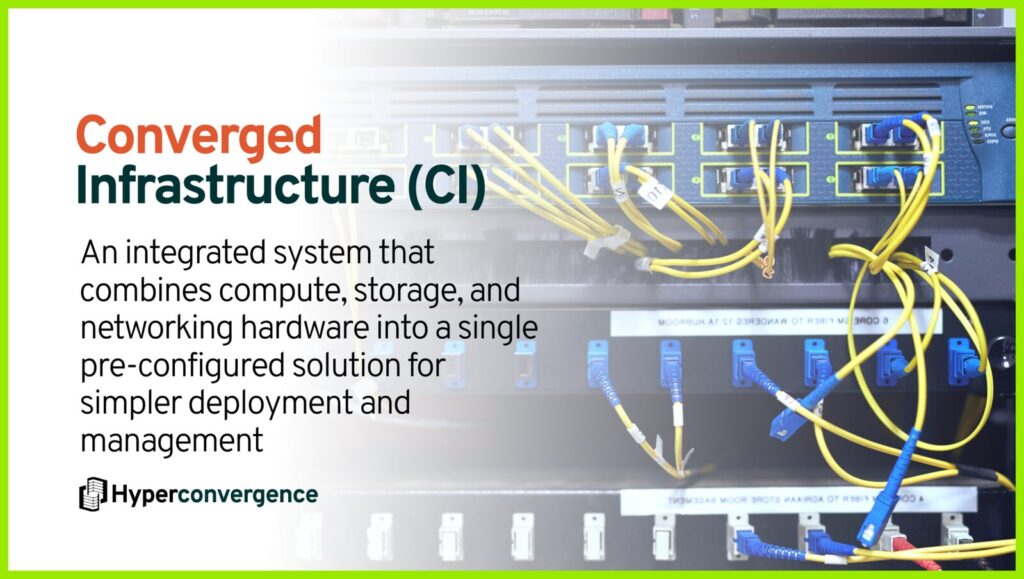
This approach helps enable data centers to operate with less complexity and fewer moving parts. It also simplifies deployment and reduces compatibility issues. Vendors like Cisco UCS and Dell VxBlock are well-known examples.
According to IDC, organizations using CI report significantly faster deployment times compared to traditional IT infrastructure setups. For companies with predictable workloads and centralized IT management, CI provides a reliable foundation without the complexity of assembling everything piece by piece.
Key Characteristics of Converged Infrastructure
Converged infrastructure combines core IT resources into a single package. Its main characteristics include:
- Pre-Integrated Hardware: Servers, storage, and networking come bundled together, already tested for compatibility. That reduces setup issues and helps cut maintenance costs in the long run.
- Centralized Management: A single interface controls all components, making it easier for IT teams to monitor performance and handle updates.
- Vendor-Specific Systems: CI is usually tied to a particular vendor ecosystem, which simplifies support but can limit flexibility compared to sourcing from multiple vendors.
- Optimized for Predictable Workloads: CI works well for steady, long-term applications such as ERP systems, CRM platforms, or large databases.
- Scalable in Large Blocks: Expanding capacity typically requires adding another full rack or unit, rather than just a single resource like storage or compute. Unlike hyperconverged systems, this scaling is less granular and more rigid.
Advantages of CI
Converged infrastructure helps organizations cut down complexity and run IT more smoothly. Here are some of its key benefits:
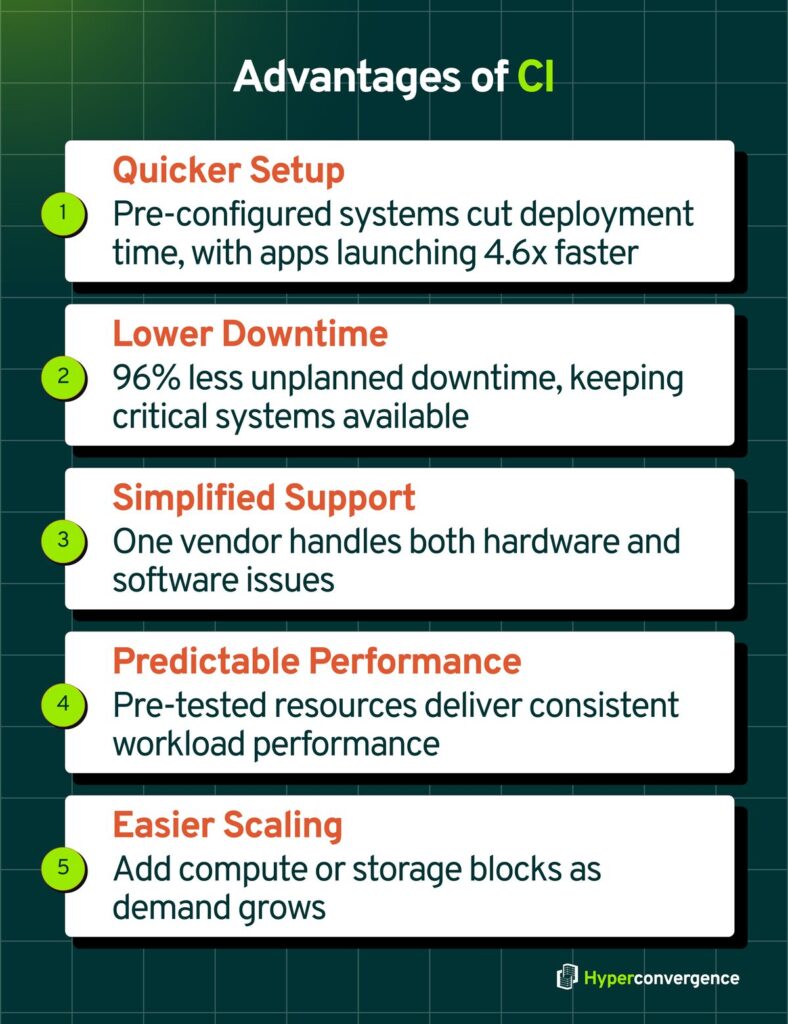
- Quicker Setup: Since servers, data storage, and networking arrive as a pre-configured package, businesses can get started much faster. IDC found that companies using CI deploy new applications 4.6 times faster than those on traditional setups.
- Lower Downtime: Fewer compatibility issues mean fewer failures. In fact, IDC also reported that CI users see 96% less unplanned downtime, which helps keep critical systems running.
- Simplified Vendor Support: With a single vendor handling hardware and software, troubleshooting takes less time and avoids finger-pointing between multiple vendors.
- Predictable Performance: Resources are tested to work together, so workloads tend to run more reliably compared to a mix-and-match infrastructure.
- Easier Scaling: Organizations can add more blocks of compute and storage as demand grows without having to redesign the entire system.
In short, CI provides a solid foundation for businesses that want stability, simpler management, and less risk of downtime.
Limitations of CI
Apart from the benefits, here are some key challenges of adopting a converged ecosystem for your business and operations:
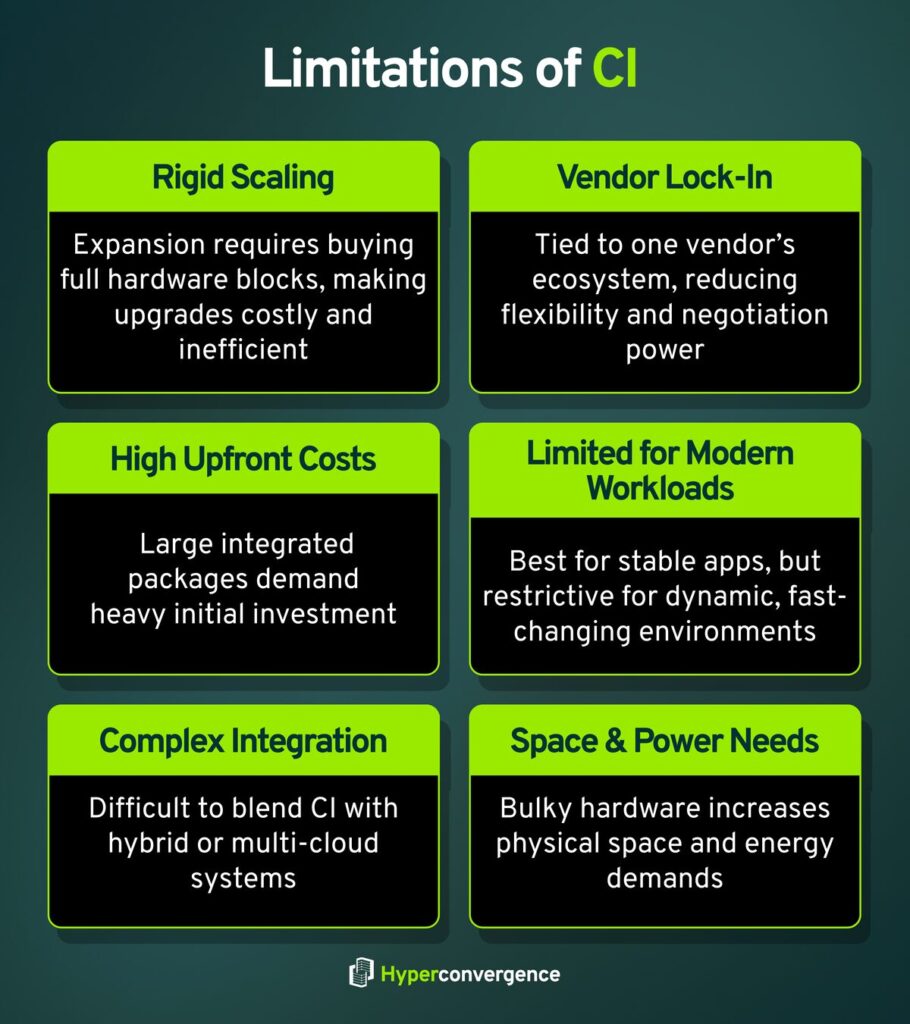
- Rigid Scaling: Expanding capacity often requires purchasing an entire block of hardware. This makes growth expensive and inefficient when an organization only needs extra compute or storage.
- Vendor Lock-In: Most CI solutions tie businesses to a single vendor ecosystem. While support is simplified, the lack of choice limits flexibility and bargaining power.
- High Upfront Costs: Converged systems are sold as large integrated packages. The initial investment is significant, which can be a barrier for smaller businesses or organizations with tight budgets.
- Less Flexibility for Modern Workloads: CI works best with stable, predictable applications. For dynamic environments that demand dynamic resource allocation, it can feel restrictive compared to a software defined approach.
- Complex Expansion in Mixed Environments: Integrating CI with cloud services or newer virtualization technologies can be challenging. IT teams may face extra complexity when combining CI with hybrid or multi-cloud strategies.
- Space and Power Demands: Since CI typically comes in large blocks, it requires more physical space and energy compared to modular approaches like hyperconverged systems.
Converged Infrastructure Examples
Below are some well-known solutions that show how CI works in real data centers:
- Vblock (VCE: Cisco, EMC, VMware): One of the first CI systems, Vblock, bundled Cisco servers, EMC storage, and VMware virtualization. Large enterprises used it for ERP and collaboration platforms, cutting deployment time significantly. It often relied on commodity hardware to keep performance consistent at scale.
- VxBlock 1000 (Dell EMC): A successor to Vblock, VxBlock combines Cisco UCS servers with Dell EMC storage platforms like PowerMax and Unity. It is built for VMware environments and helps IT teams manage predictable workloads with less complexity.
- FlexPod (Cisco + NetApp): FlexPod pairs Cisco UCS servers and Nexus switches with NetApp storage. It’s popular for organizations that want tested reference architectures and flexibility in storage types. Many implementations include network attached storage for enterprise file systems.
- Dell PowerOne: PowerOne integrates Dell compute, networking, and storage with VMware virtualization, adding automation to speed up deployment and simplify scaling.
These examples highlight how CI solutions come as pre-tested packages, giving organizations faster deployment and more reliable performance without piecing components together manually.
What Is Hyperconverged Infrastructure (HCI)?
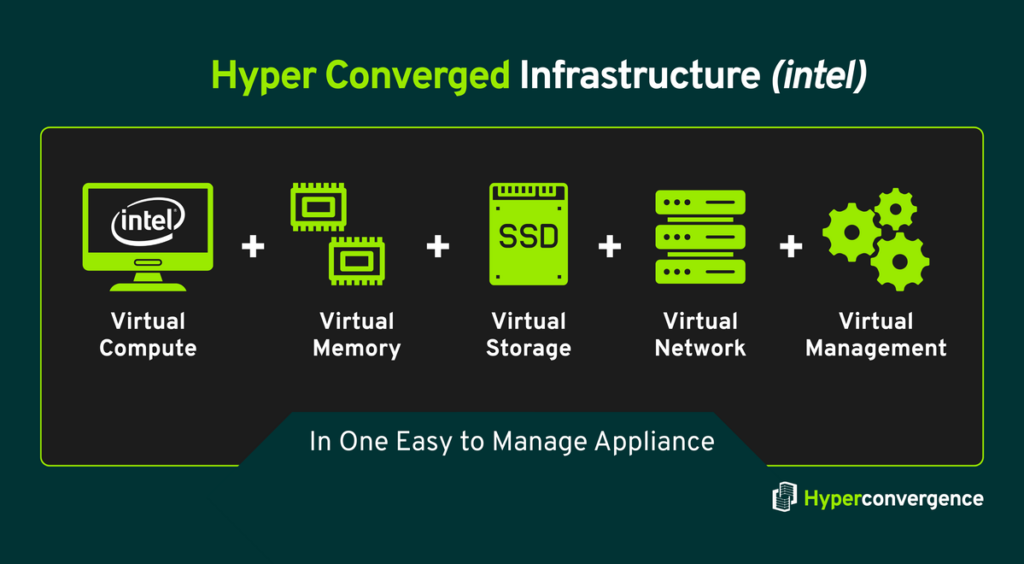
Hyperconverged Infrastructure or HCI blends compute, storage, networking, and virtualization into one software-driven system that runs on standard x86 servers, managed via a single console. Therefore, the IT operators get a single dashboard to manage everything, no more juggling separate servers, storage arrays, or networks.
“The global hyper-converged infrastructure market size was valued at USD 12.5 billion in 2024. As the market grows at a CAGR of 24.23% over the forecast period (2025-33), it will reach USD 15.53 billion in 2025 and USD 88.08 billion in 2033.”
This shift makes HCI more than a niche tool. Rather, it’s replacing multi-tier hardware setups with simpler, scalable systems suitable for many enterprise needs.
Key Characteristics
Here are the defining features of hyperconverged infrastructure that set them apart:
- Software-Defined Architecture: HCI shifts the focus from hardware to software. Storage, compute, and networking are virtualized and managed as one unified system.
- Single Management Interface: Administrators control resources from a single dashboard, reducing complexity compared to juggling multiple management tools.
- Commodity Hardware: Most HCI systems run on standard x86 servers, which makes them cost-efficient and easier to replace or upgrade.
- Linear Scalability: Organizations can add nodes incrementally. Each new node brings more compute and storage, allowing capacity to grow step by step.
- Built-in Data Protection: Features like replication, deduplication, and backup often come integrated, reducing the need for separate storage appliances.
- Cloud Integration Ready: Many HCI platforms support hybrid cloud operations, enabling businesses to extend workloads between on-premises clusters and public clouds.
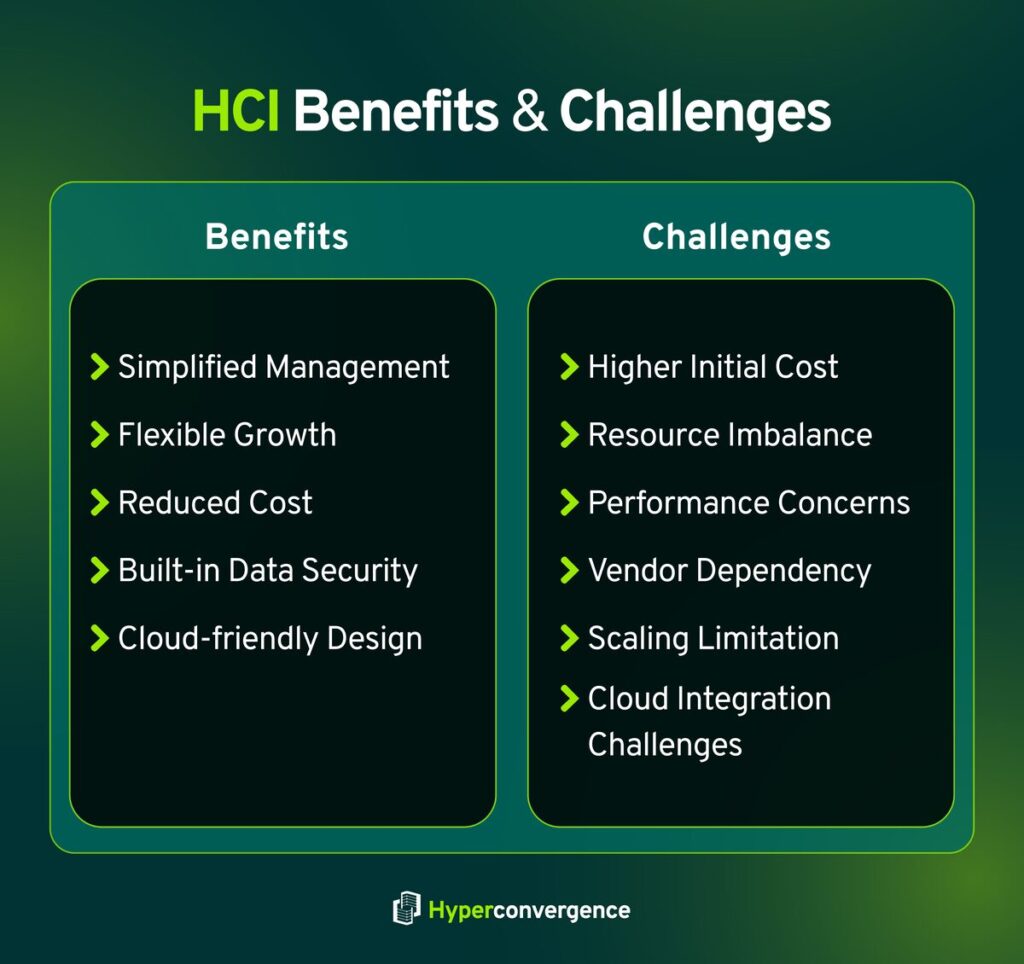
Advantages of HCI
The key benefits of HCI for businesses and IT operations include the following:
- Simplified Management: A unified interface handles compute, storage, and virtualization, so IT teams spend less time switching between tools.
- Flexible Growth: You can expand capacity node by node, with no need for heavy investments in large hardware blocks when just one component needs scaling.
- Lower Infrastructure Costs: HCI cuts down on hardware footprint and energy use. Organizations report fewer physical servers, reduced rack space, and lowered cooling demands compared to traditional setups.
- Built-In Data Protection: Features like snapshots, redundancy, and replication are embedded in most systems, which means there is less need for separate backup tools.
- Cloud-Friendly Design: Many HCI platforms are built to connect with public or private clouds easily, helping with hybrid strategies.
Limitations of HCI
While HCI offers many advantages, it also comes with a few drawbacks that organizations need to consider:
- High Initial Cost for Large Deployments: Although scaling is flexible, building a cluster from scratch can involve significant upfront investment.
- Resource Imbalance: Adding nodes increases both compute and storage, even if an organization only needs one of them. This can create underutilized resources.
- Performance Concerns for Heavy Workloads: Traditional storage arrays often deliver higher performance for large databases or I/O-intensive tasks. HCI may struggle to match that level.
- Vendor Dependency: Many HCI platforms are software-defined but tied to specific vendors. This can limit hardware choices and long-term flexibility.
- Scaling Limits at Very Large Size: HCI works well for moderate to large clusters, but extremely large enterprise environments sometimes face complexity when managing hundreds of nodes.
- Cloud Integration Challenges: While cloud-ready in design, not all HCI systems integrate smoothly with every cloud provider, creating extra work for IT teams.
Hyperconverged Infrastructure Examples
Here are a few real-world HCI platforms that showcase how this approach is shaping IT deployments today:
- Nutanix AOS: A pioneer in HCI, Nutanix unifies compute, storage, and virtualization with a simple management dashboard and built-in data services.
- VMware vSAN and Dell EMC VxRail: This joint solution integrates vSAN software with Dell hardware, giving VMware users a turnkey HCI option.
- Microsoft Azure Stack HCI: Combines Windows Server technologies with Azure cloud services, ideal for hybrid environments.
- Cisco HyperFlex: Merges Cisco UCS servers with a distributed storage system and networking, supporting both data center and edge use cases.
These platforms show how HCI simplifies infrastructure and scales more flexibly compared to traditional systems.
Converged vs Hyperconverged Infrastructure: Key Comparison
Let’s analyze the core elements where CI and HCI differ the most:
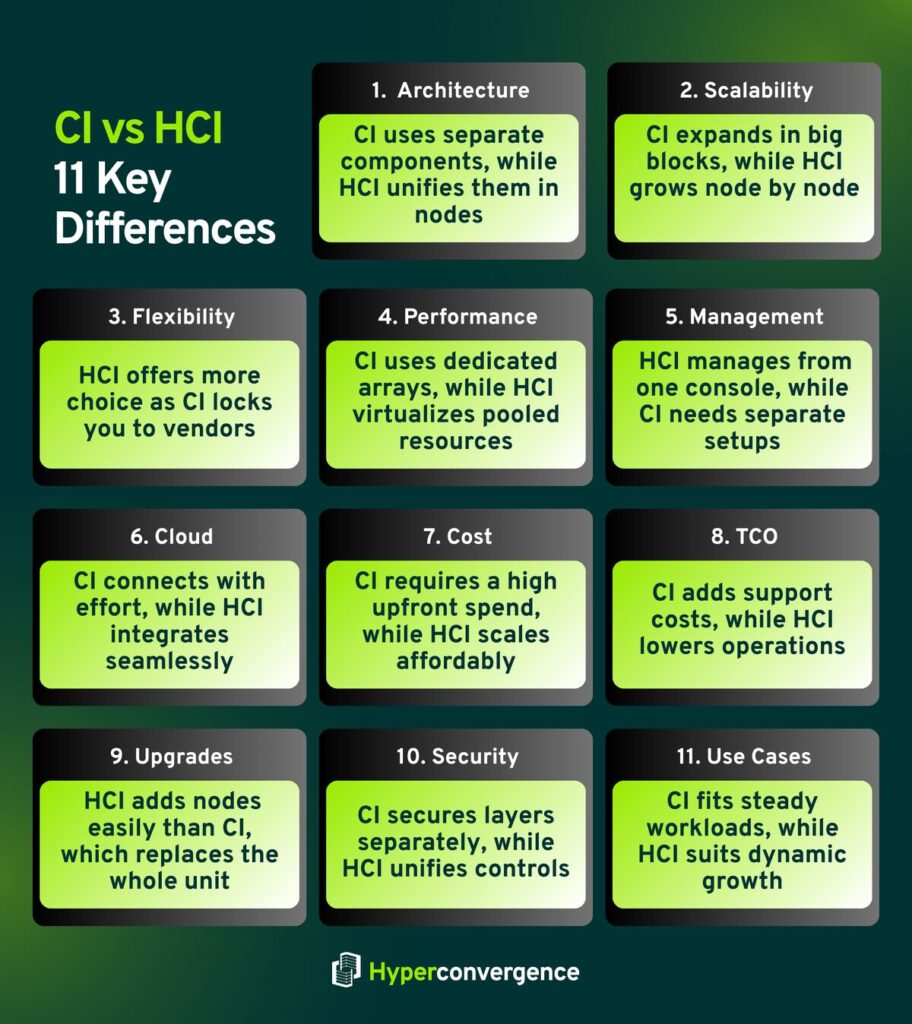
1. Architecture and Components
CI systems are delivered as a single optimized package that contains separate components such as servers, storage, and networking, tested to work together. In contrast, hyperconverged solutions follow a modular architecture approach built from building blocks. Each node integrates compute, storage, and a virtualization stack, creating a tightly integrated environment.
2. Scalability
Scaling a CI setup usually means adding large blocks of hardware, which can lead to over-provisioning. HCI works differently. You can scale node by node, matching growth with actual demand, making it far more practical for fast-changing workloads.
3. Flexibility
CI systems often tie you to one vendor’s ecosystem. With HCI solutions, you can choose from various vendors while still getting tight integration of compute and storage, which gives more freedom when planning infrastructure.
4. Performance and Storage Handling
Converged and hyperconverged handle performance in different ways. CI systems rely on dedicated arrays that deliver predictable throughput. HCI pools resources across nodes, balancing storage and workloads through virtualization software, which works well for mixed and dynamic applications.
5. Deployment and Management
CI setups need individual configuration of different parts. Hyperconverged solutions bring those tasks into one interface, making deployment and day-to-day management much simpler.
6. Integration with Cloud Environments
Connecting CI systems to the cloud usually takes more effort. HCI integrates smoothly with hybrid and multi-cloud setups, making it easier to extend on-premises workloads into cloud environments.
7. Cost and Procurement Considerations
With CI, upfront investment can be high since you often buy entire blocks of hardware. HCI brings more cost efficiency because you can start small and expand gradually.
According to LLCBuddy (2024), 94% of organizations say they gained clear benefits from hyperconverged solutions compared with traditional setups.
8. Total Cost of Ownership (TCO) Analysis
Long-term spending also looks different. CI requires ongoing support for multiple systems. HCI lowers operating costs because everything runs in a tightly integrated model.
A VMware study (2023) found customers using vSAN HCI cut storage operating costs by 30% and saw a three-year ROI of 365 percent.
9. Upgrade Path
Upgrading CI may involve replacing entire hardware units. With HCI, upgrades happen in building blocks, adding nodes one at a time. That keeps downtime low and scaling predictable.
10. Security Considerations
CI depends on securing each layer separately. HCI applies consistent security controls across compute, storage, and the virtualization stack, reducing complexity and patch gaps.
11. Ideal Use Cases
Converged and hyperconverged are suited to different needs. CI works best for steady, large-scale environments like databases or ERP systems. HCI solutions fit organizations that want flexible growth, hybrid cloud integration, or quick scaling without heavy upfront costs.
CI vs HCI: Head-to-Head Comparison
| Feature | Converged Infrastructure (CI) | Hyperconverged Infrastructure (HCI) |
| Architecture | Single optimized package of separate components | Architecture is modular with building blocks that integrate compute and storage |
| Scalability | Large blocks; risk of over-provisioning | Scales node by node; flexible growth |
| Flexibility | Limited to the vendor ecosystem | Supports various vendors with tight integration |
| Performance & Storage | Dedicated hardware arrays; predictable | Software-defined storage; dynamic balancing |
| Deployment & Management | Multiple components; complex | Single console; easier management |
| Cloud Integration | Needs connectors | Smooth hybrid cloud support |
| Cost | Higher upfront investment | Cost efficiency; gradual expansion |
| TCO | Higher operational cost | Lower TCO with tightly integrated resources |
| Upgrade | Replace full modules | Expand in building blocks; minimal downtime |
| Security | Each layer is secured separately | Centralized, integrated security |
| Ideal Use Cases | Stable, predictable workloads | Dynamic workloads, hybrid cloud, edge computing |
When to Use CI vs HCI
Choosing between converged and hyperconverged infrastructure depends on your business needs, IT strategy, and how fast you expect your workloads to change.
When to Choose Converged Infrastructure
- Large Enterprises: Companies with significant existing hardware often stick with converged infrastructure solutions. It integrates smoothly into current systems without major disruption.
- Stable Workloads: If your applications are predictable, like ERP or large databases, CI offers reliable performance. This makes it a strong option for organizations that prefer traditional infrastructures.
- Vendor-Specific Requirements: Some organizations need specialized features or support available only through certain vendors. CI allows full use of these capabilities, even when working alongside non-converged infrastructure.
When to Choose Hyperconverged Infrastructure
- Growing Businesses: Smaller or mid-sized companies benefit from HCI’s flexibility. You can start small and scale in building blocks as demand grows, keeping upfront costs lower.
- Cloud and Hybrid Plans: If your strategy involves cloud adoption, HCI connects easily with hybrid environments, providing tight integration across compute and storage. Many businesses also adopt hyperconverged infrastructures for virtual desktop infrastructure deployments because of their simplified scalability.
- Dynamic Workloads: For workloads that fluctuate frequently, HCI lets you adjust resources quickly without over-provisioning. It also helps reduce complex management challenges that often come with maintaining traditional setups.
In short, CI works best for predictable, large-scale operations, while HCI fits organizations that need scalability, flexibility, and faster adaptation to changing demands.
How to Implement CI and HCI
Implementing either converged or hyperconverged infrastructure requires careful planning to get the most value from your investment. Here’s how you can do it:
1. Assess Your Needs
Start by reviewing your current workloads, expected growth, and budget. Understanding which applications are steady and which fluctuate will guide your choice between CI and HCI. Consider whether disaster recovery is a critical factor, since both CI and HCI can play different roles in supporting it.
2. Select a Vendor
Choose a vendor that matches your infrastructure goals and provides good support. For CI, this may involve systems compatible with your existing hardware. For HCI, consider solutions that combine compute, storage, and management effectively. Some hyperconverged infrastructures even come pre-optimized for disaster recovery requirements.
3. Plan Integration
Work closely with your IT team to integrate the new system without disrupting daily operations. CI may require coordinating multiple separate systems, while HCI often allows a simpler rollout. Remember, proper planning helps avoid downtime and prevents disaster recovery gaps.
4. Train Your IT Staff
Provide training so your team can confidently manage and maintain the system. HCI may introduce a new management interface, while CI staff need familiarity across multiple layers. Skilled staff ensure smoother operations, whether you run traditional infrastructures or modern hyperconverged solutions.
5. Monitor and Adjust
Once deployed, you need to keep track of performance, usage, and growth. Make adjustments as business needs evolve. Continuous evaluation ensures both CI and HCI remain efficient and cost-effective, while also strengthening disaster recovery strategies for long-term resilience.
Future Trends in Data Center Infrastructure
The future trends in data centers are going to shift in three major ways soon:
- AI-Powered Operations
More facilities will use artificial intelligence to predict hardware failures and balance compute and storage resources. This reduces outages, optimizes data center management, and saves energy.
- Cooling Gets Smarter
Immersion and liquid cooling systems are becoming common, especially in centers running heavy AI jobs that demand high storage resources. For example, the global liquid cooling market is projected to jump from $4.9 billion in 2024 to $21.3 billion by 2030.
- Growing Edge and Modular Facilities
Small, location-specific data hubs are gaining ground. They help businesses process data faster near users and manage hardware components more efficiently, easing latency concerns.
The Bottom Line: Choosing the Right Infrastructure
Choosing between converged vs hyperconverged infrastructure ultimately comes down to your organization’s priorities and workload demands.
Converged Infrastructure works best when you need clear separation between storage resources and compute, manage steady, high-performance workloads like large databases, and have an IT team experienced in handling traditional hardware components.
Hyperconverged Infrastructure is ideal if you want easier deployment, faster management, and flexibility for hybrid cloud, edge computing, or virtual desktop setups. It also suits organizations that value quick adjustments and scalable compute and storage resources without overhauling the entire system.
In short, CI provides stability and predictability, while HCI offers agility and simplicity. Understanding your current needs and future growth plans will help you pick the solution that aligns with your IT strategy and business goals.
FAQs
Converged infrastructure combines servers, storage, and networking as a pre-configured system but keeps individual hardware components somewhat separate. Hyperconverged integrates compute, storage, and virtualization in a single, software-defined system, offering easier infrastructure management and more flexible scaling.
Virtualization creates multiple virtual machines on a single physical server, separating workloads from hardware. Hyperconverged infrastructure combines virtualization with storage and compute into one system, simplifying deployment, management, and scalability across multiple nodes. Compared to traditional infrastructures, this tighter integration makes scaling less complex.
Here are the three key advantages of hyperconverged infrastructure (HCI):
Simplifies deployment and management
Reduces operational costs
Allows flexible and scalable growth compared to traditional infrastructures
HCI can have higher upfront costs for large deployments, may be limited in certain specialized workloads, and depends on software-defined storage, which could impact performance for extremely heavy or legacy applications. Organizations tied to non converged infrastructure often find the transition challenging because they are used to scaling storage or compute separately, sometimes relying heavily on network storage solutions.
Yes, VMware provides HCI solutions through vSAN, which integrates compute, storage, and virtualization into a single platform. Many organizations report reduced storage costs and faster deployment of applications using VMware vSAN, especially when compared with maintaining traditional infrastructures.

Tamzid is a distinguished SEO writer with over six years of experience specializing in IT, technology, data centers, and cybersecurity. His expertise extends to hyperconverged infrastructure, where he delivers well-researched, high-ranking content that bridges technical accuracy with reader clarity. With a deep understanding of both search optimization strategies and advanced IT concepts, Tamzid produces authoritative material that engages industry professionals and decision-makers alike.