Cloud Server vs Physical Server: Key Differences
Choosing between a cloud server and a physical server is more of a strategic decision than a technical one. It’s all about how you want to run your business.
With the global cloud market expected to hit $912 billion in 2025, more companies are moving online for flexibility and lower upfront costs. As of 2025, approximately 60% of organizations are running more than half of their workloads in the cloud.
But for some, owning physical servers still feels safer and faster for critical data and in-house control. So, which option truly fits your needs?
In this guide, you’ll see a clear, side-by-side look at cloud server vs physical server, including how they differ in cost, performance, and security to help you make a smarter, future-ready choice.
Understanding Cloud & Physical Server
Before choosing between a cloud server and a physical server, it’s important to understand how each one works and how they handle your data. While both serve the same purpose- storing, processing, and managing information, the way they operate is fundamentally different. One is a remote data center and is accessed over the internet, while the other is physically located within your office or data facility.
Here’s a detailed breakdown of cloud and physical servers:
What is a Cloud Server?
A cloud server is a virtual server hosted in a remote data center and accessed over the internet. Instead of owning hardware, you rent computing resources such as CPUs, storage, and memory from cloud providers like AWS, Microsoft Azure, or Google Cloud.
In simple terms: You don’t manage the hardware, your cloud provider does.
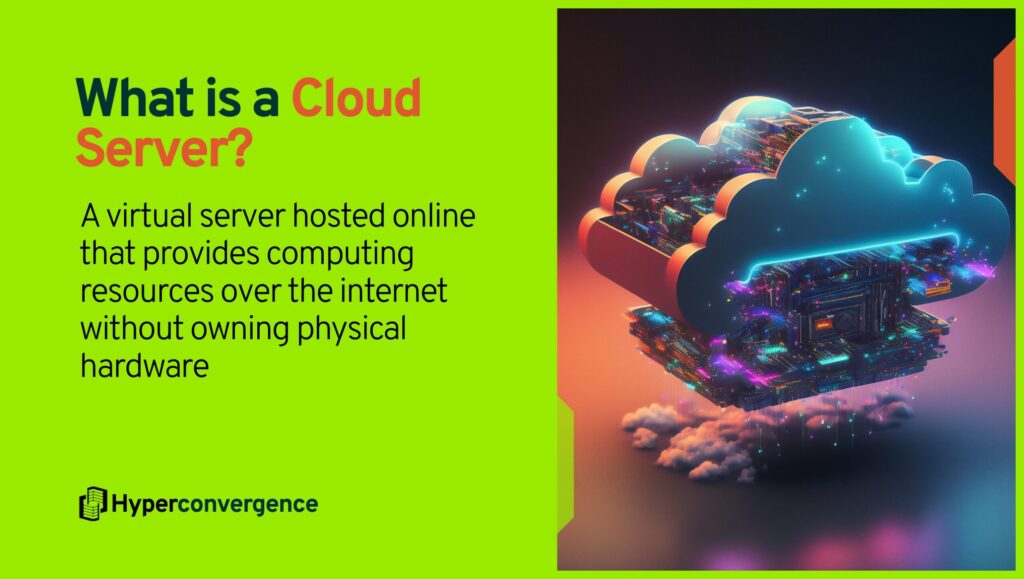
Cloud servers are powered by virtualization technology, which means a single physical machine can be divided into multiple virtual servers, each operating independently with its own operating system and resources.
Example: A startup hosting its e-commerce store on AWS without purchasing any server hardware.
Types of Cloud Servers
Cloud servers generally fall into three categories: public, private, and hybrid.
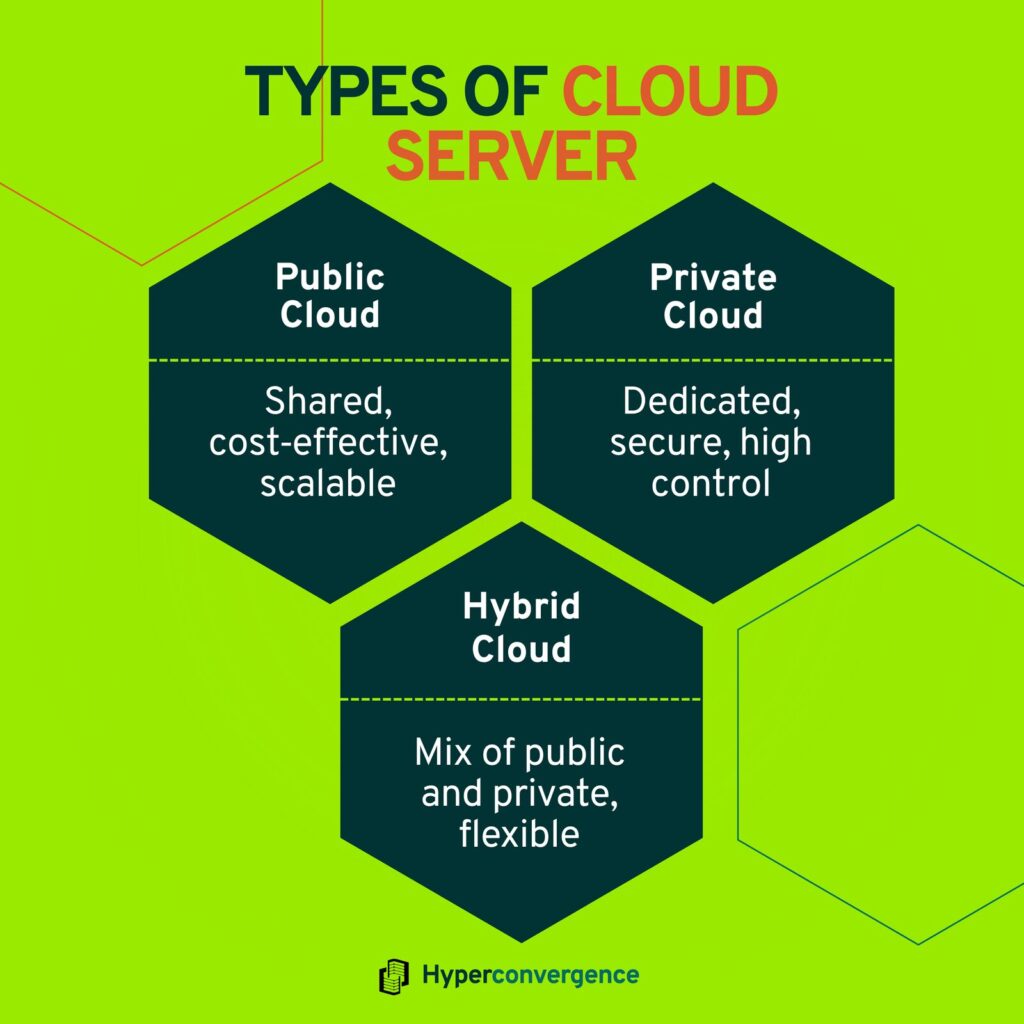
1. Public Cloud Server: Operate on shared infrastructure provided by vendors like AWS, Microsoft Azure, or Google Cloud. They’re cost-effective and scalable, ideal for startups or businesses with variable workloads.
2. Private Cloud Server: Runs on dedicated infrastructure, offering higher control, security, and compliance, often preferred by financial, healthcare, or government organizations.
3. Hybrid Cloud Server: Combines both models, allowing data and applications to move between private and public environments for better flexibility.
When comparing private cloud vs public cloud, the choice depends on an organization’s priorities—cost efficiency versus control, scalability versus security. Many modern enterprises adopt a hybrid approach for balanced performance.
Key Features
On-Demand Scalability: Increase CPU, RAM, or storage in minutes without downtime. Ideal for businesses with fluctuating workloads.
Pay-As-You-Go Pricing: No upfront investment. You pay only for what you use.
According to Flexera’s 2024 State of the Cloud Report, 65% of respondents cited cost efficiency/savings as their primary metric for cloud success.
Built-In Redundancy & Backup: Cloud platforms store your data across multiple data centers, reducing downtime risks.
Automatic Maintenance: The provider handles security updates, performance monitoring, and hardware upgrades.
Global Accessibility: Access your server from anywhere, ideal for remote teams.
Use Cases:
- Startups and SMEs that need fast deployment without infrastructure investment.
- E-commerce businesses are scaling during sales peaks (e.g., Black Friday).
- SaaS, mobile apps, AI, or analytics workloads that demand flexible compute power.
- Companies embracing remote or hybrid work need secure access across multiple locations.
What is a Physical Server?
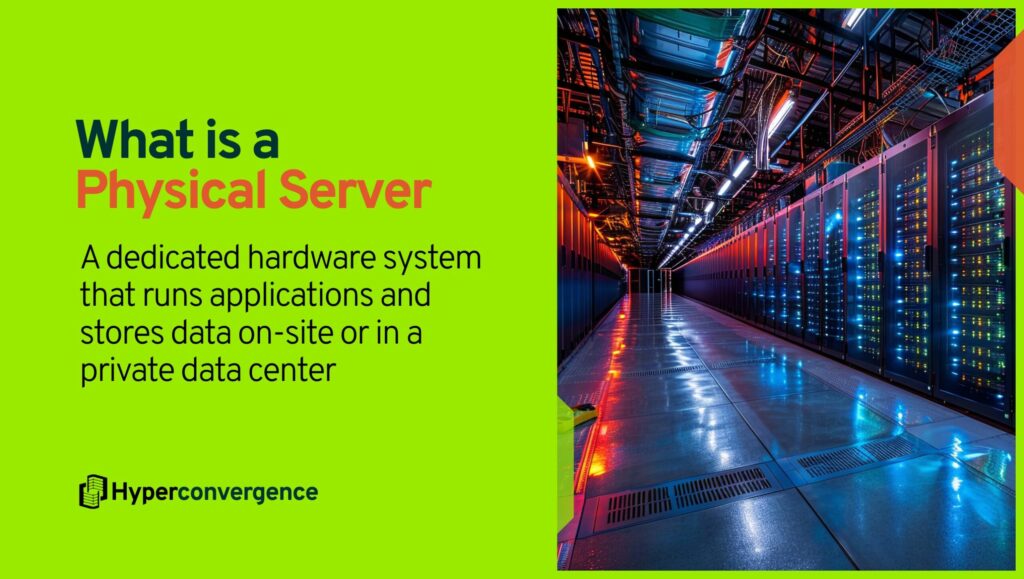
A physical server is a dedicated piece of hardware, typically housed in your own data centre or colocation facility that you fully own, run, and manage. In contrast to cloud servers, you’re responsible for the entire stack: the CPU, memory, storage, cooling, networking, and power supply.
Think of it this way: instead of renting computing resources on demand, you purchase the machine, rack it, commission i,t and maintain it.
Types of Physical Server
Here are the 4 main categories of physical servers:
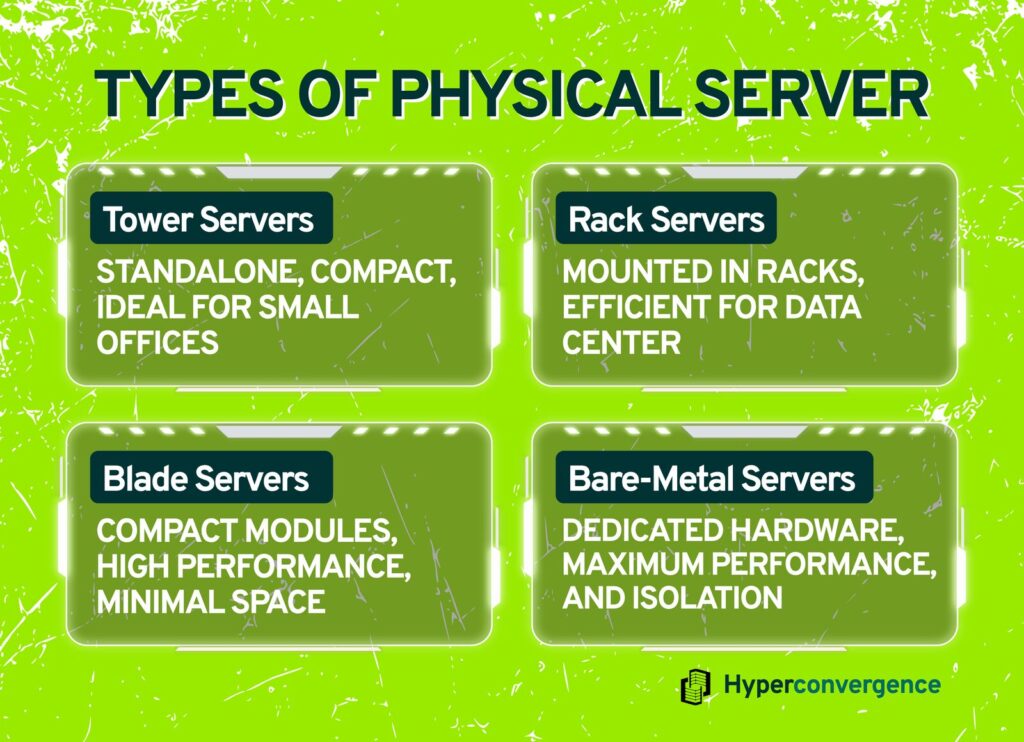
1. Tower Servers: These resemble desktop computers but use server-grade components. They are suited for small offices or branch sites where dedicated performance is needed but space and cooling are minimal.
2. Rack Servers: These mount into standard 19-inch racks in data centres. They allow for high density and efficient cabling, cooling, and power management.
3. Blade Servers: These are ultra-compact server modules that slide into a shared chassis, which provides power, cooling, and networking. They offer high performance in minimal space.
4. Bare-Metal / Dedicated Servers: These are physical servers allocated to a single client, with no virtualization layers interfering. They deliver maximum hardware performance and isolation.
Key Features
Full Resource Control: All server resources (CPU, RAM, storage) are dedicated to your workload, no sharing with others.
Custom Hardware Configuration: You can choose specific processors, drives, RAM, and networking gear tailored to your application’s demands.
High Performance and Low Latency: Because you’re running on dedicated hardware, you avoid “noisy neighbour” effects that can occur in shared environments.
Up-front Capital Investment: You must purchase hardware, set up infrastructure (racks, power, cooling) and manage ongoing maintenance, staffing, and upgrades.
Use Cases
- Mission-critical systems with strict latency or performance requirements (for example, trading platforms, on-site HPC)
- Applications subject to tight regulatory or data-sovereignty requirements, where full physical control is desired
- Legacy systems that cannot be easily moved to virtualised or cloud environments
Cloud Server vs Physical Server: Pros and Cons
Let’s go through the advantages and disadvantages of each server type to help businesses choose infrastructure that fits their exact needs and budget.
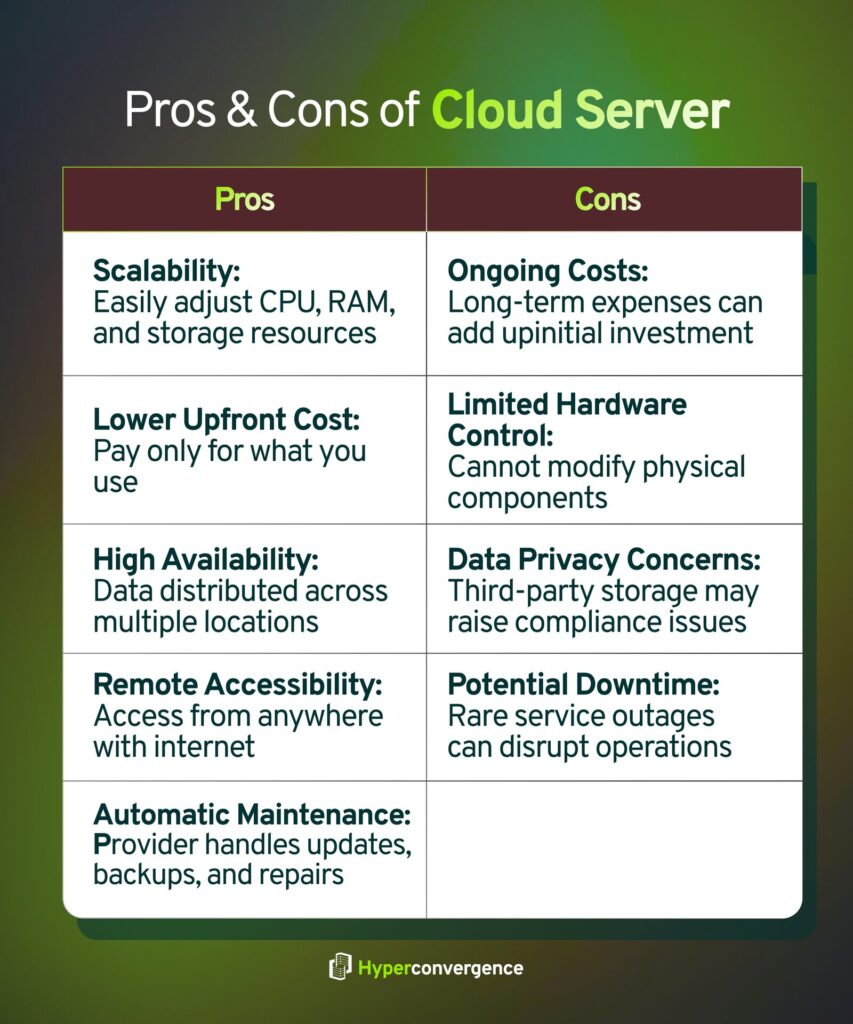
Advantages of Cloud Servers
Scalability: Cloud servers can scale resources such as CPU, RAM, or storage in minutes. This flexibility supports growing workloads and seasonal traffic changes.
Lower Upfront Cost: No need to purchase physical hardware or data center space. Businesses pay only for active usage, which cuts capital expenses.
High Availability: Major providers such as AWS, Azure, and Google Cloud distribute data across multiple zones. This structure helps minimize downtime.
Remote Accessibility: Teams can access their systems from any location with an internet connection, which supports remote work models.
Automatic Updates and Maintenance: The provider manages system updates, backups, and hardware repairs, reducing the internal IT workload.
Disadvantages of Cloud Servers
Ongoing Subscription Costs: Although upfront costs are low, long-term cloud expenses can exceed expectations if usage is not monitored.
Limited Hardware Control: Users cannot directly modify or upgrade underlying physical components.
Data Privacy Concerns: Data stored on third-party infrastructure may raise compliance and security concerns in regulated industries.
Potential Downtime Risks: Service outages from cloud providers can disrupt operations, even if rare.
And the benefits and limitations of physical servers are as follows:
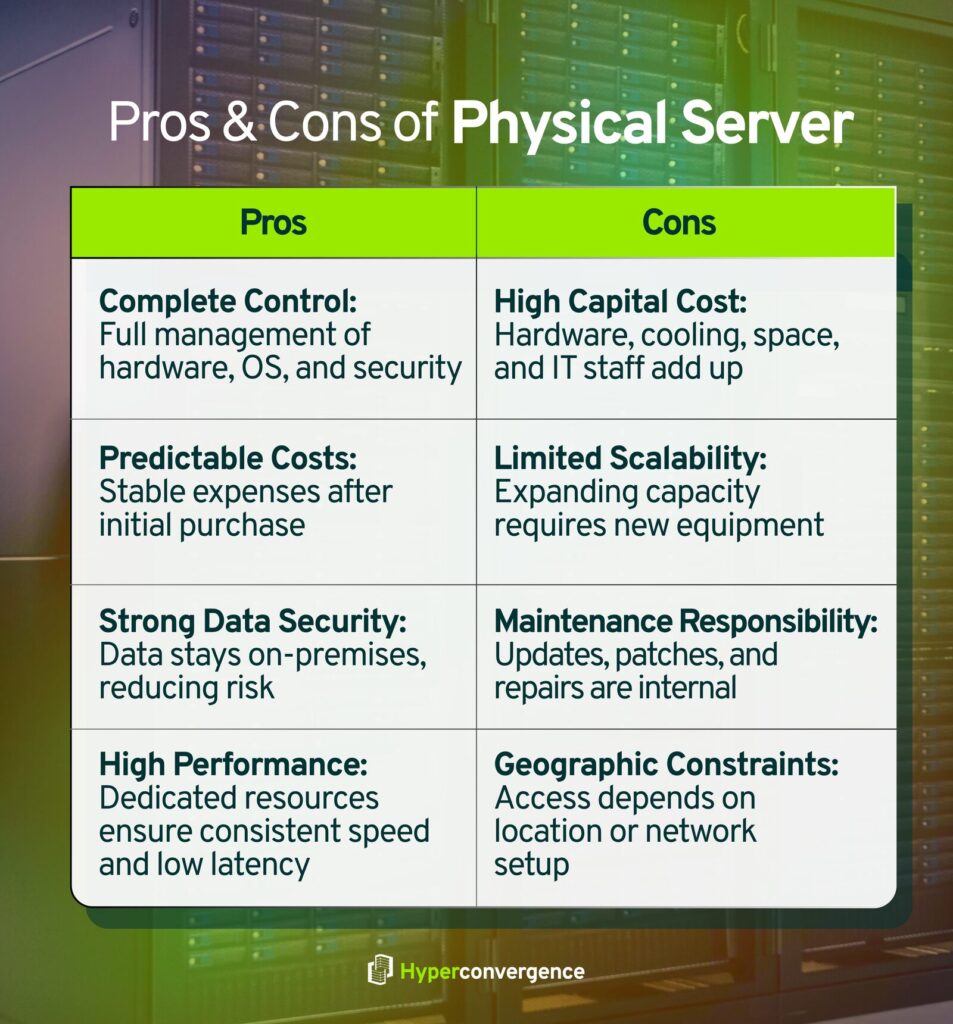
Advantages of Physical Servers
Complete Control: Organizations manage all aspects of hardware, operating systems, and security settings, giving full autonomy over performance.
Predictable Costs Over Time: After initial purchase, recurring expenses remain relatively stable, especially for consistent workloads.
Strong Data Security: Data remains on-premises, reducing exposure to third-party breaches and multi-tenant risks.
High Performance for Fixed Workloads: Dedicated resources deliver consistent processing speed and low latency.
Disadvantages of Physical Servers
High Capital Expenditure: Hardware, cooling, physical space, and IT staff add to the overall cost. (source)
Limited Scalability: Expanding capacity requires purchasing and installing new equipment, which takes time.
Maintenance Responsibility: All updates, security patches, and repairs must be handled internally.
Geographic Constraints: Access depends on physical presence or remote network setups, which may slow collaboration.
Cloud Server vs Physical Server: Key Differences
Here are the key differences between a cloud server and a physical server, explained through the lens of accessibility, cost, performance, and long-term business value.

1. Accessibility
With cloud servers, users can access data storage and computing resources from virtually any location through the internet. In contrast, traditional servers often require direct network or on-site access within a local environment. A recent report shows that 96% of organizations now use some form of cloud service, highlighting how remote access has become standard in the cloud computing environment.
2. Control & Customization
Physical servers rely on complete hardware ownership, offering deep customization of storage, memory, and networking components. Cloud solutions, while flexible, keep the underlying hardware under the control of the service provider. As one analysis notes, users in a public cloud or shared setup have “limited hardware control” compared to on-premises infrastructure.
3. Cost Effectiveness
Cloud computing shifts spending from large capital expenditures to operational costs, allowing businesses to pay only for the computing power and server space they use. However, physical servers, once purchased, can offer predictable long-term costs but come with ongoing maintenance costs such as electricity, cooling, and IT staff.
Studies show organizations moving to the cloud report 30‑40% reductions in infrastructure costs compared to maintaining traditional servers in-house
4. Backup
Cloud platforms include built-in redundancy and off-site backups as part of their cloud services, ensuring business continuity even during disruptions. Physical systems, however, require companies to build and manage their own backup and recovery infrastructure. Research shows that data redundancy and backups can be created more easily in the cloud computing environment than in on-site setups.
5. Flexibility
Cloud servers can rapidly scale computing power, storage, and applications as workloads grow. Physical servers, in contrast, need manual upgrades or additional installations to scale, which takes more time and budget. This makes cloud solutions ideal for businesses with changing demands or seasonal spikes.
6. Maintenance
When you use cloud services, most of the hardware updates, firmware patches, and cooling systems are handled by the service provider. With physical servers, your IT team must handle all hardware and environmental maintenance internally, consuming both time and resources. The ongoing maintenance costs of traditional systems often make the cloud more appealing for modern businesses.
7. Disaster Recovery
Cloud computing excels in disaster recovery. Many providers offer geographic redundancy and automated failover options that ensure business continuity with minimal downtime. Physical servers rely on separate backup sites or costly duplicate setups.
One study found 72% of IT leaders say cloud adoption has improved their disaster recovery capabilities– a testament to the reliability of cloud solutions. (source)
8. Security
Physical servers give organizations full control over server security, access, and hardware configuration– crucial for industries with strict compliance standards. Cloud providers, on the other hand, invest heavily in cybersecurity and follow a shared responsibility model.
This makes the balance between flexibility vs control a defining factor when comparing cloud computing environments to traditional servers.
9. Scalability
Cloud infrastructure allows near‑instant scaling of resources up or down, adding more computing power or storage as needed- without buying new hardware. Physical servers scale only through hardware investment and installation, which can delay responsiveness to spikes in demand.
10. Performance & Speed
For predictable, high‑performance workloads such as real‑time trading or large‑scale data processing, physical servers often deliver lower latency and dedicated resources.
However, cloud providers offer powerful infrastructure that suits many modern workloads.
11. Operating System
Cloud servers typically support a range of operating systems and configurations, often offering pre-built templates for faster deployment. Physical servers, meanwhile, allow deeper system-level access, enabling full customization of hypervisors, OS versions, and data storage architecture.
12. Setup Time
Deploying a cloud server can take minutes or hours. Deploying traditional servers with physical hardware, from procurement to installation and configuration, can take weeks or months. This difference is critical when your business must act quickly.
13. Compliance & Regulatory Considerations
If your operations involve highly regulated data (e.g., healthcare, finance, government), physical servers may provide clearer stewardship over data location and access.
Meanwhile, leading compliance cloud providers maintain certifications and compliance programmes, but you must verify how they map to your regulatory needs.
14. Environmental Impact
As cloud providers share infrastructure at scale, they often achieve better efficiency in power, cooling and hardware utilization. Even large-scale cloud data centers operate with optimized energy efficiency.
Physical servers located in a small facility may use more energy per unit of compute. Thus, shared cloud solutions offer environmental benefits through scale, lowering overall energy use and carbon footprint.
Have a look at this quick comparison chart between the two prominent server types:
| Feature | Cloud Server | Physical Server |
| Accessibility | Requires a separate DR setup, higher cost | Usually on-site or via private network |
| Control & Customization | Limited hardware control, software configurable | Full hardware and software control |
| Cost | Pay-as-you-go, lower upfront cost | High upfront investment, predictable ongoing cost |
| Backup & Recovery | Built-in redundancy and off-site backups | Requires manual setup and management |
| Flexibility | Scale resources instantly | Scaling needs hardware purchase and installation |
| Maintenance | Provider handles updates and repairs | All updates, patches, and maintenance are internal |
| Disaster Recovery | Fast recovery options, multiple locations | Full control, physical access limited to the organization |
| Security | Provider handles infrastructure security; shared environment | Full control, physical access limited to organization |
| Performance | Suitable for most workloads | Dedicated hardware delivers consistent performance |
| Setup Time | Minutes to hours | Weeks to months |
| Compliance | Provider certifications, but must verify fit | Full control, easier for strict regulations |
| Environmental Impact | Shared resources increase efficiency | Higher energy per server, less efficient |
Cloud Servers vs Physical Servers- A Cost-Benefit Analysis
Choosing between cloud servers and physical servers isn’t just about buying hardware; it’s about the total cost of running your IT infrastructure over time. Research shows cloud servers can offer significant savings when managed correctly.
Here’s a quick snapshot of key cost differences:
| Measure | Cloud Advantage vs On-Prem Server |
| Compute Cost Reduction (3-year timeframe) | Approximately 63 % lower with cloud. |
| Networking Cost Reduction | ~66 % lower with cloud. (source) |
| Storage Cost Reduction | ~69 % lower with cloud. (source) |
| TCO Example (Medium Enterprise Analytics, 3 years) | ~$3.38 M for Azure vs ~$4.04 M AWS in one scenario.(source) |
| Risk of Overspending | Up to ~30 % of cloud budget wasted. (source) |
What It Means: Many organizations achieve substantial cost savings with cloud servers when workloads are optimized. However, unoptimized usage and hidden costs can eat into those savings, as BCG notes, up to 30% of cloud spend may be wasted.
Hybrid Model: Combining Cloud and Physical Server
Many companies are now combining cloud infrastructure with traditional physical servers to gain flexibility and control. This hybrid model uses cloud-based resources for scalable tasks while keeping in-house server systems for sensitive workloads and reliable data storage.
Migration: How to Move from Physical to Cloud?
Here is a guide for you:
Steps:
- Inventory your current infrastructure and architecture.
- Choose which servers or applications to move first.
- Set up migration workflows, test the transition, then switch production workloads.
Cost Considerations:
- Estimate both upfront migration expenses and ongoing cloud usage costs.
- Factor in the cost of transferring large volumes of data or re-architecting apps.
Common Pitfalls:
- Moving nearly everything at once without planning can cause large disruptions or cost overruns.
- Overlooking network bandwidth or processing power requirements when shifting from in-house server environments leads to performance issues.
Use this roadmap to shift workloads from your existing in house server estate into cloud servers with minimal surprises.
Cloud Server vs Physical Server- Which One Is Right for You?
Choosing between cloud computing and an in-house server depends on how your business handles performance, data management, and long-term cost.
When Cloud Servers Make Sense
- Flexible scaling: Add or reduce cloud resources like CPU, RAM, or storage anytime.
- Lower upfront hardware costs: No need for a significant initial investment in data center equipment.
- Easier maintenance: Third-party providers manage updates, backups, and ongoing maintenance.
- Anywhere access: Teams can work from any location with a stable internet connection speed.
- Better disaster recovery: Most cloud environments include built-in redundancy and geographic backups.
- Enhanced cloud security: Providers apply strict controls and encryption to protect sensitive data.
When Physical Servers Are a Better Fit
- Full access control: You manage your own hardware, network, and server setup.
- Reliable performance: Ideal for applications requiring low latency or consistent speed.
- Offline operations: Runs smoothly even without an internet connection.
- Higher data privacy: In-house servers keep sensitive data on-premises.
- Predictable long-term cost: After purchase, recurring costs are stable.
- Customization: Configure multiple servers and networking exactly as your workload requires.
The Middle Ground: Private cloud servers offer dedicated infrastructure for higher control and compliance. Hybrid cloud servers combine both- using in-house servers for steady workloads and the cloud for on-demand processing power or backup.
This approach balances cloud security, scalability, and customization while keeping key assets local.
The Future Trends of Server Infrastructure
Modern server infrastructure is evolving fast as businesses demand faster performance, smarter automation, and stronger data security.
Edge Computing
Edge computing places network resources closer to users, reducing latency and improving the speed to access data. It supports IoT devices and business continuity even when central systems go offline.
Serverless & Virtualization
Serverless computing and virtualization software reduce the need for traditional servers, letting multiple users share scalable cloud servers without managing hardware. This lowers cost and simplifies data handling.
AI Workloads & Hybrid Solutions
AI and analytics require flexible hybrid solutions that blend on-site servers with cloud scalability. This setup maximizes network security and resource efficiency.
Green Data Centers
Energy-efficient hardware and optimized backup systems are reshaping existing infrastructure to minimize carbon impact while maintaining reliability.
The Bottom Line
Choosing between cloud servers and traditional servers depends on how you process and protect your critical data. Cloud servers’ advantages include scalability, remote access, and flexible storage space, while in-house setups offer direct access control and tighter server security.
Businesses handling big data analytics or variable workloads often prefer public cloud or hybrid cloud models for agility. Those requiring fixed performance may lean toward dedicated hosting managed through trusted third-party providers.
However, the ideal service provider balances cost, reliability, and compliance while simplifying processing data at scale. Whether your priority is flexibility or control, both models can coexist, helping you build a smarter, more secure digital foundation for the future.
So, which setup fits your business better- cloud server or physical server? Share your thoughts below.
FAQs
Safety depends on configuration and controls. Cloud servers benefit from provider‑managed infrastructure and built‑in redundancy, while physical servers allow full in‑house access control and isolation. If your team manages security well, either model can be safe.
Cloud servers have lower upfront hardware costs and allow pay‑as‑you‑go pricing. Physical servers carry a significant initial investment but may be cheaper over time for predictable workloads. The total cost depends on scale, usage patterns, and maintenance.
A cloud server is hosted by a third‑party provider and accessed over the internet. A local (on‑premises) server sits in your facility and is managed internally. Cloud supports rapid scaling; local servers offer physical control.
Cloud servers are virtual machines running on shared infrastructure, often managed by third‑party providers. Traditional servers are dedicated hardware managed locally. Cloud supports faster deployment and flexible scaling; traditional servers offer consistent performance and full control.
Key benefits include rapid deployment, scalable resources, reduced capital expenditure, remote access, and provider‑managed maintenance. These make cloud servers suitable for variable workloads and growth scenarios.
Neither is universally better. Choose the cloud when you need flexibility, remote access, and low upfront cost. Choose traditional servers when you need control, predictable performance, and full hardware ownership. Match the choice to your workload and business needs.
No. Cloud servers are virtualised computing instances that run on physical hardware. Each cloud server is a virtual machine on shared infrastructure rather than a dedicated physical machine.
A physical server makes sense if you require dedicated hardware, low latency, full control, or must keep sensitive data fully on‑premises. For many smaller or flexible workloads, cloud servers suffice.
Three main types of cloud servers are- public server (shared infrastructure), private server(dedicated resources), and hybrid server(a mix of both). Each choice offers varying trade‑offs in cost, control, and scalability.
An example is a dedicated rack‑mounted server housed in a company data centre running solely its business applications. Unlike virtual instances, it offers full hardware control and isolated resources.
No, websites require server infrastructure of some kind, whether a physical machine in‑house or a virtual cloud server. Even “serverless” setups run on underlying servers managed by the provider.
Yes, when configured correctly. Cloud servers can scale resources like RAM and CPU quickly, adapt during traffic spikes, and support low‑latency access via well‑placed data centres. Performance depends on the setup and the internet connection.
Yes. You can use a cloud provider (e.g., AWS, Azure) to create virtual servers quickly or deploy a private‑cloud system within your own infrastructure. Either approach gives you cloud‑style resources without full hardware ownership.
No. Google Cloud is a cloud platform that offers many services, including virtual servers (instances), storage, and networking. It is not a single physical server but a suite of cloud resources.